How to Turn Off Maintenance Required Light After Oil Change
Turning off the maintenance required light after an oil change is quick and easy once you know the right steps. Most cars let you reset the light in under two minutes using your dashboard buttons or steering wheel controls. This guide covers every major car brand so you can get the job done without a trip to the mechanic.
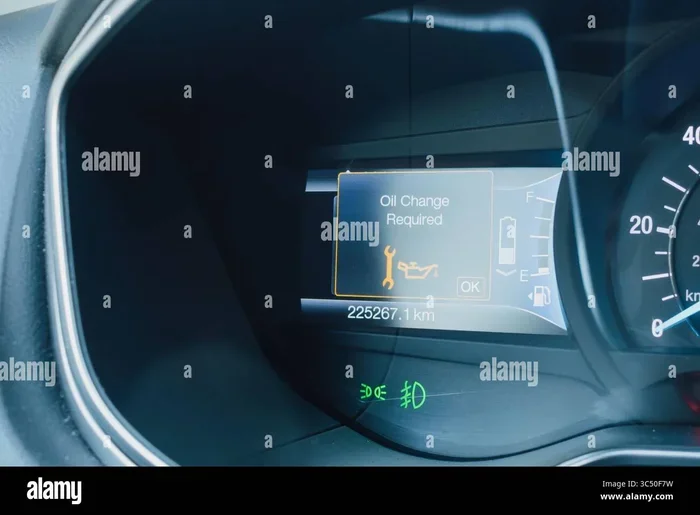
That little yellow or orange light on your dashboard just won’t quit. You just got your oil changed, but the maintenance required light is still staring right at you. It is frustrating, annoying, and honestly a bit embarrassing when passengers notice it.
Here is the good news. Turning off the maintenance required light after an oil change is something you can do yourself in minutes. No mechanic needed. No expensive dealership visit required. Most car brands use simple button combinations on your dashboard or steering wheel to reset the light. Once you learn the method for your specific vehicle, you will never need to pay someone else to do it again.
In this guide, we walk you through every step. We cover popular brands like Honda, Toyota, Ford, Chevrolet, and more. You will also learn why the light comes on in the first place, what common mistakes to avoid, and what to do if the light refuses to turn off. By the end, you will feel confident handling this yourself.
The oil change reminder system in your car tracks mileage and driving habits to tell you when service is due. But after the oil is fresh, that light needs a manual reset. Think of it like setting a new timer. The process is different for each brand, but the general idea is the same. You turn the ignition on and off, press specific buttons, and the light goes dark. Simple as that.
Key Takeaways
- Quick Reset: Most vehicles let you turn off the maintenance required light in under two minutes using simple button combinations.
- Brand-Specific Steps: Different car brands like Honda, Toyota, Ford, and Chevrolet use different reset methods, and we cover them all.
- No Special Tools Needed: You do not need expensive equipment or a visit to the dealership to reset your light.
- Common Mistakes Exist: Holding the wrong button or resetting before the ignition cycle can cause the process to fail.
- Persistent Light Signals a Bigger Issue: If the light stays on after a proper reset, it may indicate a deeper problem that needs professional attention.
- Oil Life Systems Vary: Modern cars use advanced oil life monitoring systems that track driving habits, not just mileage alone.
- Prevention Is Easy: Keeping a regular maintenance schedule helps you avoid unexpected dashboard warnings altogether.
📑 Table of Contents
- Why Does the Maintenance Required Light Come On?
- How to Turn Off the Maintenance Required Light
- Step-by-Step Reset Methods by Car Brand
- Common Mistakes When Resetting the Maintenance Light
- When the Maintenance Light Won’t Turn Off
- Tips to Keep Your Maintenance Schedule on Track
- Quick Tips for a Smooth Reset
- Frequently Asked Questions
- Final Thoughts
Why Does the Maintenance Required Light Come On?
Understanding why the light appears helps you appreciate the reset process. The maintenance required indicator is not a warning about a broken part. It is a reminder. Your car’s computer tracks oil life and service intervals based on your driving patterns.
How the Oil Life System Works
Modern vehicles use an oil life monitoring system that goes beyond simple mileage counters. The system considers engine temperature, driving conditions, idle time, and throttle usage. Based on all of these factors, it calculates when your oil is no longer performing at its best. When the system determines service is due, it triggers the dashboard light.
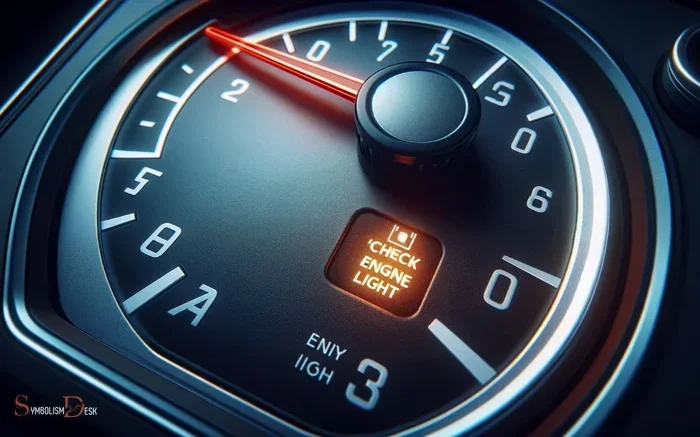
This is different from the check engine light, which signals an actual problem. The maintenance light is purely informational. It does not mean your car is damaged. It simply says, “Hey, time for an oil change.”
What Triggers the Light?
Several factors can trigger the dashboard maintenance reminder:
- Mileage reached: Most systems default to 5,000 or 7,500 miles.
- Time elapsed: Some systems also track months since last service.
- Driving conditions: Stop-and-go traffic, towing, or extreme temperatures shorten oil life.
- Oil change completed: The light stays on until someone resets it manually.
Once you complete the oil change, the light will not turn off by itself. You must reset it. This is where many people get stuck. But now you know exactly how to handle it.
How to Turn Off the Maintenance Required Light
The reset process depends on your car’s make and model. Turning off the maintenance required light involves a specific sequence of actions for each brand. Below, we break down the most common methods so you can find your vehicle and follow along.
General Reset Steps That Work for Most Cars
Before diving into brand-specific instructions, here is a general approach that works for many vehicles:
- Turn the ignition to the “ON” position without starting the engine.
- Locate the trip meter or odometer button on your dashboard.
- Press and hold the button while turning the ignition off and back on.
- Continue holding the button until the light blinks or resets.
- Release the button and start the engine to confirm the light is off.
These steps work for many older vehicles and some newer models. However, most modern cars have slightly different procedures. Let us look at the specifics.
How to Reset the Light on Honda Vehicles
Honda vehicles use a straightforward method to reset the Honda maintenance required light. Here is what you need to do:
- Turn the ignition to the “ON” position (do not start the engine).
- Press and hold the “Select/Reset” knob on the instrument panel.
- While holding the knob, turn the ignition to “OFF” and then back to “ON.”
- Continue holding the knob for about 10 seconds.
- The maintenance light should blink and then turn off.
- Release the knob and start the engine to confirm.
This method works for most Honda models including the Civic, Accord, CR-V, and Fit. If you own a newer Honda with a touchscreen, the process may involve the steering wheel controls and the information display. Check your owner’s manual for the exact steps.
How to Reset the Light on Toyota Vehicles
Toyota uses a slightly different approach. Resetting the Toyota maintenance required light typically involves the trip meter reset stalk:
- Turn the ignition to the “ON” position.
- Set the trip meter to the odometer display.
- Turn the ignition to the “OFF” position.
- Press and hold the trip meter reset stalk.
- While holding it, turn the ignition back to “ON.”
- Hold the stalk for about 10 seconds until the light resets.
- Release the stalk and start the engine.
For Toyota models like the Camry, Corolla, RAV4, and Tacoma, this method is reliable. Some newer Toyota models with digital displays may require you to navigate through the steering wheel menu buttons instead. The principle remains the same, though.
How to Reset the Light on Ford Vehicles
Ford vehicles often use the steering wheel controls to reset the Ford maintenance required light:
- Press the “Info” button on the steering wheel until the oil life percentage appears on the display.
- Press and hold the “Reset” button (the arrow-shaped button) for about five seconds.
- The oil life indicator will begin to blink.
- Turn the ignition off and then back on.
- The light should now be reset to 100 percent.
This works for Ford Focus, F-150, Escape, Explorer, and most other Ford models. If your Ford has a different infotainment system, the steps may vary slightly. Always refer to the owner’s manual for confirmation.
How to Reset the Light on Chevrolet Vehicles
Chevrolet vehicles use the steering wheel buttons and the instrument cluster display:
- Press the “Menu” button on the steering wheel.
- Navigate to the “Vehicle Info” or “Settings” option.
- Select “Reset to Default” or “Oil Life Reset.”
- Confirm the reset when prompted.
- Turn the ignition off and restart the engine.
- The maintenance light should now be off.
For older Chevrolet models without digital displays, you can often use the trip odometer button method similar to the general steps above. The key is finding the right button combination for your specific year and model.
Step-by-Step Reset Methods by Car Brand
To make this even easier, we put together a quick reference guide. Use this table to find your car brand and follow the corresponding method.
| Car Brand | Primary Reset Method | Time Needed |
|---|---|---|
| Honda | Select/Reset knob + ignition cycle | 1-2 minutes |
| Toyota | Trip meter stalk + ignition cycle | 1-2 minutes |
| Ford | Steering wheel Info + Reset buttons | 1-2 minutes |
| Chevrolet | Steering wheel menu navigation | 1-3 minutes |
| Nissan | Trip meter button + ignition cycle | 1-2 minutes |
| BMW | iDrive controller + vehicle settings menu | 2-3 minutes |
| Mercedes-Benz | Steering wheel buttons + instrument display | 2-3 minutes |
| Hyundai | Trip meter button + steering wheel controls | 1-2 minutes |
| Kia | Trip meter button + ignition cycle | 1-2 minutes |
| Subaru | Trip meter reset + steering wheel buttons | 1-2 minutes |
As you can see, the process is similar across brands. The main difference is which buttons you press and where they are located. Once you learn the method for your car, you will never forget it. Resetting the maintenance light becomes second nature after the first time.
Common Mistakes When Resetting the Maintenance Light
Even though the process is simple, people make mistakes all the time. Here are the most common errors that prevent the light from turning off.
Resetting Before the Ignition Cycle
One of the biggest mistakes is pressing the reset button without cycling the ignition properly. The system needs to be in the “ON” position first. If you try to reset while the engine is running or while the key is in the “OFF” position, the reset will not work. Always follow the exact sequence for your vehicle.
Holding the Button for Too Short a Time
Another common error is releasing the button too early. Most reset sequences require you to hold the button for at least 5 to 10 seconds. If you let go after two seconds, nothing will happen. Be patient and hold it until you see the light blink or change on the display.
Confusing the Maintenance Light with the Check Engine Light
The maintenance required light is not the same as the check engine light. The check engine light indicates a serious engine problem. Resetting the check engine light without fixing the underlying issue will cause it to return immediately. If you are unsure which light you are dealing with, check the symbol. The maintenance light usually looks like a wrench or the words “MAINTENANCE REQUIRED.”
Forgetting to Start the Engine After Reset
After completing the reset sequence, always start the engine to confirm the light is off. Some vehicles require you to drive a short distance before the reset takes effect. If the light is still on after starting the engine, you may need to repeat the process or try a different method.
When the Maintenance Light Won’t Turn Off
Sometimes, despite your best efforts, the maintenance required light stays on. This can be frustrating, but it usually has a simple explanation. Let us look at what to do when the reset does not work.
Check for Pending Error Codes
A persistent maintenance light might be related to a pending error code in your car’s computer. Even if the engine seems fine, the system may have stored a code that prevents the light from resetting. You can use an OBD2 scanner to check for codes. These devices plug into a port under your dashboard and read your car’s computer data. Many auto parts stores will scan for free.
Battery Issues
A weak or dead car battery can interfere with the reset process. If your battery is old or has been recently disconnected, the vehicle’s computer may not respond to the reset sequence. Try charging or replacing the battery first, then attempt the reset again.
Software or System Glitch
In rare cases, the car’s computer simply needs a reboot. Disconnect the negative battery terminal for about 15 minutes, then reconnect it. This resets the entire electrical system. After reconnecting, try the reset procedure again. This method works for most vehicles, including Honda, Toyota, Ford, Chevrolet, Nissan, and others.
When to See a Mechanic
If none of the above solutions work, it is time to visit a mechanic. The light may be signaling a sensor issue, a wiring problem, or a deeper computer malfunction. A professional can diagnose the problem and fix it properly. Do not ignore a persistent maintenance light, as it could lead to missed oil changes and engine wear over time.
Tips to Keep Your Maintenance Schedule on Track
Preventing the maintenance light from coming back unexpectedly is easy with a few simple habits. Here are some tips to keep your vehicle running smoothly.
Set Calendar Reminders
Do not rely solely on your car’s reminder system. Set a calendar alert on your phone for every 5,000 to 7,500 miles or every six months. This gives you a backup reminder in case the system malfunctions or you forget to reset the light after an oil change.
Keep a Maintenance Log
Write down every oil change, tire rotation, and service appointment in a notebook or app. A maintenance log helps you track your vehicle’s service history and reminds you when the next oil change interval is approaching. It also increases your car’s resale value when potential buyers see a well-documented service record.
Use Quality Oil and Filters
Cheap oil and filters can degrade faster, causing the oil life monitoring system to trigger earlier. Invest in high-quality synthetic or conventional oil that meets your vehicle’s specifications. Pair it with a reputable brand oil filter for the best results.
Drive Smart to Extend Oil Life
Your driving habits directly affect how quickly the oil degrades. Aggressive driving, frequent short trips, and excessive idling all shorten oil life. If you drive gently and avoid extreme conditions, your service interval may extend beyond the default recommendation. This is exactly what modern oil life systems are designed to account for.
Read Your Owner’s Manual
Your vehicle’s owner’s manual is the ultimate guide for car maintenance tips and reset procedures. Every car is different, and the manual contains specific instructions for your exact model. Keep a copy in your glove box for easy reference.
Quick Tips for a Smooth Reset
Here are some quick tips to make the reset process even easier:
- Have your owner’s manual nearby in case you need to double-check the steps.
- Make sure the car is in Park (automatic) or Neutral (manual) before starting.
- Turn off all accessories like the radio, A/C, and lights before resetting.
- Use a phone timer to track how long you hold the button.
- Take a video of the reset process so you can reference it next time.
- Reset immediately after an oil change so the light does not distract you during your drive.
Frequently Asked Questions
Can I drive with the maintenance required light on?
Yes, you can drive safely with the maintenance required light on. It is not a serious warning like the check engine light. However, you should not ignore it for too long. The light simply reminds you that an oil change is due. Driving beyond the recommended oil change interval can reduce engine performance and potentially cause long-term damage.
How long does it take to reset the maintenance required light?
The reset process typically takes one to three minutes. Most vehicles follow a similar sequence of turning the ignition on and off and pressing a specific button. The exact time depends on your car brand and model. If it takes longer than five minutes, double-check that you are following the correct steps for your vehicle.
Will the maintenance light come back after I reset it?
The light will return when the next service interval is reached. This is normal and expected. The oil life monitoring system tracks your driving and automatically triggers the light when another oil change is needed. Simply reset the light again after your next oil change.
What if the maintenance light comes on right after an oil change?
This usually means the light was not properly reset after the previous oil change. The dashboard maintenance reminder stays on until someone completes the reset sequence. Follow the reset steps for your specific car brand, and the light should turn off immediately.
Do I need any special tools to reset the maintenance light?
No special tools are required. You only need access to your car’s dashboard buttons or steering wheel controls. Some newer vehicles may require you to navigate through a touchscreen menu, but no additional equipment is necessary. An OBD2 scanner can be helpful if the light will not reset, but it is not required for a standard reset.
Is it safe to reset the maintenance light myself?
Absolutely. Resetting the maintenance required light is a simple, safe process that does not affect your car’s warranty or engine performance. Every car manufacturer designs the reset procedure to be user-friendly. As long as you follow the correct steps for your vehicle, there is no risk of damage or complications.
Final Thoughts
Turning off the maintenance required light after an oil change is one of the simplest and most satisfying DIY car tasks you can do. It takes just a few minutes, requires no special tools, and saves you a trip to the dealership or mechanic shop. Once you learn the reset method for your vehicle, you will do it every time without thinking.
Remember that the maintenance required light is not a cause for alarm. It is simply your car’s way of saying, “I am due for service.” Reset it after every oil change, keep track of your oil change interval, and your vehicle will run smoothly for years to come.
Do not let that little yellow light bug you any longer. Follow the steps in this guide for your specific car brand, and you will have it turned off in no time. Share this article with a friend who is still paying someone else to reset their light. With the knowledge you have now, you are officially equipped to handle it yourself.