Can the Toyota App Have Multiple Users Complete Guide
Yes, the Toyota App can support multiple users, but with some important limitations. The app allows you to create separate profiles, share vehicle access, and manage permissions for different drivers. This guide covers everything you need to know about adding users, setting up profiles, and getting the most out of the Toyota App with multiple accounts.
Key Takeaways
- Multiple user support exists: The Toyota App allows more than one user to access vehicle features through separate profiles.
- Easy setup process: You can add new users through the app settings or by linking existing Toyota accounts.
- Shared vehicle convenience: Families and shared vehicle owners benefit greatly from multi-user access.
- Privacy controls available: Each user can maintain their own preferences and settings within the app.
- Common issues are fixable: Most login and sync problems have straightforward solutions.
- Keep the app updated: Regular updates ensure the best experience for all users.
📑 Table of Contents
- What Is the Toyota App and Why Does It Matter?
- Can the Toyota App Have Multiple Users?
- Benefits of Sharing the Toyota App Across Multiple Users
- How to Set Up Multiple Users on the Toyota App
- Common Problems and How to Fix Them
- Expert Tips for Managing Multiple Toyota App Users
- How Toyota App Multi-User Support Compares to Other Brands
- Final Thoughts on Using the Toyota App with Multiple Users
What Is the Toyota App and Why Does It Matter?
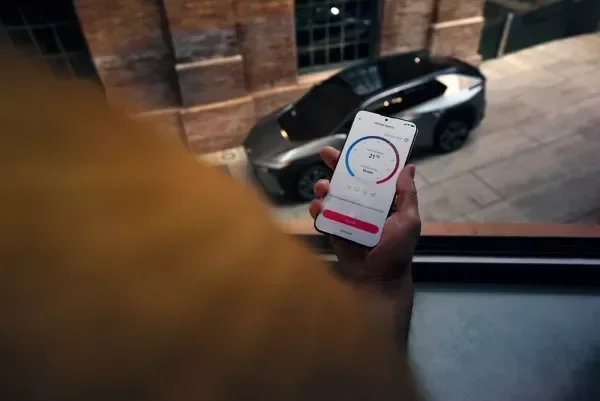
The Toyota App is a mobile application that connects your smartphone to your Toyota vehicle. It lets you control many features right from your phone. You can lock doors, start the engine, check fuel levels, and even find your car in a crowded parking lot.
But here is the real question many Toyota owners ask. Can the Toyota App have multiple users? If you share your car with a spouse, a teenager, or a coworker, you need to know whether everyone can use the app. The answer is not as simple as a yes or no. It depends on the model, the app version, and how you set things up.
In this guide, we will walk through everything you need to know. We will cover how the app works, how to add multiple users, what features are shared, and how to fix common problems. Whether you are a new Toyota owner or have been driving for years, this information will help you get the most from your Toyota connected services.
The Toyota App has grown a lot over the past few years. What started as a basic remote start tool now includes navigation, emergency assistance, and vehicle health monitoring. With all these features, it makes sense that more than one person would want access. Let us dive into the details.
Can the Toyota App Have Multiple Users?
The short answer is yes. The Toyota App does support multiple users, but the way it works depends on your specific vehicle model and the app version you are using. Toyota has built in features that allow different people to log in and access their own profiles. However, not every feature is shared across all users.
Here is how it generally works. Each person who wants to use the app needs their own Toyota account. You can then link that account to the same vehicle. Once linked, each user gets their own login credentials and can access the app on their personal phone.
Some Toyota models support up to four or five user profiles. Others may limit the number. It is always a good idea to check your specific model in the owner manual or by contacting your Toyota dealer. The app settings will also show you how many profiles are currently active on your vehicle.
Understanding User Profiles and Login Options
When you open the Toyota App, you will see a login screen. If you already have a Toyota account, enter your email and password. If you are setting up a new user, you can create a fresh account right from the app.
Each profile keeps its own set of preferences. For example, one user might prefer a different climate control setting than another. The app remembers these individual choices. This means when your spouse logs in, they see their own settings, not yours.
The login process is straightforward. You can also use the Toyota Connected Services portal on a computer to manage multiple accounts. This is helpful if you want to check who is currently linked to your vehicle or remove an old user.
How to Add Another User to Your Toyota App
Adding a new user to the Toyota App is a simple process. Here are the steps you need to follow.
- Open the Toyota App on your phone and log in to your account.
- Go to Settings. Look for the vehicle or account management section.
- Select “Add User” or “Manage Users.” The exact wording may vary by app version.
- Enter the new user’s email address. They will receive an invitation to join.
- The new user accepts the invitation and creates their own password.
- They log in on their phone and can now access the app with their own profile.
It is important to note that the vehicle itself must support multiple profiles. Some older Toyota models may not have this capability. If you are unsure, check with your dealer or look up your model year online.
Benefits of Sharing the Toyota App Across Multiple Users
Having multiple users on the Toyota App brings several real advantages. Let us look at why this feature matters for everyday driving.
Convenience for Families and Shared Vehicles
If you have a family car, multiple user access is a game changer. Your teenager can use the app to start the car on a cold morning. Your spouse can check the remaining fuel level before heading out. Everyone stays connected to the vehicle without needing to share a single phone.
This is especially useful for households with more than one driver. Instead of passing one phone back and forth, each person has their own app access. The Toyota mobile app makes it easy for everyone to stay in control.
Managing Permissions and Privacy
Toyota understands that not everyone wants the same level of access. That is why the app includes permission settings. You can choose what each user can and cannot do.
For example, you might allow a family member to use remote start but not view your saved navigation history. These privacy controls keep your personal data safe while still giving others the features they need.
Some key permissions you can manage include:
- Remote start and lock/unlock access
- Vehicle location tracking permissions
- Climate control settings visibility
- Driving history and trip data
- Emergency SOS and roadside assistance access
Shared Vehicle Maintenance Tracking
Another great benefit is maintenance tracking. When multiple users access the app, everyone can see service reminders and vehicle health reports. This helps keep the car in good shape. No single person has to be the “car manager” anymore.
You can also share service appointment details directly through the app. This makes scheduling maintenance at your Toyota dealer much easier for the whole family.
How to Set Up Multiple Users on the Toyota App
Setting up multiple users takes just a few minutes. Here is a step-by-step walkthrough to make the process smooth.
Step 1: Update the App
Before you start, make sure your Toyota App is up to date. Open the App Store or Google Play Store and check for updates. An outdated version may not support all the multi-user features. Toyota App updates often include new functionality and bug fixes, so keeping current is important.
Step 2: Create Individual Accounts
Each person needs their own Toyota account. This is free to set up. All they need is an email address and a password. Encourage each user to use their own email rather than sharing one account. This keeps things organized and secure.
Step 3: Link Accounts to the Vehicle
Once each person has an account, they need to link it to your Toyota vehicle. This is done through the app settings. The primary account holder usually needs to approve the link. After approval, the new user can control the vehicle features through their own profile.
Step 4: Test the Setup
After adding users, test everything. Have each person try remote start, lock, and unlock. Make sure the app syncs properly with the vehicle. If anything does not work, check your internet connection and the app version.
Common Problems and How to Fix Them
Even with a smooth setup, you may run into issues. Here are the most common problems with the Toyota App and how to solve them.
Login Problems and How to Fix Them
If a user cannot log in, the first thing to check is the password. Make sure caps lock is off and the email address is spelled correctly. If the problem continues, use the “Forgot Password” link to reset the credentials.
Sometimes the issue is with the vehicle connection. Make sure the car is in park and the doors are closed. The app needs a stable Bluetooth or cellular connection to communicate with the vehicle. Restarting the phone can also help clear up login issues.
App Crashes and Sync Issues
If the app crashes frequently, try clearing the cache on your phone. On iPhone, you can delete and reinstall the app. On Android, go to Settings, then Apps, find the Toyota App, and clear the cache.
Sync issues often happen when the app has not been updated. Check for the latest version in your app store. Also, make sure your phone has a strong internet connection. Weak Wi-Fi or cellular signals can cause syncing problems.
Vehicle Not Recognizing the App
In some cases, the vehicle may not respond to app commands. This can happen if the car battery is low or if the vehicle is too far from your phone. Keep your phone within a reasonable range. Also, check that the vehicle’s connectivity module is turned on.
Expert Tips for Managing Multiple Toyota App Users
Getting the most out of the Toyota App with multiple users takes a little planning. Here are some expert tips to help you succeed.
Keep Your App Updated
Toyota regularly releases updates to improve the app. These updates add new features, fix bugs, and improve security. Make sure all users have automatic updates turned on. This ensures everyone has the best experience possible.
Updates also help with compatibility. As Toyota releases new vehicles and features, the app needs to keep up. An outdated app may not work with newer vehicle models or connected services.
Maximize Connected Car Features
The Toyota App offers many connected car features. Encourage each user to explore them. Here are some features worth trying:
- Remote start to warm up or cool down the car before driving
- Vehicle locator to find your car in large parking areas
- Fuel level monitoring to know when it is time to refuel
- Maintenance alerts to stay on top of service needs
- Driving reports to track habits and improve safety
Set Up Notifications for All Users
Notifications are a great way to stay informed. Each user can set up their own alert preferences. You can choose to receive alerts for door locks, engine starts, and low fuel warnings. This keeps everyone in the loop about the vehicle status.
Review User Access Regularly
It is a good habit to review who has access to your vehicle through the app. If someone no longer needs access, remove their profile. This keeps your vehicle secure and your data private. You can manage all users from the app settings or the Toyota Connected Services website.
How Toyota App Multi-User Support Compares to Other Brands
Many car brands now offer mobile apps with multi-user support. Here is how the Toyota App stacks up against a few competitors.
| Brand | Multi-User Support | Profile Customization | Remote Features |
|---|---|---|---|
| Toyota | Yes, up to 4-5 users | Individual preferences per user | Remote start, lock, locate |
| Ford | Yes, multiple profiles | Limited customization | Remote start, lock, charge |
| Chevrolet | Yes, multiple users | Basic profile settings | Remote start, lock, navigate |
| Honda | Yes, linked accounts | Shared preferences | Remote start, lock, locate |
Toyota holds its own against the competition. The app offers solid multi-user support with good customization options. The Toyota connected services ecosystem is mature and reliable. For most families, the Toyota App provides everything they need.
Final Thoughts on Using the Toyota App with Multiple Users
The Toyota App is a powerful tool for managing your vehicle. And yes, it can absolutely support multiple users. Whether you share your car with a spouse, children, or coworkers, the app makes it easy for everyone to stay connected.
Setting up multiple users is straightforward. Each person gets their own account, their own preferences, and their own level of access. The privacy controls ensure that personal data stays safe while still giving everyone the features they need.
Keep the app updated, review user access regularly, and take time to explore all the connected car features. The more you use the app, the more value you will get out of it. Toyota has built a strong platform that makes vehicle ownership easier and more convenient for everyone involved.
If you run into any issues, the troubleshooting tips in this guide should help you resolve them quickly. And if problems persist, your local Toyota dealer is always a great resource. They can help with advanced setup and answer any questions about your specific model.
Embrace the convenience of the Toyota App with multiple users. It is designed to make your life easier and your driving experience better. Start setting up profiles today and enjoy the full benefits of Toyota vehicle connectivity.
Frequently Asked Questions
How many users can be added to the Toyota App?
Most Toyota models support up to four or five user profiles on the Toyota App. However, the exact number depends on your vehicle model and the app version. Check your owner manual or contact your Toyota dealer for the specific limit for your car.
Can each user have different settings on the Toyota App?
Yes, each user profile maintains its own set of preferences. This includes things like climate control settings, notification preferences, and saved locations. When one user logs in, they see their own customized experience, not someone else’s.
Do I need a separate Toyota account for each user?
Yes, every person who wants to use the Toyota App needs their own Toyota account. You cannot share a single account across multiple phones. Each account is linked to the vehicle separately, and the primary account holder must approve each new user.
What features can be restricted for other users on the Toyota App?
The app allows you to manage permissions for each user. You can restrict access to features like remote start, vehicle location tracking, driving history, and trip data. This helps protect your privacy while still giving others useful access to the vehicle.
Why can’t a new user log in to the Toyota App?
If a new user cannot log in, first check that their email and password are correct. Make sure the Toyota App is updated to the latest version. Also verify that the vehicle is in park and the doors are closed. Restarting the phone often resolves login issues as well.
Is the Toyota App free to use with multiple users?
The Toyota App itself is free to download and use. However, some features may require a subscription to Toyota Connected Services. The multi-user support is included at no extra cost, but certain premium features may have separate fees. Check the Toyota website for the latest pricing details.