How Do You Reset the Oil Change Service Due Light Now
How Do You Reset the Oil Change Service Due Light? is an essential topic that provides valuable insights.
Key Takeaways
- Reset after every oil change: Always reset the light immediately after servicing to keep your maintenance tracking accurate.
- Follow your car brand’s specific steps: Toyota, Honda, Ford, and Chevy each have unique reset procedures that you should learn.
- Never reset without fresh oil: The light is a service reminder, not a cosmetic button to press for convenience.
- Hold the button for 10 to 15 seconds: Most systems need sustained pressure to register the reset command properly.
- Use an OBD-II scanner for stubborn lights: These affordable tools can handle resets that manual methods cannot complete.
- Trust your oil life monitor: Modern systems calculate ideal change intervals based on your real driving habits and conditions.
- Keep your owner’s manual accessible: It contains the exact reset steps for your specific vehicle model and year.
📑 Table of Contents
- Why the Oil Change Service Due Light Matters
- How to Reset the Oil Change Service Due Light by Car Brand
- Common Tools You Might Need
- Common Mistakes When Resetting the Oil Change Service Due Light
- Quick Tips for a Smooth Reset
- Understanding Your Oil Life Monitor System
- How Often Should You Actually Change Your Oil?
- Difference Between Oil Change Light and Check Engine Light
- Benefits of Resetting the Light After Every Oil Change
- Key Takeaways
- Conclusion
Why the Oil Change Service Due Light Matters
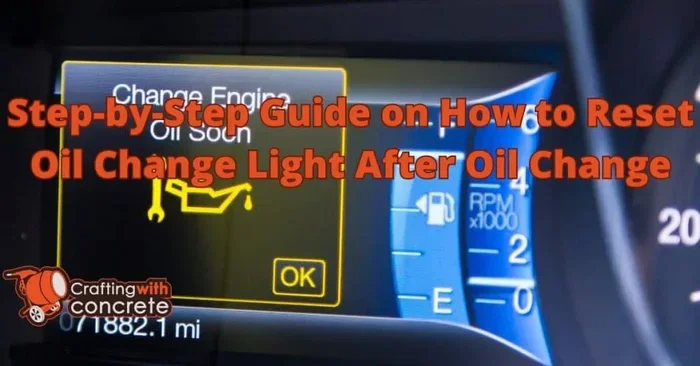
That little warning light on your dashboard is not just decoration. It is part of your car’s oil life monitoring system. It tracks driving conditions, mileage, and engine hours to tell you when an oil change is needed.
Most modern vehicles use an oil life system instead of a simple mileage counter. This means the light considers factors like temperature, driving style, and terrain. Ignoring this light can lead to dirty oil, reduced engine performance, and costly repairs down the road.
Resetting the service due light after every oil change is a good habit. It keeps your maintenance records accurate and helps you stay on top of your car maintenance schedule. A clean dashboard also gives you peace of mind while driving.
What Triggers the Oil Change Reminder?
Your car’s computer calculates when the oil needs replacing. It looks at several factors to determine this:
- Mileage driven since the last service
- Engine temperature and operating conditions
- Driving habits like frequent short trips
- Heavy load or towing usage
- Extreme hot or cold weather conditions
When the system decides the oil is no longer effective, it triggers the maintenance light. This is different from the check engine light, which signals a more serious problem. Understanding this difference helps you respond appropriately.
How to Reset the Oil Change Service Due Light by Car Brand
Every car brand has a slightly different process. Below, we cover the most common methods for popular manufacturers. Pick your brand and follow along.
How to Reset the Oil Change Service Due Light on Toyota
Toyota vehicles use a straightforward reset process. Here is how to do it:
- Turn the ignition to the ON position (do not start the engine).
- Press the odometer/trip button until the odometer shows TRIP A.
- Turn the ignition OFF, then back to ON.
- Press and hold the odometer/trip button for about 10 seconds.
- The maintenance light should start blinking, then turn off.
- Turn the ignition OFF to save the reset.
For newer Toyota models with a smart key system, the steps may vary slightly. Check your owner’s manual for the exact procedure. Some Toyota models also allow you to reset the oil life system through the steering wheel controls.
How to Reset the Oil Change Service Due Light on Honda
Honda makes the reset process easy too. Follow these steps:
- Turn the ignition to ON (II) without starting the engine.
- Press the INFO button on the steering wheel until the oil life indicator appears.
- Press and hold the INFO button for about 10 seconds.
- The indicator will begin to blink, showing the reset is working.
- Release the button and turn the ignition OFF, then back ON.
- The oil life indicator should now read 100%.
If this method does not work for your Honda model, try holding the button for 15 seconds instead. Some older Honda models use a different button combination. Always refer to the vehicle owner’s manual for the correct steps.
How to Reset the Oil Change Service Due Light on Ford
Ford vehicles use the message center to manage the service light:
- Use the steering wheel arrows to navigate to the Settings menu.
- Select Vehicle Information or Vehicle Maintenance.
- Choose Oil Life System Reset.
- Press OK or the confirm button.
- Follow the on-screen prompts to complete the reset.
For older Ford models without a digital display, the process involves cycling the ignition key three times within five seconds. This method works on many Ford trucks and SUVs from the 2000s and early 2010s.
How to Reset the Oil Change Service Due Light on Chevrolet
Chevrolet uses a similar menu-based system:
- Press the Trip button on the instrument panel.
- Scroll to the Settings or Vehicle menu.
- Select the oil change reset option.
- Hold the Trip button for 3 to 5 seconds.
- The display should show “Oil Life System Reset.”
For newer Chevy models with the MyLink infotainment system, you may need to go through the touchscreen menus. The path usually goes to Vehicle Settings, then Maintenance, and finally Reset Oil Life.
How to Reset the Oil Change Service Due Light on BMW and Mercedes-Benz
Luxury brands like BMW and Mercedes-Benz use a different approach:
- BMW: Turn the ignition ON, press the small button on the turn signal stalk, scroll to Service, and hold for 10 seconds.
- Mercedes-Benz: Use the steering wheel buttons to navigate to the Service menu, then select Reset Service Interval.
These vehicles often have more complex dashboard warning lights systems. The process may vary depending on the model year and trim level. When in doubt, consult a dealer or the owner’s manual.
Common Tools You Might Need
Most resets require no special tools at all. However, having a few items handy can make the process smoother:
- Owner’s manual — This is your best resource for model-specific steps.
- Flathead screwdriver — Some older vehicles need you to use a tool to press a reset button under the dash.
- Diagnostic scanner — For stubborn lights that won’t reset, an OBD-II scanner can clear the code.
- Smartphone app — Some brands offer apps that let you reset the service light remotely.
An OBD-II diagnostic tool is especially useful if the service indicator stays on after you have followed the manual reset steps. These tools plug into a port under your dashboard and communicate directly with your car’s computer. They are affordable and available at most auto parts stores.
Common Mistakes When Resetting the Oil Change Service Due Light
Even though the process is simple, mistakes happen. Here are the most common ones drivers make:
Forgetting to Change the Oil First
This is the biggest mistake. Never reset the light before actually changing the oil. The light is there to remind you to service your engine. Resetting it without fresh oil defeats the entire purpose of the oil maintenance reminder.
Not Holding the Button Long Enough
Many people release the reset button too quickly. Most systems require a steady hold for 10 to 15 seconds. If the light does not respond, try holding it longer or repeating the process.
Ignoring Other Warning Lights
Sometimes the oil change light is not the only light on. You might also see a low oil pressure warning or a check engine light. These are different signals and require different responses. Do not assume resetting the service light fixes all dashboard warnings.
Using the Wrong Reset Method
Every car model has its own procedure. Using the wrong method can lead to frustration. Always look up the specific steps for your vehicle before attempting a reset.
Quick Tips for a Smooth Reset
Follow these simple tips to make the reset process quick and painless:
- Always reset the light immediately after an oil change while the engine is still warm.
- Keep your owner’s manual in the glove box for quick reference.
- Write down the reset steps for your specific model and store them in your phone.
- If the light won’t go off, try disconnecting the battery for 15 minutes and reconnecting it.
- Use a quality oil change kit that matches your vehicle’s specifications.
- Set a calendar reminder for your next oil change after resetting the light.
When Should You See a Professional?
Most resets are DIY-friendly. But some situations call for professional help. If the service due light keeps coming back after a reset, there may be a deeper issue. A mechanic can run a diagnostic check to find the root cause. Similarly, if you are uncomfortable working under the hood, a quick trip to an auto shop is always a smart choice.
Understanding Your Oil Life Monitor System
Modern cars are smarter than older models. The oil life monitor is a computer system that tracks your driving patterns and engine conditions. It does not just count miles. It analyzes how hard your engine is working.
Here is how the system typically works:
- The computer monitors engine revolutions, temperature, and driving time.
- It adjusts the oil change interval based on real-world conditions.
- When the oil degrades past a certain threshold, the light activates.
- After an oil change and reset, the system starts a fresh countdown.
This technology helps drivers get the most out of their oil. It prevents unnecessary oil changes while still protecting the engine. Understanding how the oil life system works makes it easier to trust the reset process and your vehicle’s maintenance schedule.
How Often Should You Actually Change Your Oil?
The old rule of changing oil every 3,000 miles is outdated for most modern vehicles. Many cars now go 5,000 to 10,000 miles between changes. Your oil change interval depends on several factors:
- The type of oil you use (conventional vs. synthetic)
- Your driving conditions (city vs. highway)
- Your vehicle’s make and model
- The age and condition of your engine
The oil change service due light is actually a better guide than a fixed mileage schedule. It adapts to your real driving habits. Trust the system, but always change the oil when the light comes on. Resetting it without servicing the engine will only delay needed maintenance.
Difference Between Oil Change Light and Check Engine Light
People often confuse these two lights, but they mean very different things:
- Oil Change Service Due Light: Tells you it is time for routine maintenance. It is a scheduled reminder, not an emergency.
- Check Engine Light: Signals a problem detected by the onboard diagnostics system. This could range from a loose gas cap to a serious engine issue.
Both lights are important, but they serve different purposes. The oil maintenance reminder is proactive. The check engine light is reactive. Knowing the difference helps you prioritize your response and avoid unnecessary panic.
Benefits of Resetting the Light After Every Oil Change
Making the reset a regular part of your oil change routine has several advantages:
- Accurate maintenance tracking: You always know when the next service is due.
- Better engine health: Fresh oil at the right intervals keeps the engine running smoothly.
- Higher resale value: A well-documented maintenance history increases your car’s value.
- Peace of mind: A clean dashboard means one less thing to worry about while driving.
- Cost savings: Staying on top of oil changes prevents expensive engine repairs later.
Key Takeaways
- Reset the light after every oil change: This keeps your maintenance schedule accurate and your dashboard clean.
- Follow brand-specific steps: Toyota, Honda, Ford, and Chevrolet all have different reset procedures.
- Never reset without changing the oil first: The light is a reminder to service your engine, not just a button to press.
- Hold the reset button long enough: Most systems require 10 to 15 seconds of steady pressure.
- Use an OBD-II scanner for stubborn lights: These tools can clear codes that manual resets cannot.
- Trust your oil life monitor system: Modern cars calculate the ideal oil change interval based on real driving conditions.
- Keep your owner’s manual handy: It has the exact reset steps for your specific vehicle model.
Conclusion
Resetting the oil change service due light is one of the simplest yet most important maintenance tasks you can do. It takes only a few minutes and keeps your vehicle running at its best. Now you know how to reset the oil change service due light for most major car brands, and you understand why it matters.
Make it a habit to reset the light every time you get fresh oil. Your car will thank you with better performance and a longer lifespan. Keep this guide bookmarked for future reference, and share it with fellow car owners who might need a quick reminder. Staying on top of your vehicle maintenance is one of the best things you can do as a car owner.
Take a few minutes today to learn your car’s reset process. Future you will be glad you did. A clean dashboard and a well-maintained engine go hand in hand. Drive safely and keep up with your service schedule.
Frequently Asked Questions
Can I drive with the oil change service due light on?
Yes, you can still drive safely with the light on. The light is a reminder, not an emergency signal. However, you should schedule an oil change soon to keep your engine properly lubricated and protected.
What if the oil change service due light won’t reset?
Try the reset process again and hold the button for at least 15 seconds. If it still will not reset, use an OBD-II diagnostic scanner to clear the code. Some vehicles require a professional mechanic to reset the system after a recent oil change.
Does resetting the oil change light also reset the oil life system?
Yes, in most vehicles, resetting the service light also resets the oil life monitoring system. The system will start tracking oil life from 100% again. Check your owner’s manual to confirm the behavior for your specific model.
How often should I check my oil level between changes?
You should check your oil level at least once a month. Low oil levels can cause engine damage even if the oil itself is still good. Make it a quick habit to check when you fill up with gas.
Is it okay to reset the oil change light before the oil is actually changed?
No, you should never reset the light without actually changing the oil. The light exists to remind you to perform maintenance. Resetting it early means you skip a necessary service, which can harm your engine over time.
Will a dead battery affect the oil change service due light?
Yes, a dead or disconnected battery can sometimes reset the oil life system automatically. It may also cause the light to come on if the system loses power during a reset. Reconnect the battery and try the reset process again if this happens.
=== KEY TAKEAWAYS ===
Key Takeaways
- Reset after every oil change: Always reset the light immediately after servicing to keep your maintenance tracking accurate.
- Follow your car brand’s specific steps: Toyota, Honda, Ford, and Chevy each have unique reset procedures that you should learn.
- Never reset without fresh oil: The light is a service reminder, not a cosmetic button to press for convenience.
- Hold the button for 10 to 15 seconds: Most systems need sustained pressure to register the reset command properly.
- Use an OBD-II scanner for stubborn lights: These affordable tools can handle resets that manual methods cannot complete.
- Trust your oil life monitor: Modern systems calculate ideal change intervals based on your real driving habits and conditions.
- Keep your owner’s manual accessible: It contains the exact reset steps for your specific vehicle model and year.