How Do I Connect My Car to the Toyota App Made Easy
How Do I Connect My Car to the Toyota App? is an essential topic that provides valuable insights.
Key Takeaways
- Understanding How Do I Connect My Car to the Toyota App?: Provides essential knowledge
📑 Table of Contents
- What Is the Toyota App and Why Should You Connect?
- How Do I Connect My Car to the Toyota App? Step-by-Step Guide
- Toyota App Setup: What You Need Before You Start
- Toyota Connected Services: Features You Will Love
- Common Problems and How to Fix Them
- Toyota App Compatibility: Which Models Work?
- How to Keep Your Toyota App Connection Secure
- Expert Insights: Getting the Most Out of Your Toyota App
- Key Takeaways
What Is the Toyota App and Why Should You Connect?
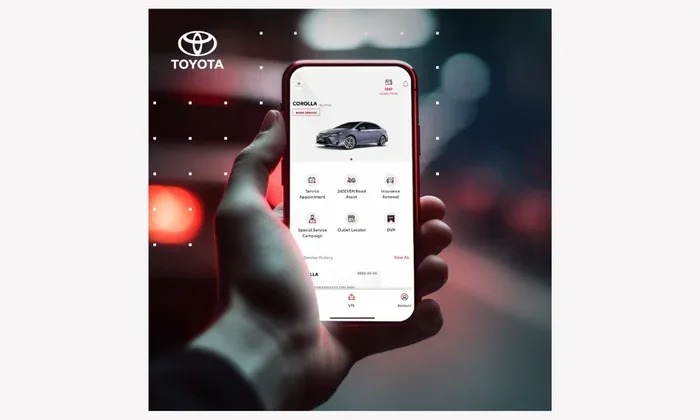
The Toyota App is a free mobile application for iPhone and Android users. It lets you control many features of your Toyota vehicle right from your phone. Think of it as a remote control for your car that fits in your pocket.
When you connect your car to the Toyota App, you unlock a range of powerful tools. These tools make daily driving easier and safer. Here are some of the top reasons to get started:
- Remote start lets you warm up or cool down your car before you get in.
- Vehicle tracking shows you where your car is parked or parked.
- Smart notifications alert you about maintenance needs and low fuel.
- Lock and unlock doors without using your physical key.
- Climate control lets you set the temperature before you enter the car.
- Trip history tracks your driving routes and mileage.
Not all Toyota models support every feature. But most newer Toyotas built after 2017 come with built-in Toyota connected services. You can check if your specific model is compatible on the Toyota website or in the app itself.
Who Can Use the Toyota App?
The app works with most Toyota models that have a built-in modem or Toyota Entune system. Popular compatible models include the Toyota Camry, RAV4, Highlander, Tacoma, and Corolla Cross. If your car was purchased new in the last few years, there is a good chance it qualifies.
How Do I Connect My Car to the Toyota App? Step-by-Step Guide
Now let us get into the heart of the matter. How do I connect my car to the Toyota App? The process is straightforward. Follow these steps carefully and you will be up and running in no time.
Step 1: Download the Toyota App
Go to the Apple App Store or Google Play Store. Search for “Toyota App” or “myT.” The official app is free to download. Make sure you are downloading from the official source to avoid fake apps.
Step 2: Create Your Toyota Account
Open the app and tap “Sign Up.” You will need a valid email address and your Toyota vehicle identification number (VIN). The VIN is usually found on your dashboard or driver’s side door frame. Enter it carefully to avoid setup errors.
Step 3: Link Your Vehicle
After creating your account, the app will prompt you to link your car. Follow the on-screen instructions. Your vehicle must be within Bluetooth or Wi-Fi range during the initial pairing process. Once linked, your car and app will communicate automatically.
Step 4: Verify the Connection
Check the app dashboard. You should see your vehicle status, including fuel level, door locks, and engine status. If everything looks correct, your connection is successful. Try locking or unlocking your car using the app to confirm.
Step 5: Explore the Features
Take some time to browse the app. Push notifications can be customized to your preferences. You can set reminders for oil changes, tire rotations, and other maintenance tasks. The more you use the app, the more you will appreciate its value.
Toyota App Setup: What You Need Before You Start
Before you try to connect your car to the Toyota App, gather a few things. Having everything ready saves time and prevents frustration.
- A smartphone with a stable internet connection (Wi-Fi or cellular data).
- Your Toyota vehicle parked within Bluetooth range of your phone.
- Your VIN number written down or saved on your phone.
- A valid email address for account registration.
- The latest version of the Toyota App installed on your device.
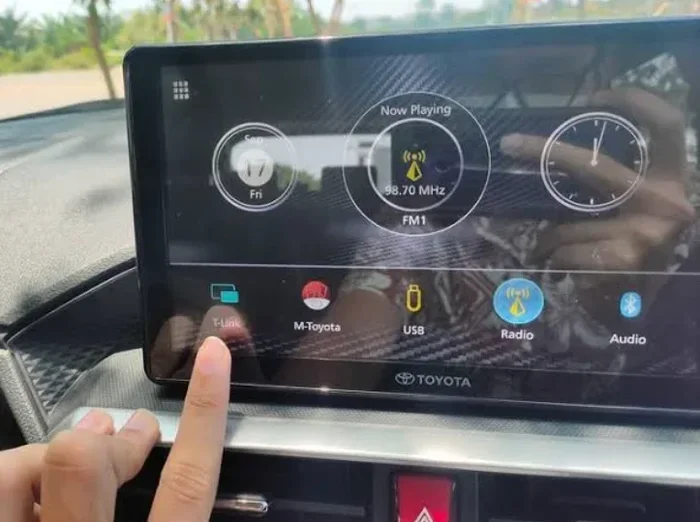
Also, make sure your car’s infotainment system is powered on. Some Toyota models require you to enable Toyota smartphone linkage in the vehicle settings first. Check your owner’s manual if you are unsure where to find this option.
Quick Tips for a Smooth Setup
Here are a few quick tips that make the setup process even smoother:
- Restart your phone before downloading the app. This clears any temporary glitches.
- Make sure your car is in park during the pairing process.
- Keep your phone close to the car’s antenna during initial connection.
- Use a strong Wi-Fi or cellular signal for faster account verification.
- Write down your login credentials in a safe place for future reference.
Toyota Connected Services: Features You Will Love
Once your car is connected, the real fun begins. Toyota connected services offer a wide range of features designed to improve your driving experience. Let us look at some of the most popular ones.
Remote Start and Stop
One of the most loved features is remote start. On a cold morning, you can start your car from inside your home. The engine warms up, and the seats heat up too. You can also stop the engine remotely if you forget to do so.
Vehicle Location and Tracking
Ever parked in a huge parking lot and forgotten where your car is? The Toyota App shows you the exact location on a map. This feature is especially helpful in large shopping centers or airport parking lots.
Smart Alerts and Notifications
The app sends you real-time alerts. You will know if a door is left unlocked or if your fuel level is low. Maintenance reminders keep your car running smoothly for years to come.
Roadside Assistance
If you ever get stranded, the app can connect you directly to Toyota roadside assistance. You can request help with a flat tire, lockout, or towing. This feature alone makes the app worth having.
Common Problems and How to Fix Them
Even with simple setup, you might run into issues. Toyota app troubleshooting is easier than you think. Here are the most common problems and their solutions.
App Won’t Connect to the Vehicle
This is the most common issue. First, check that Bluetooth is turned on in your phone settings. Next, make sure your car is in the “ready” mode. Sometimes simply restarting both your phone and the car’s infotainment system fixes the problem.
Login Errors or Account Issues
If you cannot log in, try resetting your password. Make sure you are using the correct email address linked to your Toyota account. Clearing the app cache can also help resolve login problems.
Slow App Performance
A slow app can be frustrating. Close any other apps running in the background. Make sure your phone has enough storage space. Updating to the latest version of the Toyota App often resolves speed issues.
Features Not Working as Expected
Not all features work on every Toyota model. Check the Toyota website for a full list of compatible features for your specific vehicle. Some features require a subscription or a newer model year.
Toyota App Compatibility: Which Models Work?
Not every Toyota car supports the same features. Here is a quick look at what you can expect based on your model and year.
| Model | Year Range | Key Features Supported |
|---|---|---|
| Toyota Camry | 2018+ | Remote start, vehicle tracking, smart alerts |
| Toyota RAV4 | 2019+ | Remote start, lock/unlock, roadside assistance |
| Toyota Highlander | 2017+ | All connected services including climate control |
| Toyota Tacoma | 2018+ | Remote start, vehicle location, trip history |
| Toyota Corolla Cross | 2022+ | Full suite of Toyota connected services |
Always double-check with your local Toyota dealer if you are unsure about compatibility. They can confirm which Toyota smartphone linkage features your car supports.
How to Keep Your Toyota App Connection Secure
Security matters when you connect your car to any app. Toyota takes privacy seriously, but you also play a role. Here are some best practices to keep your Toyota vehicle connectivity safe.
- Use a strong password for your Toyota account. Include numbers, symbols, and uppercase letters.
- Enable two-factor authentication if the app offers it. This adds an extra layer of protection.
- Keep your app updated to the latest version. Updates often include security patches.
- Never share your login credentials with anyone you do not trust.
- Log out from shared or public devices after using the app.
Following these simple steps keeps your car and personal data safe. A secure connection means peace of mind every time you use the app.
Expert Insights: Getting the Most Out of Your Toyota App
Experienced Toyota owners know that the app is more than just a novelty. It is a daily tool that adds real value. Here are some expert tips to help you get the most out of your Toyota connected services.
Use the app every day. The more you use it, the more you will notice its benefits. Check your fuel level before heading to the gas station. Lock your doors with one tap after walking away. These small habits add up to big convenience.
Set up custom notifications. Go into the app settings and choose which alerts matter most to you. If you care most about maintenance reminders, prioritize those. If you prefer fuel alerts, focus on those instead.
Keep your app login details backed up. Save your credentials in a secure password manager. This way, you never get locked out of your account.
Explore the help center. The Toyota App has a built-in help section with FAQs and video tutorials. Use it whenever you are unsure about a feature.
Key Takeaways
- Easy setup: Connecting your car to the Toyota App takes just a few simple steps and no technical skills.
- Wide compatibility: Most Toyota models from 2017 onward support Toyota connected services through the app.
- Powerful features: Remote start, vehicle tracking, smart alerts, and roadside assistance are just a few highlights.
- Security matters: Use strong passwords and keep your app updated to protect your vehicle and data.
- Troubleshooting is simple: Most connection issues can be fixed by restarting your phone or car’s infotainment system.
- Check compatibility first: Confirm your Toyota model supports the features you want before setting up.
- Daily use adds value: The more you use the app, the more convenient and safer your driving experience becomes.
Frequently Asked Questions
Can I connect my Toyota car to the app if it is an older model?
Some older Toyota models may have limited support. The app works best with vehicles from 2017 and newer. Check the Toyota website or ask your dealer to confirm if your specific model year is compatible with Toyota smartphone linkage.
Do I need a subscription to use the Toyota App?
The Toyota App is free to download and use for basic features. Some advanced services like remote start may require a free trial or a paid subscription. Check the app for current pricing details on premium Toyota connected services.
What should I do if my car does not appear in the app after setup?
First, make sure Bluetooth is enabled and your car is in the ready mode. Restart both your phone and the car’s infotainment system. If the issue persists, try unlinking and relinking your vehicle through the app settings. You can also contact Toyota support for help with Toyota app troubleshooting.
Is my personal data safe when using the Toyota App?
Yes, Toyota uses encryption and secure servers to protect your data. You can further enhance security by using a strong password and enabling two-factor authentication. Always log out from shared devices to keep your Toyota vehicle connectivity safe.
Can I use the Toyota App on more than one phone?
Yes, you can link the same Toyota vehicle to multiple phones. Each user needs their own Toyota account. This is helpful for families who share a vehicle and want access to Toyota connected services from their own devices.
What happens if I sell my Toyota? Can I transfer the app connection?
When you sell your car, you should unlink the vehicle from your Toyota account. The new owner will need to create their own account and link the car to their app. This ensures your data stays private and the new owner gets full access to all features.
=== CONCLUSION ===
How Do I Connect My Car to the Toyota App is a question with a simple answer. Follow the steps in this guide and you will be connected in minutes. The Toyota App transforms your driving experience with smart features that add convenience, safety, and peace of mind.
From remote start to vehicle tracking, the benefits are real and easy to enjoy. Take a few minutes today to set up your connection. Once you do, you will wonder how you ever drove without it. Your Toyota was built to be smart. The app just makes it smarter.