Does Car Navigation Work Without Internet Connection
Yes, car navigation can work without an internet connection. Most modern GPS systems use satellite signals to track your location, meaning you do not need Wi-Fi or cellular data to get driving directions. Offline maps, preloaded data, and built-in navigation systems make it possible to navigate confidently even in areas with no signal.
Have you ever driven into a remote area and wondered if your car navigation would still work? Maybe you are heading through a mountain pass or cruising down a long stretch of highway with no cell signal. The good news is that car navigation can work without internet in most cases.
The short answer is yes. Your GPS system does not need Wi-Fi or a data plan to find your location and guide you to your destination. But how exactly does this work? And what are the limits? Let us break it all down in simple terms so you can drive with confidence no matter where the road takes you.
Understanding how your navigation system works offline helps you plan better trips. It also saves you from getting lost in areas where your phone shows no bars. Whether you use a built-in system in your car or rely on a smartphone app, knowing what to expect makes a big difference.
Key Takeaways
- GPS works independently of the internet: Your car navigation relies on satellite signals, not data, to determine your location.
- Offline maps are essential: Downloading maps before your trip ensures you have full access to directions without needing a connection.
- Built-in systems often include offline capability: Many factory-installed navigation units come with preloaded map data stored on the device.
- Smartphone apps support offline mode: Popular apps like Google Maps and Sygic allow you to download maps for use without Wi-Fi or data.
- Some features are limited offline: Real-time traffic updates, search results, and route changes may not work without internet.
- Preparation is key: Downloading maps and checking your settings before driving saves time and frustration.
- Satellite signal remains strong: Even in remote areas with no cell service, GPS receivers can still pick up signals from orbiting satellites.
📑 Table of Contents
How Car Navigation Works Without Internet
Many people assume that their GPS navigation needs the internet to function. This is a common misconception. The truth is that the core of any navigation system is the GPS receiver. This small chip inside your car or phone communicates with a network of satellites orbiting the Earth.
Here is how it works in simple terms. Satellites send signals down to Earth. Your GPS receiver picks up these signals. It then calculates your exact position based on the time it takes for the signals to arrive. This process is called trilateration. It happens in real time and does not require any internet connection at all.
Once your receiver knows where you are, it can match your position to a map. If that map is stored locally on your device, you get full turn-by-turn directions without ever touching the internet. This is why you can still navigate in tunnels, remote forests, and rural highways where data coverage is nonexistent.
The Role of Satellites
The Global Positioning System consists of at least 24 satellites. These satellites circle the Earth constantly. Your GPS antenna picks up signals from multiple satellites at the same time. The more satellites your receiver locks onto, the more accurate your location data becomes.
Under open sky, a typical GPS receiver can pick up signals from 6 to 12 satellites. This gives you an accuracy of about 3 to 5 meters. That is good enough for road navigation. Even without any internet, your location tracking remains reliable as long as the sky above you is visible.
What Happens When You Have No Internet
When you lose your data connection, your navigation system does not panic. It simply switches to offline mode. Your device uses the map data already stored on it. This could be a preloaded map in your car’s system or a downloaded map file on your phone.
Without internet, you will still get basic driving directions. You can follow your route step by step. The system will tell you when to turn and how far to go. What you will miss are real-time features. Things like live traffic updates, alternate route suggestions, and search results for nearby places will not work offline.
Offline Maps vs Online Maps
Understanding the difference between offline and online maps helps you get the most from your car navigation. Both types serve the same basic purpose. They show you where you are and how to reach your destination. But they work very differently behind the scenes.
How Offline Maps Work
Offline maps are map files stored directly on your device. They take up space on your hard drive or memory card. But once downloaded, they work completely without any internet. You can zoom in, zoom out, and follow your route with full confidence.
Most navigation apps allow you to download entire regions or specific states. For example, you can download the map of California before a road trip. The app will then use that stored data to guide you. This means even if you drive through a dead zone with zero signal, your directions keep working.
Some popular apps that support offline maps include Google Maps, Sygic, Here WeGo, and OsmAnd. Each of these lets you save map data to your device. This is a great way to ensure your GPS navigation stays reliable no matter where you go.
How Online Maps Work
Online maps rely on a constant data connection. Every time you zoom in or change your route, the app fetches new map tiles from a server. This gives you the most up-to-date information. You get live traffic data, weather alerts, and search results for restaurants and gas stations.
The downside is clear. If you lose your internet connection, online maps become limited. You may still see your blue dot on the map. But detailed directions, search functions, and route recalculations may stop working. This is why downloading offline maps is so important for any serious road trip.
Which Is Better for Navigation Without Internet?
If you frequently drive in areas with poor or no data coverage, offline maps are the clear winner. They give you full access to driving directions without any dependency on a signal. Online maps are better when you have a strong connection and want real-time updates.
The best approach is to use both. Download offline maps before your trip. Then, if you have data during the drive, enjoy the extra features like traffic alerts and voice search. This way, you are always covered no matter what happens with your connection.
Built-In Car Navigation Systems
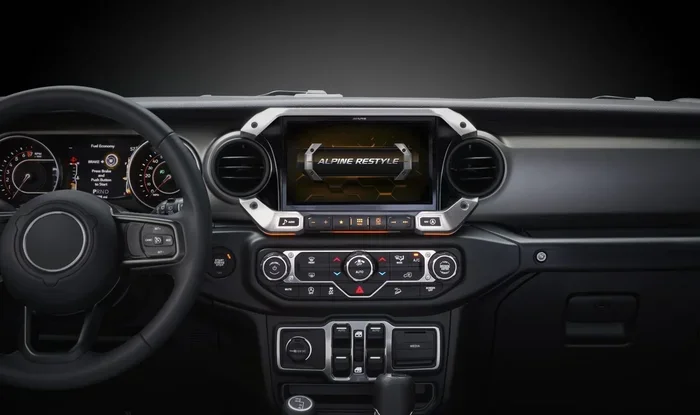
Many modern cars come with factory-installed navigation systems. These built-in units work differently from phone apps. Understanding how they function offline helps you make the most of your car’s features.
How Factory Navigation Systems Handle Offline Use
Most factory navigation systems come with preloaded map data. This data is stored on the unit’s internal memory or a dedicated hard drive. When you turn on the system, it loads the map locally. It does not need to download anything from the internet.
Your car’s built-in GPS receiver connects directly to satellites. It calculates your position and overlays it on the stored map. This entire process happens without any internet connection. You get full turn-by-turn directions just as you would with an online system.
Some premium systems also include updated map discs or USB-based updates. You plug these into your car periodically to get the latest road data. This keeps your offline maps accurate without requiring a constant data connection.
Aftermarket Navigation Units
If your car does not have a built-in system, you can install an aftermarket unit. Brands like Garmin, TomTom, and Pioneer offer dedicated car navigation devices. These units typically come with preloaded maps and full offline capability.
Aftermarket units are especially useful for older cars. They give you a modern navigation experience without relying on your phone. Many of these devices also offer features like lane guidance, speed limit alerts, and fuel station locators. All of these work fully offline.
Do Built-In Systems Need Internet for Updates?
Here is an important distinction. Your navigation system does not need the internet to guide you while driving. But it does need the internet to update its map data. If you want the latest road changes, new businesses, and updated speed limits, you will need to connect to Wi-Fi or use a data connection for updates.
Some newer cars offer over-the-air updates. These download map changes automatically when your car is parked and connected to Wi-Fi. If your car does not have this feature, you may need to visit a dealer or use a USB drive to update your maps manually.
Smartphone Navigation Without Internet
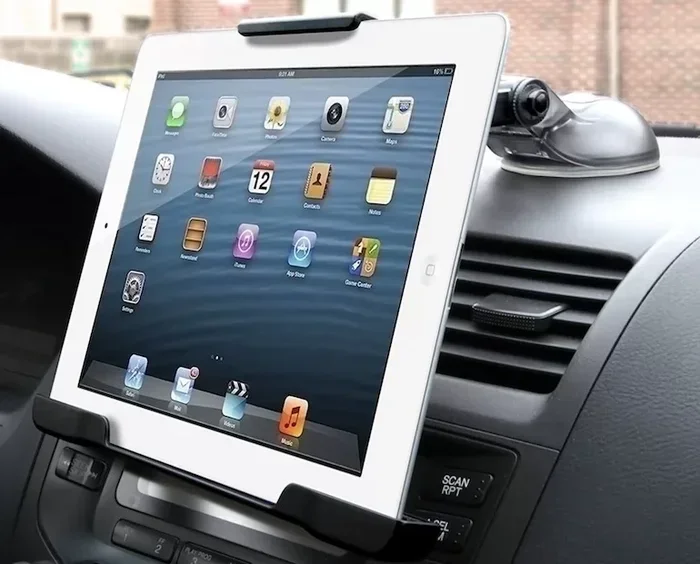
Most of us rely on our smartphones for navigation. Whether you use Google Maps, Apple Maps, Waze, or another app, your phone can guide you offline. But you need to set it up correctly before you lose your signal.
Downloading Offline Maps on Your Phone
Google Maps makes it very easy to download offline maps. Open the app, search for your city or region, and tap the “Download offline map” option. The app will save the map data to your phone’s storage. You can then use it fully without internet.
Apple Maps also supports offline use, though the setup is slightly different. You can download map regions through your iPhone settings. Once downloaded, your phone will guide you even in areas with no cell service.
Other apps like Sygic and Here WeGo are designed with offline use in mind. They come with full offline features built in. These include voice guidance, route planning, and landmark views. All of this works without any data connection.
What You Lose Without Internet
Using navigation offline on your phone is not perfect. You will miss out on several features that depend on a data connection. Live traffic rerouting will not work. You cannot search for new places along the way. Real-time speed limit warnings and hazard alerts will also be unavailable.
Your app may also not be able to find the fastest route based on current conditions. Instead, it will use the standard route it calculated before you went offline. This is usually fine for most trips. But if you are in a hurry or dealing with unexpected road closures, the lack of real-time data can be a drawback.
Tips for Using Phone Navigation Offline
- Download your maps while connected to Wi-Fi before you leave.
- Charge your phone fully before the trip. GPS use drains battery quickly.
- Use a car mount to keep your phone visible and secure.
- Turn on airplane mode to save battery. Your GPS receiver will still work.
- Practice your route at home while online so you know the general path.
Tips for Using Navigation Without Internet
Driving without an internet connection can feel nerve-wracking if you are not prepared. A few simple steps can make the experience smooth and stress-free.
Plan Your Route in Advance
Before you hit the road, study your route. Use a map or your navigation app while you still have internet. Note the major turns and exits. This mental preparation helps you stay on track even if your app struggles to recalculate offline.
Download Multiple Regions
If you are on a long road trip, download maps for every region you will pass through. Do not rely on a single map file. Cover all the areas you will drive through. This prevents surprises when you cross from one state or province into another.
Keep Your Maps Updated
Even offline maps need updates. Road changes happen constantly. New highways are built. Streets are renamed. Make it a habit to update your map data every few weeks while you have internet access. This keeps your offline maps as accurate as possible.
Use Voice Guidance
Turn on voice directions in your navigation app. This is especially helpful offline. Without visual clues from real-time traffic or search results, audio prompts keep you focused on the road. Make sure your volume is loud enough to hear over the radio or wind noise.
Carry a Paper Map as Backup
Technology can fail. Your device might run out of battery. A file could become corrupted. Keeping a physical road map in your glove box is a smart backup plan. It weighs almost nothing and never needs a charge.
Common Mistakes and How to Avoid Them
Even the best drivers run into trouble with offline navigation. These common mistakes are easy to avoid with a little preparation.
Forgetting to Download Maps
The biggest mistake is assuming your app will work offline without preparation. If you have not downloaded the map file, you will not get directions without internet. Always check your offline map status before leaving.
Ignoring Storage Space
Offline map files can be large. A single state map might take up several hundred megabytes. An entire country map can use several gigabytes. Check your device storage before downloading. Delete old maps you no longer need to free up space.
Relying Only on GPS Signal
GPS signals can be weak in deep canyons, dense forests, and urban canyons between tall buildings. Your navigation system may lose accuracy in these spots. Use landmarks and road signs as additional guides. Do not blindly follow your device if something does not look right.
Not Checking for Map Updates
Outdated maps can lead you down roads that no longer exist or miss new shortcuts. Always update your offline maps whenever you have a Wi-Fi connection. This small habit saves a lot of frustration on the road.
Ignoring Battery Drain
Running navigation without internet still drains your battery. The GPS receiver works hard to pick up satellite signals. Combine this with a bright screen and voice playback, and your battery can drop quickly. Plug your phone into a charger or use a portable battery pack.
Expert Insights
Automotive technology experts agree that offline navigation is more reliable than many people think. Modern GPS receivers are incredibly sensitive. They can pick up satellite signals even in challenging environments. The key is having the right map data stored locally.
“The beauty of GPS technology is that it was designed to work independently of any network,” says a leading automotive tech expert. “As long as you have stored map data and a clear view of the sky, your navigation will function. The internet is a bonus, not a requirement.”
Experts also recommend testing your offline navigation before a long trip. Drive a familiar route with your data turned off. This helps you understand how the system behaves without internet. You will also discover any quirks or limitations specific to your device or app.
Frequently Asked Questions
Can I still get directions if my phone has no signal?
Yes, you can. If you have downloaded offline maps to your phone, the navigation app will guide you using stored map data. Your GPS receiver will still track your location through satellite signals. You just will not get live traffic updates or search results.
Do built-in car navigation systems work without internet?
Most built-in systems work fully offline. They use preloaded map data and a GPS receiver to provide directions. However, some features like real-time traffic or online search require a connection. Check your car’s manual to understand what your specific system supports.
How do I know if my maps are downloaded for offline use?
In Google Maps, go to the offline maps section. You will see a list of all downloaded regions. If your area appears there, you are good to go. Other apps have similar sections in their settings. Look for “Offline Maps” or “Downloaded Maps.”
Does GPS use data when driving offline?
No, GPS itself uses zero data. The GPS receiver picks up satellite signals for free. However, some navigation apps use small amounts of data for features like traffic updates or map tile loading. When you are offline, these features simply pause until you reconnect.
Can I use Google Maps offline for a long road trip?
Absolutely. Download maps for every region you plan to drive through before you leave. Google Maps allows you to download maps for specific areas. Just make sure you have enough storage space on your phone and that the maps are up to date.
Will my navigation app recalculate my route offline if I miss a turn?
Yes, most offline navigation apps will recalculate your route if you miss a turn. They use the stored map data to find a new path to your destination. However, the recalculation may take longer offline since the app cannot access real-time traffic data to suggest the fastest alternative.
Conclusion
Car navigation works without internet in most situations. Your GPS receiver connects to satellites to find your location. Stored map data provides the directions. Together, these two elements give you full navigation capability even in the most remote areas.
The key is preparation. Download your offline maps before you leave. Keep your device charged. Understand what features you will and will not have without a connection. With these steps, you can drive confidently anywhere, whether you have a data signal or not.
So the next time you plan a road trip through a scenic but remote route, do not worry about losing your connection. Your car navigation has you covered. Just make sure your maps are ready, and enjoy the drive.