Why Is My Car Radio Not Picking Up Channels Anymore
A car radio that stops picking up channels is frustrating but usually fixable. Why is my car radio not picking up channels anymore? The answer often lies in a weak antenna, a blown fuse, or interference from nearby electronics. This guide walks you through every likely cause and gives you simple, step-by-step solutions to get your stereo working again. Whether you drive a new vehicle or an older model, these tips will help you troubleshoot the problem fast.
There is nothing worse than cruising down the highway and suddenly losing every station on your dial. You twist the knob, scan for frequencies, and nothing but static greets you. If you have been asking yourself, why is my car radio not picking up channels anymore, you are not alone. This is one of the most common car audio complaints, and it has a surprisingly wide range of causes.
Your car radio depends on a delicate chain of parts working together. The antenna catches the signal. The head unit processes it. The speakers deliver the sound. When even one link in that chain breaks, your car radio reception suffers. The good news is that most of these problems are easy to identify and fix. You do not need to be a mechanic to get your stereo back in action.
In this article, we will explore every major reason your radio might be losing stations. We will cover antenna problems, fuse issues, electrical interference, and much more. By the end, you will know exactly what to check and how to fix it. Let us get started.
Key Takeaways
- Antenna Issues: A damaged or corroded antenna is the most common reason for poor radio reception.
- Blown Fuse: A tripped fuse can kill your car radio’s signal entirely, and it is an easy fix.
- Electrical Interference: Aftermarket electronics and faulty wiring can disrupt your car stereo’s ability to tune in stations.
- Weather and Location: Distance from broadcast towers and atmospheric conditions affect how well your radio picks up channels.
- Ground Wire Problems: A bad ground connection causes static and weak signal strength in your car audio system.
- Simple Fixes Work: Many reception problems can be solved with basic troubleshooting at home.
- Professional Help: Persistent issues may need a mechanic or car audio specialist to diagnose properly.
📑 Table of Contents
- Common Reasons Your Car Radio Is Not Picking Up Channels
- How to Diagnose Your Car Radio Reception Problem
- Quick Fixes to Improve Car Radio Reception
- When to Replace Your Car Antenna
- Expert Tips for Better Car Radio Reception
- Common Mistakes People Make When Troubleshooting Car Radio Issues
- How to Prevent Future Radio Reception Problems
- Conclusion
Common Reasons Your Car Radio Is Not Picking Up Channels
Before you start tearing into your dashboard, it helps to understand what could be going wrong. Several factors can weaken or completely block your FM and AM radio signal. Here are the most common culprits.
1. Antenna Problems
The antenna is your radio’s lifeline. It captures electromagnetic waves from broadcast towers and sends them to your stereo. When the antenna fails, your radio loses its connection to the outside world. This is the number one reason most drivers ask, why is my car radio not picking up channels anymore.
Check your antenna mast first. Look at it closely. Is it bent? Is it broken off at the base? Even a slight bend can weaken your signal dramatically. Over time, weather and age take a toll on antenna components. Corrosion builds up on the connection point, and that creates a poor electrical link.
Also inspect the antenna cable. This is the wire that runs from the mast to the back of your head unit. If the cable is frayed, pinched, or damaged, signal loss is inevitable. In older vehicles, the antenna cable connector can become loose over time. A quick wiggle test while the radio is on can reveal if this is your problem.
2. Blown Fuse
A blown fuse is one of the simplest and most overlooked causes of radio failure. Your car’s electrical system uses fuses to protect circuits from power surges. When too much current flows through, the fuse blows and cuts power to the affected component.
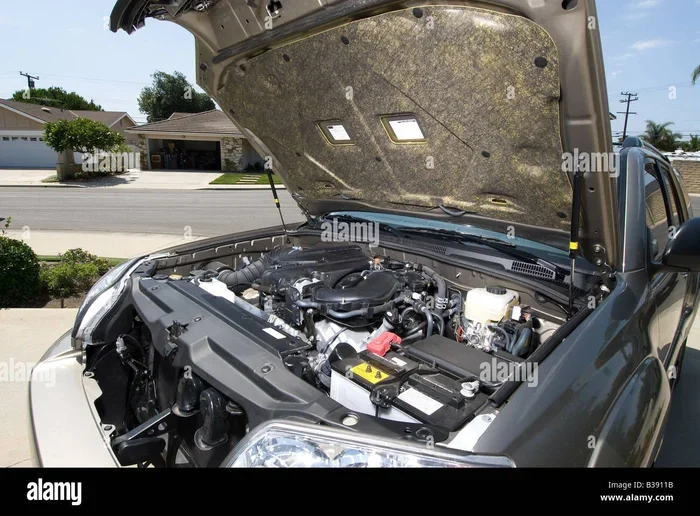
Locate your fuse box. Most cars have one under the dashboard on the driver’s side and another under the hood. Consult your owner’s manual to find the fuse labeled for the radio or audio system. Pull it out and look at the metal strip inside. If it is broken or melted, you have found your problem.
Replacing a fuse is cheap and easy. Buy an exact match for the amperage rating. Do not use a higher-rated fuse, as this can cause electrical damage. Once you swap in the new fuse, turn on your radio and check if stations come back. This simple fix solves the problem for many drivers.
3. Electrical Interference From Aftermarket Devices
If you have added any electronics to your car recently, they could be the source of your radio troubles. Aftermarket devices like dash cameras, GPS navigators, phone chargers, and amplifiers can all create electromagnetic interference. This interference disrupts the clean radio signal your stereo is trying to receive.
The interference often sounds like a buzzing or humming noise that overlays your music. In worse cases, it completely blocks your ability to tune into stations. The problem usually gets worse when you turn on the device causing the interference.
To test for this, turn off all aftermarket electronics one at a time. Listen to your radio after each one is disabled. If the stations come back when a specific device is off, you have found the culprit. You may need to install a noise filter or relocate the device to solve the issue.
4. Poor Ground Connection
Your car stereo needs a solid ground connection to function properly. The ground wire provides a return path for electrical current. When this connection is weak or corroded, your audio quality drops and radio reception suffers.
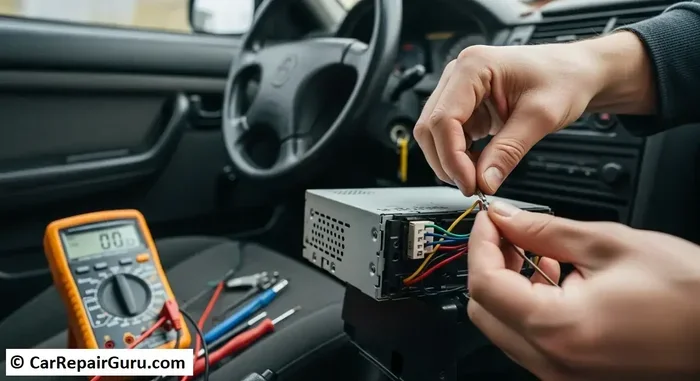
Look behind your head unit for the ground wire. It is usually a black wire connected to the car’s chassis. Check for rust, loose connections, or bare wire. Clean the contact point with a wire brush and make sure the connection is tight. A solid ground can dramatically improve your car stereo performance and reduce static.
5. Distance From Broadcast Towers
Sometimes the problem is not your car at all. It is your location. Radio signals travel in straight lines and weaken over distance. If you live in a rural area or are driving through mountains, valleys, or tunnels, your radio will naturally struggle to pick up channels.
FM radio signals typically reach about 30 to 40 miles from the broadcast tower. AM signals can travel much farther, especially at night. However, buildings, hills, and dense forests all block and weaken these signals. If you recently moved to a new area, check what radio stations are available in your location before assuming something is broken.
6. Weather and Atmospheric Conditions
Weather plays a bigger role in radio reception than most people realize. Thunderstorms, heavy rain, and even high humidity can degrade your FM radio signal and cause static. Lightning produces electromagnetic pulses that interfere with radio waves.
On the positive side, some weather conditions actually improve reception. Cool, dry air carries radio signals better than warm, humid air. Temperature inversions, where a layer of warm air sits above cool air, can bend radio signals and carry them much farther than normal. This is why you might pick up distant stations on certain nights or during specific weather patterns.
How to Diagnose Your Car Radio Reception Problem
Now that you know the common causes, let us walk through a systematic diagnostic process. Following these steps in order will help you narrow down the problem quickly.
Step 1: Test All Bands
Start by checking both FM and AM bands. Turn the dial slowly and listen carefully. Does one band work but the other does not? If FM works but AM does not, the problem might be specific to the AM antenna or tuner circuit. If neither band works, the issue is likely more general, like a blown fuse or antenna failure.
Step 2: Check for Static Patterns
Static that sounds like buzzing or hissing usually points to electrical interference or a grounding issue. Static that sounds like crackling or popping often indicates a problem with the antenna connection. A complete lack of any sound except white noise usually means a serious signal loss somewhere in the system.
Step 3: Test With the Engine Off
Turn your ignition off but leave the radio on. Listen carefully. If the static decreases or stations come in clearer with the engine off, your problem is likely electrical interference from the engine’s ignition system or alternator. This is a common issue in older vehicles with worn spark plugs or faulty ignition coils.
Step 4: Inspect the Antenna
Go outside your car and look at the antenna. Check for physical damage first. Then gently twist the antenna mast while watching the radio. If the sound changes, your antenna connection is loose or corroded. A firm, smooth twist should produce a solid connection.
Quick Fixes to Improve Car Radio Reception
Before you spend money on replacement parts, try these simple fixes. Many drivers are surprised at how much these small changes improve their car radio signal.
- Reset Your Radio: Turn off the stereo, wait 30 seconds, and turn it back on. This clears temporary glitches in the digital tuner.
- Check the Antenna Adapter: If you have a newer radio in an older car, you might need an adapter. A mismatched adapter causes signal loss.
- Move Your Phone Away: Smartphones emit signals that can interfere with AM radio. Move your phone to the back seat or trunk and see if reception improves.
- Update Your Radio Software: Some modern car stereos have updatable firmware. Check with your dealer or the manufacturer’s website.
- Clean the Antenna Connection: Use a cloth and a bit of electrical contact cleaner on the antenna base. Corrosion is a silent signal killer.
When to Replace Your Car Antenna
If you have checked all the simple fixes and your radio still will not pick up channels, it might be time for a new antenna. Modern antennas are affordable and relatively easy to install yourself. Here are some signs your antenna needs replacing.
Visible damage like a bent or broken mast is an obvious sign. But even if the antenna looks fine, internal components can fail. The coaxial cable inside the mast can break, especially at the base where it bends during car washes or parking. If you notice that reception gets worse when you turn the steering wheel, the internal cable is likely damaged.
Upgrading to a higher quality antenna can also improve your FM and AM reception. Aftermarket antennas are designed with better materials and shielding. Some models include built-in signal amplifiers that boost weak stations. If you live in an area with poor broadcast coverage, a signal-boosting antenna can make a noticeable difference.
Before buying a replacement, check your car’s make and model for compatibility. Most antennas use a standard threaded mount, but some vehicles require a specific adapter. Measure your current antenna mast diameter and length to ensure the new one fits properly.
Expert Tips for Better Car Radio Reception
Professional car audio installers share several tips that can help you get the best possible reception from your stereo system. These insights come from years of experience fixing radio problems in all types of vehicles.
Keep Your Antenna Clean. Dirt, mud, and road salt build up on the antenna mast and weaken the signal. A quick wipe-down during car washes can make a real difference. Pay special attention to the base of the antenna where it meets the roof.
Use Quality Cables. Cheap antenna cables have poor shielding and lose signal quickly. If you are replacing any wiring in your car audio system, invest in quality cables with proper shielding. This is especially important for long cable runs from the antenna to the head unit.
Consider a Signal Booster. If you live in a fringe reception area, a signal booster can be a game changer. These small devices amplify weak radio signals before they reach your head unit. They are easy to install and can turn a frustrating listening experience into a clear one.
Avoid Running Multiple Power Cables Together. When installing aftermarket electronics, keep power cables away from your antenna cable. Running them parallel creates a loop that picks up electromagnetic interference. Cross them at right angles whenever possible to minimize noise.
Common Mistakes People Make When Troubleshooting Car Radio Issues
Even the most careful car owners make mistakes when trying to fix radio problems. Here are the most common errors to avoid.
- Ignoring the Fuse Box: Many people skip the simplest explanation. Always check your fuses first before diving into complex repairs.
- Buying the Wrong Replacement Part: Not all antennas are universal. Buying the wrong part means wasted time and money.
- Overlooking Software Issues: Modern digital radios can have software glitches. A reset or update might solve your problem without any hardware changes.
- Assuming the Head Unit Is Dead: The head unit is often the last thing people suspect. But in most cases, the problem lies elsewhere in the signal chain.
- Not Checking the Ground Wire: A poor ground causes more audio and radio problems than most people realize. Always inspect this connection first.
How to Prevent Future Radio Reception Problems
Once you get your car radio working again, you want to keep it that way. Regular maintenance can prevent most reception problems from coming back. Here is what you should do.
- Inspect your antenna every few months. Look for damage, corrosion, or loose connections.
- Keep your fuse box clean and dry. Moisture inside the fuse box can cause intermittent electrical failures.
- Avoid harsh chemicals when washing your car. Spray directly on the antenna can cause corrosion over time.
- Use your radio regularly. Components that sit unused for long periods can develop issues from disuse.
- Have your car audio system checked during regular maintenance. A quick inspection by a professional can catch small problems before they become big ones.
Conclusion
Dealing with a car radio that will not pick up channels is annoying, but it is almost always fixable. The most common reasons include antenna damage, blown fuses, electrical interference, and poor ground connections. By working through the diagnostic steps in this guide, you can identify the root cause and apply the right fix. Most solutions are simple and affordable. You can have clear radio reception again in under an hour.
Remember to check your antenna, fuses, and ground connections first. These are the three areas where most problems hide. If those check out, look at your electrical system and location factors. With a little patience and the right knowledge, you will be back to enjoying your favorite stations on the road. Do not let a broken car stereo ruin your driving experience. Take action today and bring your car radio back to life.
Frequently Asked Questions
Why did my car radio suddenly stop picking up stations?
A sudden loss of stations usually points to a blown fuse, a loose antenna connection, or a damaged antenna mast. Check these three areas first before investigating more complex causes like electrical interference or head unit failure.
Can weather affect my car radio reception?
Yes, weather has a significant impact on radio signals. Thunderstorms, heavy rain, and high humidity can all weaken your FM and AM reception. Atmospheric conditions like temperature inversions can sometimes improve reception by bending signals over longer distances.
Is it expensive to replace a car antenna?
Not at all. Most replacement antennas cost between 15 and 50 dollars. Many models are designed for easy DIY installation. You can usually complete the swap in under 30 minutes with basic tools.
Why does my car radio work sometimes but not others?
Intermittent reception problems are often caused by a loose antenna connection, a corroded ground wire, or electrical interference from a device that turns on and off. Test each potential cause systematically to find the pattern.
Can aftermarket electronics really interfere with car radio reception?
Absolutely. Dash cameras, phone chargers, amplifiers, and GPS units all emit electromagnetic signals that can disrupt your radio. If you notice static or signal loss when a specific device is on, that device is likely the source of interference.
Should I see a professional if my radio still does not work after troubleshooting?
Yes, if you have checked the antenna, fuses, and ground connections and your radio still will not pick up channels, it is time to see a professional. The problem may be inside the head unit or the wiring harness, which requires specialized diagnostic equipment to repair properly.