How GPS Works in Your Car A Simple Step by Step Guide
Understanding how GPS works in your car is easier than you think. This guide breaks down satellite signals, triangulation, and car navigation into plain, simple language. You will learn exactly what happens inside your vehicle the moment you type a destination into your GPS system.
Have you ever wondered how GPS works in your car? You tap in an address, and seconds later, a little blue arrow shows you exactly where you are. It feels like magic. But behind that smooth experience is a fascinating mix of space technology, math, and smart engineering.
This guide will walk you through how GPS works in your car, step by step. Whether you drive a new sedan or an older SUV, the basics are the same. We will keep things simple and fun. No tech jargon. No confusing diagrams. Just clear explanations that actually make sense.
By the end of this article, you will understand satellites, signals, and the tiny chip inside your dashboard that does all the heavy lifting. You will also learn practical tips to keep your car GPS running smoothly. Let us dive in.
Key Takeaways
- GPS uses a network of satellites: At least four satellites are needed to pinpoint your exact location on Earth.
- Triangulation is the core math: Your car’s GPS receiver calculates distance from multiple satellites to find your position.
- Map data drives your directions: Your GPS system combines location data with detailed map information to plan routes.
- Signal loss happens: Tall buildings, tunnels, and dense tree cover can weaken GPS signals in your car.
- Regular updates matter: Keeping your GPS software and map data current ensures accurate navigation.
- Phone GPS vs. built-in GPS: Both work well, but built-in systems offer a more seamless car experience.
📑 Table of Contents
- What Is GPS and Why Does Your Car Need It
- How GPS Satellites Talk to Your Car
- The GPS Receiver Inside Your Car
- How Your Car Calculates Your Exact Position
- From Location to Directions: How Navigation Works
- Common GPS Problems and How to Fix Them
- GPS and Safety: How Location Tech Keeps You Protected
- Conclusion
What Is GPS and Why Does Your Car Need It
The Basics of GPS Technology
GPS stands for Global Positioning System. It is a network of satellites orbiting Earth. The United States government launched the first ones back in the 1970s. Today, there are over 30 satellites floating above us at any given time.
These satellites send out weak radio signals constantly. Your car picks up those signals. Then it uses them to figure out where you are. That is the basic idea. But the details are where things get really interesting.
Think of it this way. Imagine you are standing in a dark room. Someone calls your name from three different corners. By listening to the sound from each corner, you can figure out exactly where you are standing. GPS works on a similar principle. Except instead of sound, it uses radio waves traveling at the speed of light.
Why Car GPS Matters for Everyday Driving
Most of us rely on GPS navigation every single day. Whether you are commuting to work or taking a road trip, your car GPS helps you get there without getting lost. It saves time. It reduces stress. And it can even help you find gas stations, restaurants, and rest stops along the way.
Before GPS became common in cars, people unfolded paper maps in the passenger seat. That was stressful for everyone. Today, GPS in your car gives you turn-by-turn directions with voice prompts. It recalculates instantly if you miss a turn. The convenience is hard to beat.
But here is the thing. Most drivers use GPS every day without understanding how it actually works. That changes today. Let us look under the hood.
How GPS Satellites Talk to Your Car
The Role of GPS Satellites in Your Vehicle
The GPS satellite constellation is a group of at least 24 satellites orbiting Earth. They circle the globe twice every day. Each satellite is placed in a specific orbit so that at least four are always visible from any point on Earth.
Every satellite carries an extremely precise atomic clock. These clocks are accurate to within one billionth of a second. Why does that matter? Because GPS measures time to calculate distance. Even a tiny timing error would throw off your location by miles.
Each satellite constantly broadcasts two types of information. First, it sends its exact position in space. Second, it sends a precise timestamp. Your car’s GPS receiver picks up these signals and starts doing the math.
How Signals Travel from Space to Your Dashboard
GPS signals travel from the satellite to your car at the speed of light. That is about 186,000 miles per second. The journey takes only a fraction of a second. But even at that speed, the signal can be weakened or delayed.
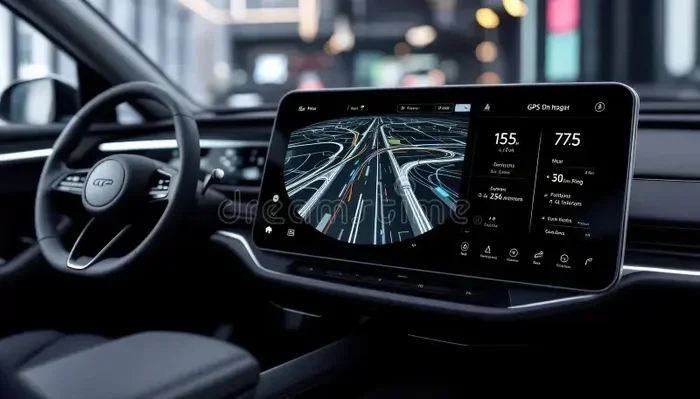
Your car has a small GPS antenna mounted on the roof or inside the windshield. This antenna catches the satellite signals. It feeds them into the GPS receiver chip inside your car’s infotainment system. That chip is the brain of the operation.
Here is something cool. The signals pass through clouds, rain, and even thin glass. They do not need clear skies to work. But thick cloud cover, metal buildings, and deep tunnels can block or weaken them. More on that later.
What Makes GPS Signals Special
GPS signals are different from regular radio signals. They are designed to carry very specific data. Each satellite sends a unique code. Your receiver uses that code to identify which satellite the signal came from.
The two main types of GPS signals are the L1 and L2 signals. The L1 signal is what most car GPS systems use. It operates on a frequency of 1575.42 MHz. This frequency is great for passing through the atmosphere with minimal interference.
Some advanced car GPS trackers also use the L2 signal for higher accuracy. These are common in fleet management and commercial vehicles. For regular drivers, the L1 signal is more than enough to get you where you need to go.
The GPS Receiver Inside Your Car
What the GPS Chipset Actually Does
Inside your car’s infotainment unit is a GPS chipset. This tiny piece of hardware is responsible for receiving and decoding satellite signals. It works silently in the background. You never see it. But without it, your GPS system in car would be nothing more than a fancy screen with no idea where you are.
The chipset performs millions of calculations every second. It measures the time it takes for each satellite signal to arrive. It then uses that time to calculate how far away each satellite is. This process happens so fast that your location updates in real time.
Modern car GPS chipsets are incredibly powerful. They can track signals from up to 12 satellites at once. The more satellites your receiver can see, the more accurate your location will be. That is why open skies give you the best GPS accuracy.
How Your Car Processes Location Data
Once the GPS chipset has your location, it sends that data to the car’s navigation software. The software compares your coordinates with detailed map data stored on the system. Map data includes roads, highways, speed limits, traffic patterns, and points of interest.
This combination of real-time location and map data is what makes car navigation possible. Your car knows where you are. It knows where the roads are. And it knows where you want to go. Put all three together, and you get smart directions.
The navigation software also factors in your speed and direction. It predicts where you will be in the next few seconds. This allows it to update your position smoothly on the map, even when you are driving fast on a highway.
Assisted GPS: Making Your Car GPS Even Faster
Many modern cars use something called A-GPS, or Assisted GPS. This is a clever trick that speeds up the time it takes to lock onto satellites.
With regular GPS, your car has to listen to satellite signals on its own. That can take 30 seconds or more, especially when you first start the engine. A-GPS uses your car’s cellular connection to download satellite data ahead of time. This means your GPS is ready to go almost instantly.
A-GPS also helps when signals are weak. If a satellite signal is faint, the cellular network can fill in the gaps. This makes your GPS navigation more reliable in cities with tall buildings and in rural areas with limited satellite coverage.
How Your Car Calculates Your Exact Position
Triangulation Explained in Plain English
The secret sauce behind how GPS works in car is a process called trilateration. People often confuse it with triangulation, but they are slightly different. Triangulation uses angles. Trilateration uses distances.
Here is how trilateration works in simple terms. Your car receives signals from at least four satellites. Each signal tells your receiver how far away that satellite is. Now imagine drawing a sphere around each satellite. Your car is somewhere inside all four spheres at the same time.
Where all four spheres overlap is your exact location. That is your GPS coordinates. The more satellites your receiver can connect to, the more precise the calculation becomes. This is why open-sky driving gives you the best results.
Your car also needs a fourth satellite to correct the clock inside the GPS receiver. Satellite clocks are atomic and extremely accurate. Car clocks are not. The fourth satellite signal helps adjust for any timing errors. This ensures your location is as precise as possible.
How Accurate Is Car GPS Really
Under ideal conditions, most car GPS systems are accurate to within 3 to 5 meters. That is about 10 to 16 feet. For everyday driving, that is more than good enough. You will not miss your turn by a few feet.
However, accuracy can drop in certain situations. In dense urban areas with tall buildings, signals can bounce off glass and steel. This is called multipath error. It can reduce accuracy to 10 or even 20 meters.
In remote areas with few satellites overhead, accuracy can also suffer. And inside tunnels or underground parking garages, your GPS may lose signal entirely. Most modern systems use dead reckoning to bridge these gaps. Dead reckoning uses your car’s speed sensors and direction data to estimate your position until the GPS signal returns.
Factors That Affect GPS Accuracy in Your Car
Several things can influence how well your GPS system in car performs. Here are the most common factors:
- Satellite visibility: More visible satellites mean better accuracy. Open highways are ideal.
- Atmospheric conditions: Heavy rain or solar activity can slightly delay signals.
- Obstructions: Tall buildings, mountains, and thick tree canopies block signals.
- Receiver quality: Better GPS chipsets pick up weaker signals more reliably.
- Map data freshness: Outdated maps can lead to wrong directions even if your location is correct.
From Location to Directions: How Navigation Works
Map Data and Route Planning
Knowing where you are is only half the battle. The other half is knowing where you want to go. That is where map data comes in. Your car’s navigation system stores detailed maps of roads, intersections, highways, and points of interest.
When you type a destination into your car GPS, the system does two things. First, it finds your current location using satellite signals. Second, it calculates the best route to your destination using the map data.
Route planning algorithms consider several factors. They look at road type, speed limits, traffic conditions, and distance. Some systems also factor in toll roads, ferry routes, and restricted areas. The goal is to find the fastest or shortest path to your destination.
Most GPS navigation systems today also offer alternative routes. You can choose the fastest route, the shortest route, or a route that avoids highways. This flexibility is one of the biggest advantages of having GPS in your car.
Turn-by-Turn Directions in Real Time
Once your route is set, the system starts guiding you. It breaks the journey into simple steps. Turn left in 500 feet. Merge onto Highway 10. Exit at Main Street. These turn-by-turn directions make navigation effortless.
Your car’s GPS receiver constantly updates your position. It compares your current location to the planned route. If you drift off course, the system recalculates automatically. Within seconds, it plots a new path to get you back on track.
Voice prompts make this even easier. You do not have to stare at the screen. The system talks to you. It tells you when to turn, when to change lanes, and when you have arrived. This hands-free approach makes driving safer and less distracting.
How Traffic Updates Work with GPS
Many modern GPS systems in cars now include live traffic data. This feature uses cellular networks or satellite radio to receive real-time traffic information. The system knows about accidents, road closures, and congestion before you reach them.
When traffic slows down ahead, your GPS reroutes you. It finds a faster alternative and guides you there. This dynamic rerouting is one of the most useful features of modern car navigation. It can save you 15 or even 30 minutes on a long drive.
Some systems also estimate your arrival time based on current traffic. This gives you a realistic idea of when you will reach your destination. It is a small feature that makes a big difference in planning your day.
Common GPS Problems and How to Fix Them
Why Your Car GPS Loses Signal
GPS signal loss is frustrating but common. The most frequent cause is physical obstructions. Tall buildings in cities can block satellite signals. Tunnels and underground parking garages completely cut off GPS reception. Even dense tree cover on rural roads can weaken signals.
Another common cause is a faulty or dirty GPS antenna. If your antenna is damaged or covered in dirt, it cannot pick up signals properly. Weather can also play a role. Heavy rain, thick clouds, and solar flares can temporarily disrupt GPS signals.
Sometimes the problem is software-related. Outdated map data or a glitchy infotainment system can cause GPS errors. A simple system restart often fixes these issues. Keeping your car’s software updated is a great way to prevent problems.
Tips to Keep Your GPS Running Smoothly
Here are some simple tips to keep your GPS in your car working at its best:
- Keep your antenna clean: Wipe down the exterior antenna regularly. Dirt and debris can block signals.
- Update your maps: Outdated maps lead to wrong directions. Check for updates at least twice a year.
- Restart your system: A quick reboot fixes most minor GPS glitches. Turn the system off and on again.
- Avoid placing metal objects on the dash: Metal can interfere with GPS signal reception.
- Hold off on phone charging: If your GPS runs through your phone, a low battery can cause signal drops.
- Use A-GPS when available: Assisted GPS locks onto satellites faster and works better in tough spots.
When to Consider an Aftermarket GPS Device
If your car does not have built-in GPS, you have options. Portable GPS devices are affordable and easy to install. They mount on your windshield and plug into your cigarette lighter or USB port. These devices work independently of your phone, so you do not need a data plan.
Smartphone apps like Google Maps and Waze are also excellent alternatives. They use your phone’s GPS receiver and cellular data to provide navigation. The downside is that they drain your battery and use data. For long road trips, a dedicated GPS device or built-in system is often more reliable.
GPS and Safety: How Location Tech Keeps You Protected
Beyond navigation, GPS plays an important role in car safety. Many modern vehicles come with GPS-based emergency services. If you are in a serious accident, your car can automatically send your exact location to emergency responders. This feature, known as eCall in Europe, can save lives by reducing response times.
GPS also powers stolen vehicle tracking systems. If your car is stolen, law enforcement can use the GPS tracker to locate it in real time. Some insurance companies offer lower rates for vehicles equipped with GPS tracking. It is a win-win for safety and savings.
Parents with teen drivers also benefit from GPS technology. Many car GPS tracker devices allow parents to monitor speed, location, and driving habits. This helps keep young drivers safe and gives parents peace of mind.
The future of GPS in cars is bright. New satellite systems from other countries, like Europe’s Galileo and China’s BeiDou, are improving global coverage. Multi-constellation GPS receivers can use signals from multiple satellite networks. This means even better accuracy and faster lock-on times for the next generation of car navigation.
Quick Tips for Better GPS Performance
Want to get the most out of your GPS navigation system? Here are a few quick tips:
- Always update your maps and software when prompted.
- Mount your GPS device where it has a clear view of the sky.
- Avoid using too many apps on your phone while navigating.
- Reset your GPS receiver if you notice location drift.
- Use offline maps when traveling through areas with poor cellular coverage.
Conclusion
How GPS works in your car is a fascinating blend of space technology, math, and smart software design. From satellites orbiting 12,000 miles above Earth to the tiny chipset on your dashboard, every part plays a vital role. The satellites send signals. Your receiver catches them. The software turns that data into clear directions that guide you home.
Understanding this process helps you appreciate the technology you use every day. It also helps you troubleshoot problems when they arise. With the tips in this guide, you can keep your car GPS running smoothly and get the most accurate navigation possible.
The next time you type in a destination and hear that friendly voice say “turn left ahead,” you will know exactly what is happening behind the scenes. It is not magic. It is science. And now you are part of the story.
Frequently Asked Questions
Can GPS work without internet in my car?
Yes, absolutely. GPS signals come from satellites, not the internet. Your car’s GPS receiver picks up satellite signals directly. However, live traffic updates and map downloads do require a data connection. For basic navigation, no internet is needed.
How accurate is GPS in a car?
Most car GPS systems are accurate to within 3 to 5 meters under clear skies. Accuracy can drop in cities with tall buildings or in tunnels. Assisted GPS (A-GPS) and multi-constellation receivers help improve accuracy in challenging environments.
Does my car need a built-in GPS or can I use my phone?
You do not need a built-in GPS. Your phone works great as a navigation device. Apps like Google Maps and Waze provide reliable directions. However, built-in car GPS systems are more integrated, use less battery, and often offer better signal reception.
Why does my car GPS show the wrong location sometimes?
Wrong locations usually happen due to signal interference or outdated map data. Tall buildings, tunnels, and heavy tree cover can confuse your receiver. Restarting the system or updating your maps typically fixes the issue. Multipath errors from signal bouncing off buildings can also cause temporary inaccuracies.
How does GPS help with fuel efficiency?
GPS helps you choose the most efficient routes, avoiding traffic jams and unnecessary detours. By finding the shortest or fastest path, your car burns less fuel. Some advanced systems also suggest optimal speeds and help you maintain a steady pace, which further improves fuel economy.
Can GPS tracking affect my car’s battery?
A built-in car GPS system has minimal impact on your battery because it draws very little power. However, if you use a portable GPS device or keep a phone plugged in for navigation for long periods, it can drain the battery over time. Always disconnect portable devices when not in use.