How Do I Reset My Oil Maintenance Reminder Step by Step
Knowing how to reset your oil maintenance reminder is a simple skill every car owner should have. This guide walks you through the reset oil maintenance reminder process for all major car brands in clear, easy steps. You will learn why the reminder matters, how to find the reset procedure for your vehicle, and common mistakes to avoid. By the end, you will feel confident handling the maintenance light reset on your own without visiting a mechanic.
Every car owner faces this moment. You are driving along, and suddenly a little light pops up on your dashboard. It says “Maintenance Required” or “Oil Change Due.” It can feel annoying, but it is also important. The oil maintenance reminder is your car’s way of telling you it is time for service. Learning how to reset oil maintenance reminder systems is a skill that saves time and money. In this guide, we walk you through the entire process step by step. You will learn what the reminder means, why it matters, and exactly how to turn it off on your specific vehicle. Whether you drive a Toyota, Honda, Ford, BMW, or any other brand, this guide has you covered.
Resetting the oil maintenance reminder is not just about clearing a light. It is about taking charge of your car’s health. When you handle the oil change reminder reset yourself, you stay on top of your vehicle’s service schedule. You also avoid unnecessary trips to the shop for something you can do in minutes. This article covers the reset oil maintenance reminder process in detail. We include brand-specific instructions, common mistakes, expert tips, and everything else you need. Let us get started.
Key Takeaways
- Quick Reset: Most vehicles let you reset the oil maintenance reminder in under two minutes using the steering wheel buttons or trip meter.
- Brand-Specific Steps: Different car brands like Toyota, Honda, Ford, and BMW have unique reset oil maintenance reminder procedures.
- Change Oil First: Always change the oil before resetting the reminder to avoid engine damage and keep your car running smoothly.
- Trip Button Method: The trip button method works on many older and newer vehicles as a universal fallback option.
- Check the Manual: Your owner’s manual is the best source for model-specific reset instructions and oil change interval details.
- Don’t Ignore the Light: Driving with the maintenance required message on for too long can lead to costly engine repairs.
📑 Table of Contents
- What Is an Oil Maintenance Reminder?
- Why Resetting Your Oil Maintenance Reminder Matters
- Reset Oil Maintenance Reminder: Step-by-Step Guide
- Common Mistakes When Resetting Your Oil Maintenance Reminder
- When the Reminder Doesn’t Go Away
- Expert Tips for Oil Maintenance Reminder Management
- How Often Should You Reset the Oil Maintenance Reminder?
- Final Thoughts
What Is an Oil Maintenance Reminder?
The oil maintenance reminder is a dashboard warning light or message. It tells you when your car needs an oil change. Most modern vehicles use an oil life system to track driving conditions. This system calculates when the oil degrades and needs replacement. The reminder activates based on miles driven, engine hours, and driving habits. Some cars use a simple mileage counter. Others use a smart algorithm that adjusts the oil change interval based on your driving style.
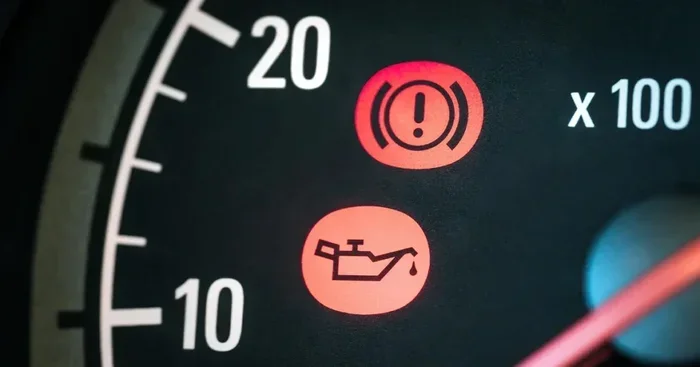
The maintenance required message usually shows up as a small wrench icon or a text readout. It is different from the oil pressure warning light. The oil pressure light means your engine has low oil right now. That is an emergency. The maintenance reminder is a scheduled service alert. It means it is time to plan an oil change soon. Understanding this difference helps you respond appropriately. You do not need to panic when the maintenance reminder comes on, but you should not ignore it either.
Most cars reset the oil life system automatically after a certain number of miles. But many vehicles require a manual reset oil maintenance reminder procedure. If you do not reset it, the light stays on. It can be distracting and annoying. Worse, it makes it hard to tell if there is a real problem with your engine. That is why knowing the reset procedure for your car is so valuable.
Why Resetting Your Oil Maintenance Reminder Matters
Some people think the reset oil maintenance reminder is just a nuisance. They want it off and move on. But there is more to it than that. Here is why properly resetting the system matters:
- Accurate Service Tracking: When you reset the system after an oil change, the maintenance schedule stays accurate. Your next service reminder will come at the right time.
- Engine Health: Fresh oil keeps your engine lubricated and cool. Resetting the reminder reminds you to stay on track with oil filter replacement and oil changes.
- Resale Value: A well-maintained car with a clean service history sells for more. Keeping up with the maintenance light reset shows future buyers you cared for the vehicle.
- Peace of Mind: A dashboard light that stays on can cause unnecessary stress. Resetting it after service gives you confidence that everything is current.
- Warranty Protection: Many warranties require proof of regular oil changes. A properly maintained oil life system helps you document your scheduled maintenance.
Skipping the reset can lead to confusion. You might not know when the last oil change happened. Or you might reset it before actually changing the oil, which defeats the purpose. Always change the oil first, then perform the reset oil maintenance reminder steps. That way, your car stays healthy and your records stay accurate.
Reset Oil Maintenance Reminder: Step-by-Step Guide
The exact steps to reset oil maintenance reminder systems vary by car brand and model. But the general process is similar across most vehicles. Below, we break down the most common methods. Follow the steps that match your car.
Method 1: Using the Steering Wheel Controls
Many newer vehicles use steering wheel buttons to access the maintenance menu. This is the most common method for modern cars. Here is how it works:
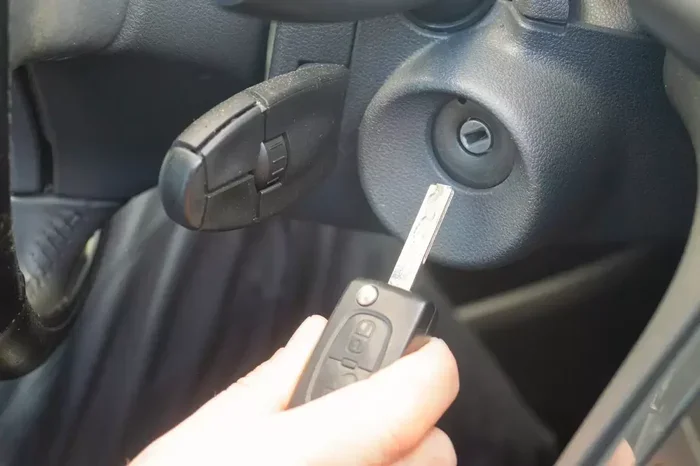
- Turn the ignition to the “On” position. Do not start the engine. Just press the start button without pressing the brake, or turn the key to the “On” or “Accessory” position.
- Press the “Menu” or “Setup” button on the steering wheel. Use the arrow buttons to scroll through the options until you see “Maintenance” or “Vehicle Info.”
- Select “Oil Life System” or “Maintenance Required.” Press “OK” or “Enter” to open the submenu.
- Choose “Reset.” The system will ask you to confirm. Select “Yes” or “Reset” to clear the reminder.
- Turn the ignition off and then back on. Check the dashboard. The maintenance required message should be gone.
This method works on many Ford, Chevrolet, and GM vehicles. If you are not sure which menu to look for, check your owner’s manual. The manual will have the exact navigation path for your model.
Method 2: The Trip Button Method
The trip button method is a classic approach that works on many older and newer vehicles. It is especially useful if your car does not have a fancy infotainment system. Here are the steps:
- Turn the ignition to the “On” position without starting the engine.
- Press the trip button repeatedly until the odometer shows the total mileage. On some cars, you need to press the button until you see the trip A or trip B screen.
- Turn the ignition off.
- Press and hold the trip button. While holding it, turn the ignition back to the “On” position.
- Keep holding the button for about 10 seconds. The oil change counter should start blinking.
- Release the button, then press and hold it again for 5 to 10 seconds. The counter should reset to zero.
- Turn the ignition off and back on to confirm. The maintenance light should be off.
This trip button reset method works on many Toyota, Honda, Nissan, and Hyundai models. It is a handy skill to know because it does not require navigating through menus. If one method does not work for your car, try the other. Most vehicles use one of these two approaches.
Resetting on Popular Car Brands
Different car brands have slightly different reset oil maintenance reminder procedures. Here is a quick look at how to handle the most popular brands.
Toyota and Lexus: Toyota vehicles often use the trip meter method. Turn the ignition to “On,” press the trip button until the odometer shows, then hold the button while turning the key to “On” again. The maintenance light will blink and then reset. Some newer Toyotas with the multi-info display let you scroll to the maintenance menu and select “Reset” directly.
Honda and Acura: Honda models typically use the steering wheel controls. Press the “Info” button on the steering wheel, scroll to the maintenance settings, and select “Reset.” For older Honda models without a digital display, the trip button method works well.
Ford and Lincoln: Ford vehicles usually have a “Settings” menu on the instrument cluster or touchscreen. Navigate to “Vehicle,” then “Maintenance,” then “Oil Life System,” and select “Reset.” The steering wheel controls make this easy on most Ford models.
BMW and Mercedes-Benz: Luxury brands like BMW and Mercedes often have more complex infotainment systems. On BMWs, you can use the iDrive controller to navigate to “Vehicle Info,” then “Maintenance,” then “Oil Service” and select “Reset.” Mercedes-Benz models use the steering wheel buttons to access the “Service” menu and reset the oil life system.
Chevrolet and GMC: GM vehicles typically use the steering wheel controls. Press the “Menu” button, scroll to “Vehicle Info,” then “Maintenance Reset,” and confirm. The trip button method also works on many GM models.
No matter what brand you drive, the key is to find the maintenance menu or use the trip button method. If you get stuck, your owner’s manual is the best resource. You can also search online for your specific model and year plus “reset oil maintenance reminder.”
Common Mistakes When Resetting Your Oil Maintenance Reminder
Resetting the oil maintenance reminder is simple, but people still make mistakes. Here are the most common ones to avoid:
- Resetting Before Changing the Oil: This is the biggest mistake. If you reset the reminder without actually changing the oil, you lose track of your oil change interval. Always perform the oil filter replacement and oil change first, then reset the system.
- Ignoring the Owner’s Manual: Every car is different. The owner’s manual has the exact reset procedure for your model. Skipping it can lead to confusion or accidentally resetting the wrong system.
- Turning the Ignition to “Start” Instead of “On”: Many reset procedures require the ignition in the “On” position, not the “Start” position. Starting the engine can interrupt the reset process. Keep the engine off during the reset.
- Not Holding Buttons Long Enough: The trip button method requires holding the button for 10 seconds or more. Letting go too early means the reset does not work. Be patient and hold the button until you see the counter blink or change.
- Confusing the Oil Light with the Maintenance Light: The oil pressure warning light is red and means stop immediately. The maintenance reminder is usually yellow or orange and means schedule service soon. Treating them the same can lead to wrong decisions.
- Forgetting to Check the Oil Level: When you are at the oil change, check the engine oil level too. Low oil can trigger the maintenance required message even after a recent oil change.
Avoiding these mistakes makes the reset oil maintenance reminder process smooth and effective. Take your time, follow the steps carefully, and double-check your work.
When the Reminder Doesn’t Go Away
Sometimes you follow all the steps and the maintenance required message stays on. This can be frustrating, but it usually has a simple fix. Here is what to try:
Try the Reset Again: Sometimes the first attempt does not fully register. Turn the ignition off, wait 10 seconds, and try the reset procedure again. Many vehicles need two attempts to fully clear the reminder.
Check for Other Service Items: Some cars have separate reminders for different services. The oil change reminder might be off, but the tire rotation or brake inspection reminder could still be on. Check the maintenance menu for any other pending services.
Disconnect the Battery: As a last resort, you can disconnect the car battery for about 15 minutes. This resets all the electronic systems, including the maintenance light reset. Reconnect the battery and start the car. The reminder should be cleared. Note that this method may also reset your radio presets and other settings.
Visit a Mechanic: If none of these steps work, there may be a deeper issue. A mechanic can run a diagnostic scan and clear the reminder from the system. This is rare, but it does happen, especially on older vehicles with wiring issues.
Remember, the oil life monitor is a helpful tool but not perfect. Even if the reminder goes away, stick to your car’s recommended oil change interval. The system is a guide, not a replacement for regular car maintenance.
Expert Tips for Oil Maintenance Reminder Management
Managing your oil maintenance reminder effectively goes beyond just resetting it. Here are some expert tips to keep your car in top shape:
- Keep a Service Log: Write down every oil change date, mileage, and oil type used. This helps you track your vehicle’s service history and makes it easy to spot patterns or issues.
- Use Quality Oil and Filters: Always use the oil grade recommended by your car’s manufacturer. Cheap oil and filters can degrade faster, meaning your oil change interval shortens. Quality products protect your engine and keep the oil life system accurate.
- Reset After Every Oil Change: Make it a habit. Every time you get an oil change or do it yourself, reset the system immediately after. This keeps your maintenance schedule on track.
- Check Oil Level Monthly: Between oil changes, check your engine oil level at least once a month. Low oil can damage your engine and trigger warning lights. A simple dipstick check takes less than a minute.
- Know Your Driving Conditions: Severe driving conditions like short trips, extreme heat, or towing can shorten the oil change interval. If you drive in these conditions, consider changing your oil more frequently than the reminder suggests.
- Set a Phone Reminder: Even with the oil maintenance reminder, set a calendar alert on your phone for your next oil change. This gives you a backup if the reminder system fails.
- Read the Owner’s Manual Once a Year: Your car’s manual has valuable information about maintenance schedules, reset procedures, and recommended fluids. Reading it once a year keeps you informed and confident.
These expert tips help you stay ahead of your car’s maintenance needs. They turn the oil maintenance reminder from a nagging light into a useful tool that keeps your engine healthy for years.
How Often Should You Reset the Oil Maintenance Reminder?
You should reset the oil maintenance reminder every time you change your oil. For most drivers, this means every 5,000 to 7,500 miles for conventional oil, or every 10,000 to 15,000 miles for synthetic oil. Check your owner’s manual for the specific oil change interval recommended for your vehicle.
If you drive under severe conditions, you may need to reset the system more often. Severe conditions include frequent short trips, extreme temperatures, dusty roads, and heavy towing. In these cases, the oil life system may recommend shorter intervals. Always follow the reminder and reset it after each oil change to keep the system accurate.
Some car owners wonder if they can extend the oil change interval beyond what the reminder suggests. While synthetic oils can last longer, it is best to follow the manufacturer’s recommendation. The reset oil maintenance reminder system is calibrated for the specific engine in your car. Trust it, reset it after each service, and your engine will thank you.
Final Thoughts
Resetting your oil maintenance reminder is one of the easiest and most useful skills you can learn as a car owner. It takes just a few minutes, requires no special tools, and keeps your vehicle’s service schedule on track. Whether you use the steering wheel controls, the trip button method, or the brand-specific menu navigation, the process is straightforward once you know the steps.
Always remember to change the oil before you reset the system. Never ignore the maintenance required message for too long. And if the light stays on after you try to reset it, don’t panic. Try again, check for other service items, or visit a mechanic. Your car’s oil life system is there to help you protect your engine and avoid costly repairs.
Take a few minutes today to learn the reset oil maintenance reminder procedure for your specific vehicle. Write it down, bookmark this article, or share it with a friend. Staying on top of your car’s maintenance schedule is one of the best things you can do for long-term vehicle health. A well-maintained car runs better, lasts longer, and keeps you safe on the road. You have got this.
Frequently Asked Questions
Can I reset the oil maintenance reminder before changing the oil?
You should always change the oil before resetting the reminder. Resetting it without an oil change means the system will not track your actual service. The reminder will come back at the wrong time, and you risk running old oil too long. Always do the oil change first, then perform the reset oil maintenance reminder steps.
What if my reset oil maintenance reminder won’t turn off?
Try the reset procedure again, making sure you hold the buttons long enough. If it still does not work, check for other pending service items in the maintenance menu. As a last resort, disconnect the battery for 15 minutes. If the light persists, visit a mechanic for a diagnostic scan.
Do I need special tools to reset the oil maintenance reminder?
No special tools are needed. You only need access to your car’s dashboard controls, steering wheel buttons, or trip meter. Some advanced vehicles may require an OBD2 scanner, but most models let you reset the system using built-in controls. Your owner’s manual will confirm the method for your car.
How often should I reset the oil maintenance reminder?
Reset the oil maintenance reminder every time you change your oil. This keeps the service tracking accurate and ensures the next reminder comes at the right time. Most drivers reset it every 5,000 to 7,500 miles with conventional oil, or every 10,000 to 15,000 miles with synthetic oil.
Is it safe to drive with the oil maintenance reminder on?
It is generally safe for a short time, but you should not delay the oil change. The reminder means your oil is nearing the end of its useful life. Driving too long with the maintenance required message on can lead to degraded oil, reduced engine protection, and potential engine damage. Schedule your oil change soon.
Does resetting the oil maintenance reminder affect my warranty?
No, resetting the reminder does not affect your warranty. However, skipping or delaying oil changes can void your powertrain warranty. Always keep up with your scheduled maintenance and keep records. The reset oil maintenance reminder system helps you stay on track with the required service intervals.