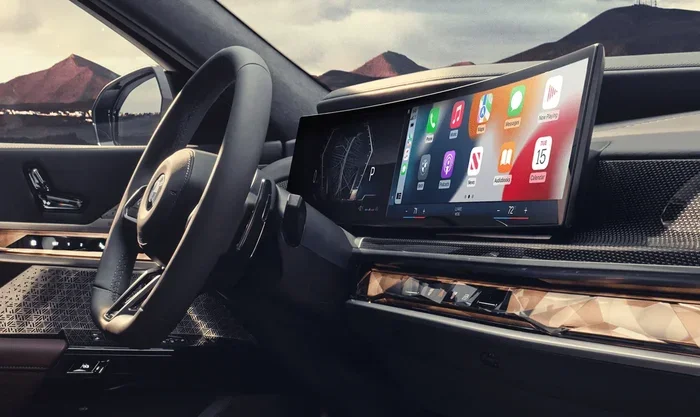
How Do I Reset My Car Touch Screen Step by Step Guide
Learning how do I reset my car touch screen is one of the simplest fixes you can try when your display acts up. Whether your screen is frozen, unresponsive, or showing glitches, a reset often solves the problem fast. This guide walks you through soft resets, hard resets, and factory resets for any vehicle.
There is nothing more frustrating than tapping your car touch screen and watching it freeze or lag. You are trying to change the music, set up navigation, or adjust the temperature, and nothing happens. Before you call a dealer or spend money on repairs, there is a good chance a simple reset can fix the problem. Learning how do I reset my car touch screen is a basic skill every car owner should have. It saves time, money, and a lot of hassle. In this guide, we walk you through every method step by step. You will learn about soft resets, hard resets, and factory resets. We also cover brand-specific instructions and tips to prevent future issues. By the end, you will feel confident fixing your car display on your own.
Car touch screens are essentially small computers. They run software, store data, and manage multiple functions at once. Just like your phone or laptop, they can slow down, freeze, or glitch. Sometimes a simple restart clears the issue. Other times, you need a deeper reset to get things working again. The good news is that most reset methods are quick and easy. You do not need special tools or technical knowledge. All you need is a little patience and the right information. This article gives you exactly that. Let us dive in and explore every way to reset your car touch screen.
Key Takeaways
- Soft Reset: A quick restart that fixes most minor glitches without losing any data.
- Hard Reset: A deeper reset that clears temporary files and refreshes the system.
- Factory Reset: Wipes all settings and returns the screen to its original state.
- Brand Differences: Each car maker has slightly different reset steps for their models.
- Prevention: Regular updates and simple habits can stop touch screen problems before they start.
- When to Seek Help: Some issues need a professional, and that is perfectly okay.
📑 Table of Contents
Why Your Car Touch Screen Might Need a Reset
Car touch screens are not immune to problems. Over time, software bugs, memory buildup, and minor glitches can cause the display to misbehave. Understanding why your screen acts up helps you choose the right car touch screen reset method. Let us look at the most common reasons your display might need attention.
Common Signs Your Screen Needs a Reset
Not sure if your screen needs a reset? Look for these clear warning signs. A frozen screen is the most obvious one. You tap the display, but nothing responds. Another sign is slow performance. The screen takes forever to load menus or respond to your taps. You might also notice flickering or dimming display issues. Some car owners report that the screen goes black for a few seconds and then comes back. Unresponsive touch inputs are another red flag. You tap a button, but the system does not register it. Finally, if your navigation or audio system starts acting strange, a reset can often fix it. These are all signs that your infotainment system restart might be overdue. Do not ignore these warnings. The sooner you address them, the easier the fix usually is.
What Causes Touch Screen Issues in Cars
Several factors can lead to touch screen problems. Software updates sometimes cause conflicts with existing settings. Over time, cached data builds up and slows the system down. Extreme temperatures can also affect screen performance. If you live in a very hot or cold climate, your display may struggle. A loose connection inside the dashboard can cause intermittent issues too. Sometimes, a simple power surge or battery drain resets the system on its own. Other times, the problem builds up gradually. Understanding the root cause helps you decide whether a soft reset or a deeper reset is the right choice. Regular use and age also play a role. Older vehicles may experience more frequent display issues simply because the software is outdated.
How to Soft Reset Your Car Touch Screen
A soft reset is the easiest and safest method. It simply restarts the system without deleting any data or settings. Think of it like restarting your phone. Most minor issues respond well to a soft reset. This is always the first step you should try when your screen misbehaves.
The Quick Restart Method
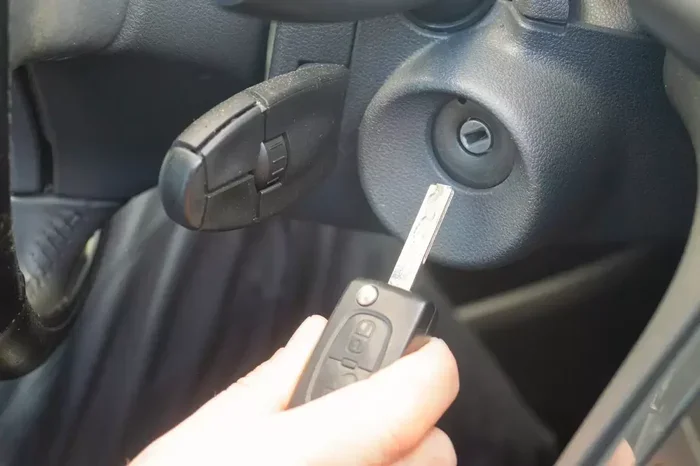
Here is how to perform a soft reset on most vehicles. Start by turning off the engine and removing the key from the ignition. Wait about 30 seconds. This allows the system to fully power down. Then, reinsert the key and start the engine again. The touch screen should reboot automatically. In some cars, you can simply press and hold the power button on the screen for 10 to 15 seconds. The display will turn off and then turn back on. This is the quickest way to refresh your car display reset without affecting any saved data. You can also try turning the ignition to the accessory position, waiting 10 seconds, and then turning it off again. This drains residual power and forces the system to restart cleanly.
When to Use a Soft Reset
Use a soft reset when the screen is slow or slightly unresponsive. It is also great after a software update. Sometimes, updates do not apply correctly until you restart the system. A soft reset is safe to perform as often as you need. It will not erase your playlists, saved destinations, or personal settings. If a soft reset does not fix the problem, it is time to try a harder reset method. Always start with the simplest fix before moving on to more advanced steps. This saves you time and avoids unnecessary complications.
How to Perform a Hard Reset on Your Car Screen
A hard reset goes deeper than a soft reset. It clears temporary files and refreshes the system at a deeper level. This method can fix more stubborn issues. However, it does not delete your personal data. A hard reset is like a deep clean for your car’s computer system. It clears out the junk that slows things down and gives the system a fresh start.
Step-by-Step Hard Reset Instructions
Follow these steps carefully to perform a hard reset. First, make sure your car is parked and the engine is off. Next, locate the fuse box. In most vehicles, the fuse box for the infotainment system is under the dashboard on the driver side. Look for the fuse labeled “Audio,” “Infotainment,” or “Display.” Remove that fuse and wait two full minutes. This drains any residual power from the system. Then, reinsert the fuse and start the engine. The touch screen should power back on and run a fresh system check. This method effectively performs a car screen reboot that clears temporary glitches and refreshes the system memory. If you cannot find the right fuse, consult your vehicle owner manual. Every car is slightly different, and the manual will have the exact fuse location for your model.
What a Hard Reset Does
A hard reset clears the temporary cache and forces the system to reload from scratch. It does not erase your saved Bluetooth connections, radio presets, or navigation history. Think of it as clearing out the junk files that slow down your system. After a hard reset, most car owners notice faster response times and smoother operation. If your screen was freezing or lagging, a hard reset often solves the problem completely. This is one of the most effective reset car display methods available. It is especially helpful when the screen has been acting up for days and a simple restart does not help. The two-minute wait time is the key. Do not skip it, because it ensures the system fully discharges before restarting.
Factory Reset vs Soft Reset: What Is the Difference
Not all resets are created equal. Understanding the difference between a factory reset and a soft reset is important. Each method serves a different purpose and has different outcomes. Choosing the right one can save you a lot of frustration.
Understanding Each Reset Type
A soft reset simply restarts the system. It is quick, safe, and does not affect your saved data. A hard reset clears temporary files but keeps your personal settings intact. A factory reset, on the other hand, wipes the system back to its original settings. This means all your personal preferences, saved Wi-Fi networks, Bluetooth pairings, and custom settings get erased. A factory reset should be your last resort. You only need it when nothing else works. Before you go this route, make sure you have backed up any important data like Bluetooth pairings and saved navigation addresses. Writing down your key settings before a factory reset is a smart habit that saves a lot of time afterward.
When to Choose a Factory Reset
You should only perform a factory reset when the screen has serious software problems. If the display is constantly freezing, showing error messages, or completely unresponsive, a factory reset might be the answer. This method is also helpful after a major software update that causes conflicts. Just remember that a factory reset restores the system to its out-of-the-box state. You will need to set up your preferences again from scratch. But for serious touch screen troubleshooting, it is often the solution that works. Some car owners hesitate to do a factory reset because they fear losing data. The truth is, the reset only affects system settings, not your stored media or connected phone data. Still, always back up first to be safe.
Brand-Specific Reset Instructions
Every car maker designs their infotainment system differently. The reset process can vary from one brand to another. Following the correct steps for your specific vehicle ensures the best results. Here are detailed instructions for the most popular car brands on the road today.
How to Reset a Ford Touch Screen
Ford vehicles use the SYNC infotainment system. To reset it, start by turning the ignition to the accessory position without starting the engine. Press and hold the power button on the screen for about 20 seconds. The display will turn off and then restart. For a deeper reset, you can also disconnect the negative battery terminal for five minutes. Reconnect it and start the engine. The SYNC system will reboot with fresh settings. This is a reliable method for Ford touchscreen reset issues. Ford owners should also check for SYNC software updates through the MyFord Mobile app. Keeping the system updated prevents many common issues.
How to Reset a Toyota Touch Screen
Toyota uses the Entune system in most of its models. To reset the screen, press and hold the volume knob for about 15 seconds. The system will power off and restart automatically. For a factory reset, you need to go into the settings menu. Navigate to “System Setup,” then “Reset,” and select “Factory Reset.” This will erase all custom settings and restore the system to its original state. Toyota owners dealing with Toyota infotainment reset issues can rely on this method. Toyota also offers a maintenance reminder reset option in the same menu. This is handy after completing any service on your vehicle.
How to Reset a Honda Touch Screen
Honda vehicles use the HondaLink or Display Audio system. To perform a soft reset, simply turn the ignition off, wait 30 seconds, and turn it back on. For a hard reset, locate the reset button on the audio unit itself. It is usually a small pinhole button on the front of the unit. Use a paperclip to press and hold it for 10 seconds. The system will restart. Honda owners can use this approach for their Honda car screen reset needs. Honda also recommends checking the USB connections if the screen is not responding. A loose USB cable can sometimes mimic touch screen problems.
How to Reset a Chevrolet Touch Screen
Chevrolet vehicles use the Chevrolet Infotainment system. To reset the screen, press and hold the power button for 10 seconds until the display turns off. Wait 30 seconds, then press the power button again to turn it back on. For a more thorough reset, you can also hold down the volume knob and the power button together for 15 seconds. This forces the system to restart completely. Chevrolet owners dealing with Chevrolet infotainment reset problems will find this method effective. Chevrolet also offers a “Restore Defaults” option in the display settings menu. This is a middle ground between a soft reset and a full factory reset.
Reset Tips for Other Popular Brands
Nissan vehicles with the NissanConnect system can be reset by holding the power button for 15 seconds. For BMW iDrive systems, press and hold the controller knob for 10 seconds to force a reboot. Volkswagen MIB systems respond well to turning the ignition off, waiting one minute, and restarting. Hyundai and Kia UVO systems can be reset by holding the volume and power buttons together for 20 seconds. Each brand has its own quirks, but the general principle remains the same. Power down, wait, and power back up. If your brand is not listed here, check the owner manual or visit the manufacturer website for specific car multimedia system reset instructions.
Preventing Future Touch Screen Problems
Resetting your screen fixes the current problem, but prevention keeps future issues away. A few simple habits can keep your car display running smoothly for years to come. Prevention is always easier than fixing a problem after it starts.
Simple Maintenance Tips
Keep your system updated. Car makers release software updates that fix bugs and improve performance. Check for updates through your infotainment settings at least once a month. Clean your screen regularly with a microfiber cloth. Dirt and grime can interfere with touch sensitivity and make the screen less responsive. Avoid installing apps from untrusted sources. These can cause software conflicts and slow down the system significantly. Also, keep your vehicle battery healthy. A weak battery can cause power fluctuations that affect the touch screen. Get your battery tested annually, especially if your car is more than three years old. Finally, avoid extreme heat exposure. Park in shaded areas when possible to protect your display from overheating. High temperatures can warp internal components and shorten the life of your screen.
When to Seek Professional Help
Most touch screen issues respond well to a reset. But some problems need professional attention. If your screen has physical damage like cracks or dead spots, a reset will not fix it. Hardware issues such as loose cables or faulty connections also require a mechanic. If you have tried every reset method and the screen still does not work, it is time to visit a dealership or a qualified auto electronics specialist. They have diagnostic tools that can identify deeper problems. Do not hesitate to seek help when you need it. A professional can save you time and prevent further damage to your vehicle. Sometimes the issue is a faulty digitizer or a damaged ribbon cable. These problems require expert repair and cannot be solved with a simple reset.
Knowing how do I reset my car touch screen puts you in control of your vehicle’s technology. Whether you choose a soft reset, hard reset, or factory reset, you now have the knowledge to handle most screen issues. Keep this guide bookmarked for future reference. Your car display will thank you for the care and attention you give it.
Frequently Asked Questions
Will resetting my car touch screen delete my saved data?
A soft reset and a hard reset will not delete your saved data, Bluetooth pairings, or radio presets. Only a factory reset erases all personal settings and preferences. Always back up important data before performing a factory reset to avoid losing anything important.
How long does it take to reset a car touch screen?
A soft reset usually takes less than a minute. A hard reset may take two to five minutes including the wait time. A factory reset can take anywhere from five to fifteen minutes depending on your vehicle model and the amount of data stored on the system.
Can I reset my car touch screen while driving?
No, you should always reset your car touch screen while the vehicle is parked and the engine is off. Performing a reset while driving can distract you and may cause the display to go dark temporarily, which is dangerous on the road.
Why does my car touch screen keep freezing after a reset?
If your screen keeps freezing after a reset, there may be a deeper software issue or a hardware problem. Try updating your infotainment software to the latest version. If the problem persists, visit a dealership or auto electronics specialist for a professional diagnosis.
Do I need any special tools to reset my car touch screen?
No special tools are needed for most reset methods. A soft reset only requires you to turn the ignition off and on again. A hard reset may need you to access the fuse box, which is usually under the dashboard. A paperclip can be helpful for pinhole reset buttons on some models.
Is it safe to reset my car touch screen myself?
Yes, it is completely safe to reset your car touch screen yourself. Soft resets and hard resets will not harm your vehicle or void your warranty. Just follow the steps carefully and avoid disconnecting battery terminals if you are unsure. When in doubt, consult your vehicle owner manual or contact a professional.
=== CONCLUSION ===
Dealing with a frozen or unresponsive car touch screen is frustrating, but it is almost always fixable. Learning how do I reset my car touch screen gives you the power to solve the problem quickly and save money on repair costs. Start with a soft reset for minor glitches. Move to a hard reset for stubborn issues. Reserve factory resets for serious software problems. Each method has its place, and now you know exactly when to use each one. Follow the brand-specific instructions if you want the most accurate steps for your vehicle. And remember, prevention is always better than cure. Keep your system updated, clean your screen regularly, and protect your battery. With the right knowledge and a little patience, your car display will stay responsive and reliable for years to come. You have got this!