How Do I Lock a Tesla And Keep My Car Safe and Secure
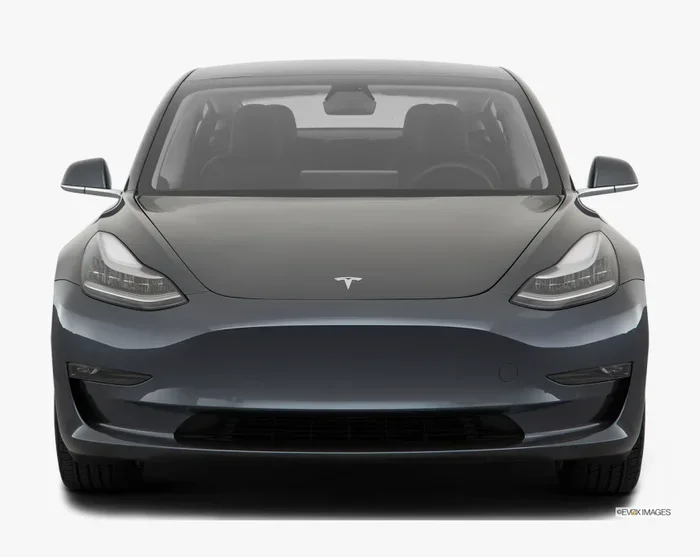
Locking a Tesla is simple once you know your options. You can use the Tesla mobile app, key card, phone key, or even walk away and let your car lock itself. This guide covers every method, security feature, and pro tip to keep your Tesla safe and secure. Whether you own a Model 3, Model Y, or another Tesla, these lock strategies work across the lineup.
So you just bought a Tesla, or maybe you have had one for a while and want to make sure you are locking it properly. Either way, you are in the right place. How do I lock a Tesla is one of the most common questions new owners ask. The good news is that Tesla makes it really easy to secure your car. You have more options than you might think.
In this guide, we will walk through every way to lock your Tesla. We will also cover security features that go beyond just locking the doors. By the end, you will feel confident that your vehicle is safe and sound every time you walk away.
Locking your car might seem like a small thing. But it is one of the most important habits you can build. A locked Tesla is a protected Tesla. Let us dive in and make sure you are doing it right.
Key Takeaways
- Multiple Lock Methods: You can lock a Tesla using the mobile app, key card, phone key, key fob, or the walk-away auto-lock feature.
- Built-In Security Tools: Features like Sentry Mode, PIN to Drive, and the alarm system add layers of protection to your vehicle.
- Remote Control: The Tesla app lets you lock and unlock your car from anywhere with an internet connection.
- Common Issues Have Fixes: Most lock problems, like unresponsive keys or delayed auto-lock, have simple solutions.
- Proactive Habits Matter: Using Camp Mode wisely, enabling all security settings, and staying aware of your surroundings keep your Tesla extra safe.
📑 Table of Contents
How Do I Lock a Tesla Using Different Methods
Tesla offers several ways to lock your car. Each method works differently, and some are more convenient than others depending on the situation. Let us break them all down so you can pick what works best for you.
Using the Tesla Mobile App
The Tesla mobile app is one of the most powerful tools for locking your car. Open the app on your phone, and you will see a big lock icon at the bottom of the screen. Tap it, and your Tesla locks instantly.
This method works from anywhere, as long as your phone has an internet connection. You can lock your Tesla from the office, the grocery store, or even across the country. It is incredibly convenient.
Here are a few tips for using the app effectively:
- Make sure your phone is connected to Wi-Fi or cellular data.
- Keep the app updated to the latest version for the best performance.
- Enable push notifications so you get a confirmation when your car locks.
- Use the app to check if your doors are actually locked before you walk away.
The app also lets you unlock your car with a single tap. So it works both ways. Many Tesla owners use the app as their primary locking method because it is fast and reliable.
Using the Key Card
Every Tesla comes with a key card. It is a small RFID card that you can tap against the B-pillar of the car to lock or unlock it. This is a great backup option if your phone dies or your key fob is not working.
To lock your Tesla with the key card, simply walk up to the driver’s side door and tap the card on the reader. The car will lock, and you will see the mirrors fold in and the lights flash. This is your confirmation that the car is locked.
The key card is also useful when you are lending your Tesla to someone else. You can give them the card without sharing your phone key. It adds a nice layer of control over who can access your vehicle.
Using the Phone Key
The phone key uses Bluetooth and Ultra-Wideband technology to communicate with your Tesla. When you walk up to your car with your phone in your pocket, the car senses your presence and unlocks automatically. When you walk away, it locks itself.
To set up the phone key, open the Tesla app and go to Controls, then Locks, and select Phone Key. Follow the on-screen instructions to pair your phone with the car. Once set up, it works seamlessly in the background.
The phone key is one of the most popular ways to interact with a Tesla. It feels almost magical. You do not even need to take your phone out of your pocket.
Using the Key Fob
If you prefer a physical device, Tesla sells a key fob separately. It works just like a traditional car key fob. Press the lock button, and your Tesla locks. It is simple and straightforward.
The key fob is a great option for people who like tangible controls. It also works even if your phone battery dies or you do not have your phone with you. Some owners keep it on a keychain alongside their house keys.
Tesla Walk-Away Door Lock and Auto-Lock Features
One of the coolest things about a Tesla is the walk-away door lock feature. When you have this enabled, your Tesla automatically locks after you walk away from it. You do not need to do anything. The car handles it for you.
How Walk-Away Lock Works
Here is how it works in practice. You step out of your Tesla, close the door, and start walking away. The car detects that you are no longer nearby using your phone key or key fob. After a few seconds, it locks the doors, folds the mirrors, and turns off the lights. It is all automatic.
This feature is incredibly useful. You do not have to remember to tap your key card or press a button. The car just knows when you are done. It makes the whole experience feel effortless.
To enable walk-away door lock, go to Controls, then Locks, and toggle on Walk-Away Door Lock. From that point on, your Tesla will lock itself every time you walk away.
Auto-Lock Speed Settings
Tesla also lets you customize the auto-lock behavior. You can set it to lock after a short delay or a longer delay. This is helpful if you sometimes need to grab something from the car after you have started walking away.
Here are the auto-lock speed options available:
- Immediate Lock: The car locks as soon as you walk past the sensors.
- Delayed Lock: The car waits a few seconds before locking, giving you extra time.
Choosing the right setting depends on your habits. If you always carry everything out of the car in one trip, immediate lock works great. If you frequently go back for forgotten items, a slight delay might be better.
Cooling Feature and Lock Behavior
Here is a fun detail. When your Tesla is locked and cooling, it can keep the cabin at a comfortable temperature. This is especially useful in hot weather. The car stays locked while running the air conditioning, so you do not need to worry about anyone getting inside.
However, make sure you set up the cooling feature correctly. You can schedule it through the Tesla app. This way, your car is already cool when you return. It is a small thing that makes a big difference in comfort.
Tesla Security Features That Protect Your Car
Locking your Tesla is just the first step. Tesla has built-in security features that add extra layers of protection. These tools help deter theft and give you peace of mind.
Sentry Mode
Sentry Mode is one of the most impressive security features on any car today. When you activate it, your Tesla uses the external cameras to monitor the area around your vehicle. If it detects a threat, it switches to an alarm state and starts recording.
Here is how Sentry Mode helps protect your car:
- It uses the dashcam cameras to watch all around the vehicle.
- It triggers a visual alarm if someone gets too close.
- It records video clips that you can review later.
- It sends notifications to your phone if an alert is triggered.
To turn on Sentry Mode, tap the security icon on the Tesla touchscreen. You can also activate it remotely through the app. It is an excellent tool for parking in unfamiliar areas or leaving your car overnight.
PIN to Drive
PIN to Drive is another powerful security feature. When enabled, you must enter a PIN on the touchscreen before the car can be driven. This prevents anyone from driving your Tesla even if they get inside.
Setting up PIN to Drive is easy. Go to Controls, then Safety & Security, and enable PIN to Drive. Choose a PIN that is easy for you to remember but hard for others to guess.
This feature is especially useful if you park your Tesla in public places or shared garages. It adds a strong layer of vehicle security that goes beyond just locking the doors.
Tesla Alarm System
Tesla has a built-in alarm system that activates automatically when your car is locked. If someone tries to open a door or trunk, the alarm sounds and the lights flash. It is a strong deterrent against break-ins.
The alarm works alongside Sentry Mode for maximum protection. Together, these features make it very difficult for anyone to tamper with your Tesla without you knowing.
Dashcam and Security Camera
Your Tesla’s dashcam can also serve as a security camera when the car is parked. With Sentry Mode active, the cameras continuously monitor the surroundings. The footage is saved to a USB drive if you have one connected.
This is a valuable tool for documenting any incidents. If someone scratches your car or tries to break in, you will have video evidence. Make sure to use a high-quality USB drive for reliable recording.
Common Tesla Lock Problems and How to Fix Them
Even though Tesla locks are reliable, you might run into issues from time to time. Here are the most common problems and how to solve them.
Phone Key Not Working
If your phone key is not unlocking or locking your Tesla, the first thing to check is your Bluetooth connection. Make sure Bluetooth is turned on and that your phone is within range of the car.
Try these steps if the phone key is not working:
- Restart your phone and try again.
- Make sure the Tesla app has permission to use Bluetooth.
- Remove and re-add the phone key in the Tesla settings.
- Check for any software updates on both your phone and the car.
Sometimes, simply restarting your phone fixes the issue. It is the easiest first step.
Key Card Not Responding
If your key card is not working, it might be because the RFID chip is not being detected properly. Try holding the card flat against the B-pillar reader. Make sure there are no other cards or metal objects between the card and the reader.
If the card still does not work, you can use the phone key or the Tesla app as a backup. You should also contact Tesla service if the card appears damaged.
Delayed Auto-Lock
Some owners notice that their Tesla does not lock immediately after they walk away. This can happen if the auto-lock delay setting is too long. Adjusting the delay in the Locks settings usually fixes this.
Another common cause is a weak Bluetooth signal. If your phone is far away or in a bag that blocks the signal, the car might not detect that you have left. Keep your phone in your pocket for the best results.
Car Unlocks by Itself
Rarely, a Tesla might unlock on its own. This usually happens when another authorized key fob or phone key is nearby. Check if someone else with access to your Tesla is close by.
If this happens frequently, you can review the list of authorized keys in the Tesla app. Remove any keys you do not recognize or no longer need. This keeps your vehicle secure.
Tips to Keep Your Tesla Safe and Secure
Locking is important, but there is more you can do to protect your Tesla. These tips will help you build a strong security routine.
Enable All Available Security Features
Go through your Tesla settings and make sure every security feature is turned on. This includes Sentry Mode, PIN to Drive, the alarm system, and walk-away door lock. Each feature adds a layer of protection.
Think of it like locking your house. You do not just close the front door. You also lock the windows and set the alarm. The same logic applies to your Tesla.
Keep Your Software Updated
Tesla regularly releases software updates that improve security and fix bugs. Make sure your car is always running the latest version. These updates often include important security patches.
You can check for updates by going to Controls, then Software. If an update is available, install it as soon as possible. Keeping your software current is one of the simplest ways to protect your car.
Be Smart About Where You Park
Where you park matters. Choose well-lit areas whenever possible. Avoid leaving your Tesla in isolated spots for long periods, especially at night.
If you have a garage, use it. A garage provides physical security that no electronic feature can match. Even a covered parking spot is better than an open street.
Use Camp Mode Wisely
Camp Mode lets you keep your Tesla running while you sleep or camp. It maintains the cabin temperature and powers your devices. However, it also means the car is not fully locked in the traditional sense.
When using Camp Mode, make sure you are in a safe location. The car is still secure, but it is good practice to be aware of your surroundings. Use Sentry Mode alongside Camp Mode for extra peace of mind.
Regularly Review Authorized Keys
Over time, you might give access to your Tesla to friends, family, or service providers. Periodically review the list of authorized keys in the app. Remove anyone who no longer needs access.
This is a simple habit that goes a long way in keeping your Tesla secure. It only takes a few minutes but provides significant peace of mind.
Final Thoughts on Tesla Vehicle Security
Locking a Tesla is straightforward, but doing it the right way makes all the difference. Whether you use the mobile app, key card, phone key, or walk-away auto-lock, each method has its strengths. The key is to combine multiple methods for the best protection.
Tesla has built an impressive set of security tools into its vehicles. Sentry Mode, PIN to Drive, the alarm system, and the dashcam all work together to keep your car safe. Take the time to set up these features properly. Your future self will thank you.
Remember, no security system is perfect. But by following the tips in this guide, you are already ahead of most Tesla owners. Lock your car every time, stay aware of your surroundings, and keep your software up to date. These simple habits go a long way.
Now that you know exactly how do I lock a Tesla and keep it secure, you can drive and park with confidence. Your Tesla is a valuable asset, and it deserves the best protection you can give it. Stay safe, stay secure, and enjoy every mile.
Frequently Asked Questions
Can I lock my Tesla remotely using the mobile app?
Yes, you absolutely can. The Tesla mobile app has a lock icon that lets you lock your car from anywhere with an internet connection. This is one of the most convenient features for Tesla owners who want to make sure their car is secure even when they are not nearby.
Does Tesla automatically lock when I walk away?
Yes, if you have Walk-Away Door Lock enabled. This feature uses your phone key or key fob to detect when you have left the car. After a short delay, the Tesla locks itself automatically. You can adjust the delay timing in the Locks settings.
What should I do if my Tesla phone key stops working?
First, check that Bluetooth is turned on and your phone is near the car. Try restarting your phone and re-adding the phone key in the Tesla app settings. If the issue persists, use the key card or Tesla mobile app as a backup until the problem is resolved.
Is Sentry Mode available on all Tesla models?
Sentry Mode is available on most Tesla models, including the Model 3, Model Y, Model S, and Model X. However, some older models may require a software update to access this feature. Always make sure your Tesla software is up to date for the latest security capabilities.
Can someone steal a Tesla if it is locked?
Tesla vehicles have strong security features that make theft very difficult. The combination of locked doors, PIN to Drive, Sentry Mode, and the alarm system creates multiple layers of protection. While no system is completely immune, a locked Tesla with all security features enabled is a very hard target for thieves.
How do I set up PIN to Drive on my Tesla?
Go to Controls on your Tesla touchscreen, then navigate to Safety & Security. Toggle on PIN to Drive and create a PIN that is easy for you to remember. Every time you want to drive, you will need to enter this PIN on the touchscreen first.
=== CONCLUSION ===
Knowing how do I lock a Tesla is essential for every owner. You have multiple methods at your fingertips, from the mobile app to the walk-away auto-lock feature. Each method is designed to make your life easier while keeping your car secure. Combine these locking methods with Tesla’s powerful security tools like Sentry Mode, PIN to Drive, and the alarm system, and you have a fortress on wheels.
Take a few minutes today to review your Tesla lock settings. Enable walk-away door lock, set up PIN to Drive, and make sure Sentry Mode is ready to go. These small steps add up to a big difference in protecting your vehicle. Your Tesla is an investment, and it deserves the best security you can provide. Stay safe, stay locked, and enjoy the ride.