Does the Toyota Dashcam Record Audio While Driving
Yes, the Toyota dashcam can record audio while driving, but it depends on your model and settings. Toyota dashcam record audio functionality is available in many newer Toyota vehicles equipped with the built-in camera system. Understanding how this feature works helps drivers capture complete evidence on the road.
Have you ever wondered what your Toyota dashcam is really capturing? Maybe you have seen footage online of car accidents caught on camera and thought, “I want that protection too.” But then a question pops up: does the Toyota dashcam record audio while driving? It is a simple question, but the answer is not always straightforward. The truth is, Toyota has equipped many of its newer vehicles with a built-in dashboard camera that can do more than just record video. It can also capture sound. And that changes everything when it comes to documenting what really happens on the road.
Whether you are a daily commuter, a road trip enthusiast, or someone who just wants peace of mind behind the wheel, understanding your Toyota dashcam record audio capabilities matters. This guide breaks it all down in plain language. We will cover how the system works, what the audio captures, how to toggle the settings, and what the law says about recording sound in your vehicle. By the end, you will know exactly what your Toyota dashcam is doing and how to get the most out of it.
The goal here is simple. You deserve clear, honest information about your car’s safety features. No jargon. No confusion. Just practical advice that helps you drive smarter and stay protected. So let us dive in and explore everything you need to know about Toyota dashcam record audio functionality.
Key Takeaways
- Toyota dashcam record audio is available on select models with the built-in camera system, giving you full video and sound coverage.
- Audio recording captures cabin sounds, road noise, and conversations, which can be crucial for insurance claims and accident reconstruction.
- You can enable or disable audio recording through your Toyota’s display settings, giving you full control over your privacy.
- Laws on in-car audio recording vary by state and country, so it is important to understand local regulations before relying on dashcam audio.
- Two-party consent states require all occupants to agree to audio recording, making it essential to inform passengers.
- Toyota Safety Sense cameras work alongside the dashcam to provide a comprehensive safety and recording system.
- Dashcam audio strengthens insurance claims by providing a fuller picture of what happened during an incident.
📑 Table of Contents
How the Toyota Dashcam System Works
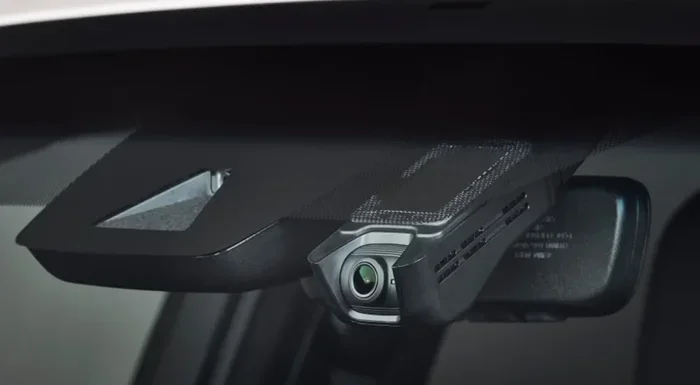
Before we get into the audio side of things, it helps to understand the basics of how the Toyota dashcam system operates. Toyota has integrated camera technology into several of its models, primarily through the Toyota Safety Sense suite of driver-assistance features. These cameras sit at the top of the windshield, usually near the rearview mirror, and they serve multiple purposes.
What Is the Toyota Built-In Dashcam?
The Toyota built-in dashcam is a small camera housed in the mirror or mounted near the top of the windshield. It is not a separate aftermarket device you have to install yourself. Instead, it comes factory-installed in certain Toyota models. The camera continuously records the road ahead, storing footage on an SD card or in a loop that overwrites older files when storage is full.
This system is designed to work automatically. You do not need to press a button every time you get behind the wheel. The camera starts recording when you start the engine and stops when you turn it off. It captures driving footage in high resolution, giving you a clear view of what is happening on the road in front of you.
Which Toyota Models Have a Dashcam?
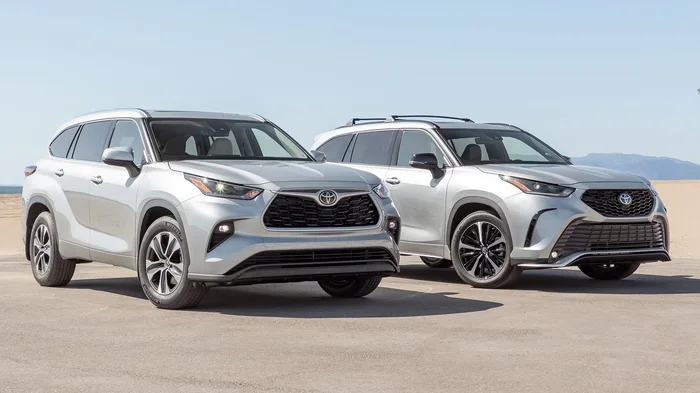
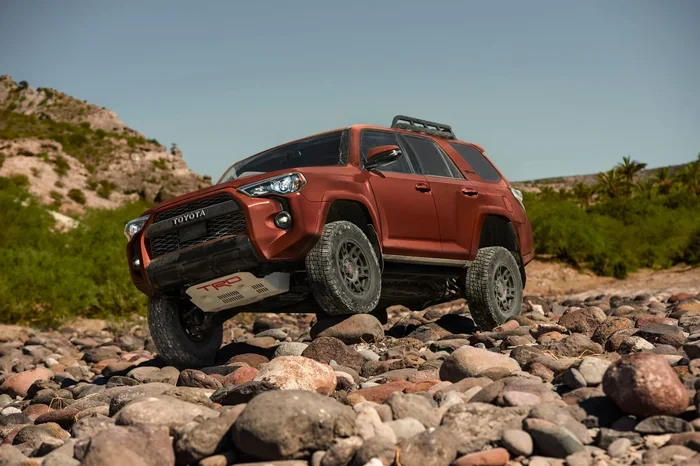
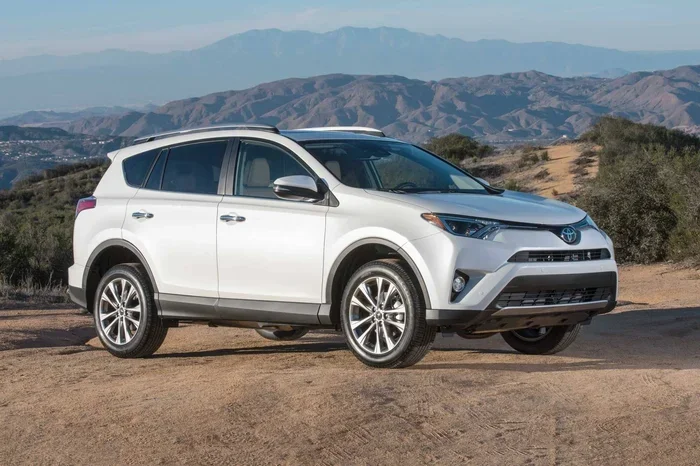
Not every Toyota model comes with a built-in dashcam. The feature is most commonly found in higher trim levels and newer model years. Models like the Toyota Camry, Toyota RAV4, Toyota Highlander, and Toyota Avalon often include this technology, especially in their premium or luxury trims. If you are unsure whether your specific Toyota has a dashcam, check your owner’s manual or look for a small camera lens near the top of the windshield.
How the Camera Captures Footage
The Toyota dashcam uses a wide-angle lens to capture a broad view of the road ahead. It records in either 1080p or higher resolution, depending on the model year. The camera is connected to the vehicle’s electrical system and draws power from the battery. Footage is stored on a microSD card, and the system uses a loop recording feature so you never run out of storage.
Some Toyota models also include a rearview mirror camera that can record what is happening behind the vehicle. This dual-camera setup gives you front and rear coverage, which is incredibly valuable in the event of a collision. But the real question remains: does it record sound too?
Does the Toyota Dashcam Record Audio?
This is the question that brings most people here, and the answer is yes, with some important details. Toyota dashcam record audio is a feature available on many Toyota models equipped with the built-in camera system. However, the exact behavior depends on your specific model, year, and settings. Let us break this down so you know exactly what to expect.
The Short Answer
Yes, the Toyota dashcam can record audio while driving. The built-in camera system in many Toyota vehicles captures both video and sound simultaneously. This means that when your dashcam is recording the road ahead, it is also picking up sounds from inside and outside the vehicle. The audio recording is stored alongside the video footage, creating a complete record of your drive.
However, there is a catch. Not all Toyota models have this feature enabled by default. In some cases, you may need to go into your vehicle’s settings and manually turn on audio recording. In other models, the feature is always active when the dashcam is recording. We will cover how to check and adjust these settings later in this article.
How Audio Recording Works in Toyota Vehicles
The audio recording system in Toyota vehicles uses a small microphone built into the camera unit or mounted nearby in the cabin. This microphone picks up ambient sounds, including engine noise, traffic sounds, wind, and voices inside the vehicle. The audio is synced with the video footage, so when you review recordings later, the sound matches what is happening on screen.
The quality of the audio depends on several factors. Background noise from the engine or road can sometimes make it hard to hear conversations clearly. Wind noise at highway speeds can also interfere. However, for the primary purpose of capturing evidence during an incident, the audio quality is generally sufficient to provide valuable context.
Toyota Dashcam Record Audio: What to Know
It is worth noting that Toyota dashcam record audio is not the same as a dedicated audio recording device. The microphone in the Toyota system is designed to complement the video, not replace a standalone recorder. Think of it as an added layer of context rather than a high-fidelity sound capture system. That said, for insurance claims, accident documentation, and general peace of mind, the audio adds significant value to your footage.
What Does the Audio Recording Capture?
Now that you know the Toyota dashcam can record audio, you might be wondering exactly what sounds it picks up. Understanding the scope of audio capture helps you set realistic expectations and use the feature more effectively.
Inside the Cabin Sounds
The microphone in the Toyota dashcam system picks up sounds from inside the vehicle. This includes conversations between passengers, phone calls, music playing from the speakers, and general cabin noise. If you have a lively conversation with your passenger while driving, the dashcam will likely capture that audio along with the video.
This is important to keep in mind for privacy reasons. If you have passengers in your car, they are being recorded too. We will discuss the legal implications of this in a later section. For now, just know that the audio recording is not limited to just engine noise and road sounds.
Outside Noises and Road Sounds
The dashcam also captures sounds from outside the vehicle. This includes honking horns, sirens, engine sounds from other cars, tire noise on the road, and even the sound of rain or wind hitting the vehicle. These external sounds can provide valuable context when reviewing footage after an incident.
For example, if another driver honks their horn before a collision, the audio recording will capture that. If a pedestrian shouts a warning, you will hear it in the recording. These details can make a big difference when you are trying to reconstruct what happened during an accident.
Does It Record Conversations?
Yes, the Toyota dashcam can record conversations happening inside the vehicle. This is a natural result of the microphone picking up cabin audio. While this can be useful for capturing the full context of an incident, it also raises privacy concerns. Most people do not expect their private conversations to be recorded by their car’s camera system.
This is exactly why it is important to understand your options for enabling or disabling audio recording. You have control over this feature, and you should use it wisely. We will walk you through the steps in the next section.
How to Enable or Disable Audio Recording
Good news: you are in control of whether your Toyota dashcam records audio. The system gives you the ability to toggle audio recording on or off, depending on your preference and the situation. Here is how to manage this feature.
Step-by-Step Guide to Toggle Audio Settings
The exact steps may vary slightly depending on your Toyota model and infotainment system, but the general process is similar across most vehicles:
- Start your Toyota and let the system fully boot up.
- Navigate to the main settings menu on your touchscreen display.
- Look for the “Camera” or “Safety Camera” section.
- Find the audio recording toggle or setting.
- Switch it on or off based on your preference.
- Confirm your choice and exit the settings menu.
Some Toyota models may require you to access the dashcam settings through the Toyota app on your smartphone. If you cannot find the audio setting in your vehicle’s menus, check the app or consult your owner’s manual for model-specific instructions.
Quick Tips for Managing Audio Settings
- Check your settings before every trip. It is easy to forget whether audio recording is turned on. Make it a quick habit to verify before you start driving.
- Turn audio off when you have sensitive conversations. If you are discussing private matters with a passenger, disable audio recording to protect everyone’s privacy.
- Keep your SD card formatted regularly. A well-maintained storage card ensures your audio and video recordings are saved properly.
- Update your Toyota software. Toyota occasionally releases updates that improve dashcam functionality, including audio recording quality.
Common Mistakes to Avoid
One of the most common mistakes drivers make is assuming the dashcam is always recording audio. In many Toyota models, audio recording is off by default or requires manual activation. If you are relying on your dashcam for evidence, make sure you have checked the audio setting before an incident occurs.
Another mistake is ignoring the legal implications of audio recording. Just because your Toyota dashcam can record audio does not mean you should always leave it on. Understanding the law is essential, and we will cover that next.
Legal Considerations for Audio Recording in Vehicles
Recording audio in a vehicle is not as simple as just turning on a feature. The law around in-car audio recording varies significantly depending on where you live. Understanding these legal considerations is crucial for any driver who wants to use their Toyota dashcam’s audio recording capabilities responsibly.
Laws Vary by State and Country
In the United States, audio recording laws are governed at the state level. Some states allow recording with just one party’s consent, while others require all parties in the vehicle to agree. The same applies internationally. If you travel across state lines or drive in other countries, the rules may be different.
For example, California is a two-party consent state, meaning everyone in the vehicle must know and agree to the recording. Texas, on the other hand, is a one-party consent state, where only one person needs to give permission. If you are unsure about the laws in your area, a quick search or legal consultation can clarify things.
Two-Party Consent States
In two-party consent states, recording a conversation without the knowledge of all parties involved is illegal. This means that if your Toyota dashcam is capturing audio of your passengers’ conversations, you could be violating the law if they have not given consent.
The safest approach is to inform everyone in the vehicle that audio recording is active. A simple heads-up before you start driving can protect you from legal trouble. Some Toyota owners choose to disable audio recording entirely when they have passengers, just to be safe.
Expert Insights on Dashcam Audio Legality
Legal experts generally advise drivers to err on the side of caution when it comes to in-car audio recording. Even in one-party consent states, informing your passengers builds trust and avoids potential disputes. If you plan to use dashcam audio as evidence in an insurance claim or legal matter, having consent from all parties strengthens the credibility of your recording.
It is also worth noting that some insurance companies and legal proceedings may have their own rules about dashcam audio evidence. Always check with your insurance provider if you plan to submit audio recordings as part of a claim.
Benefits of Having Audio on Your Toyota Dashcam
Now that we have covered the technical and legal aspects, let us talk about why audio recording is such a valuable feature. There are several real-world benefits to having your Toyota dashcam capture sound alongside video.
Stronger Insurance Claims
When you file an insurance claim after an accident, video footage alone tells only part of the story. Audio adds context that video cannot capture on its own. The sound of a collision, screeching brakes, or a shout from another driver can be the difference between a successful claim and a disputed one.
Insurance adjusters often look for comprehensive evidence. A video with clear audio that shows the moments leading up to an accident is far more persuasive than video alone. Toyota dashcam record audio gives you a significant advantage when it comes time to make a claim.
Capturing the Full Story of an Incident
Think about a near-miss on the highway. You see another driver swerve into your lane, and you manage to avoid a collision. The video shows the other car, but the audio captures the honking, the yelling, and the tension of the moment. Together, video and audio paint a complete picture of what happened.
This is especially valuable in hit-and-run situations or cases where the other driver disputes what happened. Audio evidence can confirm details that video alone cannot prove. It is like having a witness in your car at all times.
Comparing Audio vs. No-Audio Dashcam Footage
To understand the value of audio, consider the difference between footage with and without sound. Video without audio shows you what happened visually, but it leaves out the sounds that tell the full story. Audio adds a dimension that makes the recording feel more complete and credible.
Here is a simple comparison:
| Feature | Video Only | Video + Audio |
|---|---|---|
| Shows what happened visually | Yes | Yes |
| Captures sounds of the incident | No | Yes |
| Records conversations in the cabin | No | Yes |
| Strengthens insurance claims | Moderate | Strong |
| Provides full context of an event | Partial | Complete |
| Useful for accident reconstruction | Limited | Highly effective |
As you can see, adding audio to your dashcam footage transforms it from a simple visual record into a comprehensive documentation tool. For Toyota owners, the ability to Toyota dashcam record audio is a powerful feature that enhances the overall value of the built-in camera system.
Conclusion
The Toyota dashcam is more than just a camera pointed at the road. It is a comprehensive recording system that captures both video and audio, giving you a complete picture of your drives. Toyota dashcam record audio is a feature that adds significant value to your vehicle’s safety and documentation capabilities.
We have covered how the system works, what the audio captures, how to manage your settings, and what the law says about recording sound in your vehicle. The key takeaway is this: your Toyota dashcam is a powerful tool, but it is up to you to use it wisely. Check your settings, understand the legal requirements, and take advantage of the audio recording feature to protect yourself on the road.
Whether you use it for peace of mind, insurance protection, or simply to capture memorable road trips, the ability to record audio alongside video makes your Toyota dashcam a truly valuable feature. Drive safely, stay informed, and let your Toyota dashcam do the work of keeping you protected.
Frequently Asked Questions
Can I record audio with my Toyota dashcam on all models?
Not all Toyota models have audio recording enabled by default. The availability depends on your specific model, trim level, and model year. Check your owner’s manual or the camera settings menu to confirm whether your vehicle supports Toyota dashcam record audio.
Is it legal to record audio in my car with the Toyota dashcam?
The legality depends on where you live. Some states and countries require all parties to consent to audio recording, while others only need one party’s permission. Always check your local laws and inform your passengers when audio recording is active.
How do I turn off audio recording on my Toyota dashcam?
Go to your vehicle’s settings menu, find the camera or safety camera section, and toggle the audio recording setting off. The exact steps may vary by model, so consult your owner’s manual if needed.
Does the Toyota dashcam record audio even when the car is parked?
Most Toyota dashcam systems stop recording when the engine is turned off. However, some models with a parking surveillance mode may continue recording. Audio recording in parking mode depends on your specific model and settings.
Can dashcam audio be used as evidence in court?
Yes, dashcam audio can be used as evidence, but its admissibility depends on the jurisdiction and whether the recording was made legally. In two-party consent states, recordings without consent may not be admissible. Consult a legal professional for specific guidance.
How clear is the audio captured by the Toyota dashcam?
The audio quality is decent for its intended purpose, but it is not studio-grade. Road noise, engine sounds, and wind can affect clarity. For capturing the general context of an incident, the audio is usually clear enough to be useful.