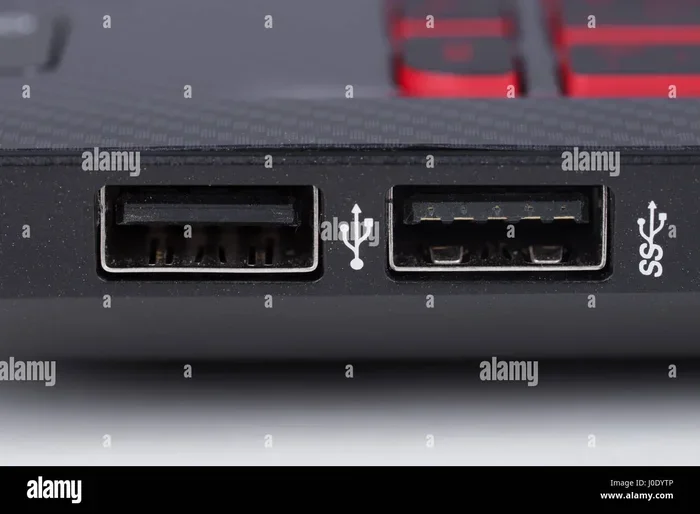
How Many USB Ports Are There on Your Typical Device
Most modern vehicles come with 2 to 4 USB ports, while smartphones, laptops, and tablets typically have 1 to 3 ports each. Understanding how many USB ports are there on your typical device helps you plan better for charging, data transfer, and staying connected on the road. This guide breaks down USB counts across cars, phones, laptops, and more so you never run into a charging shortage again.
Have you ever been on a road trip and realized there just aren’t enough USB ports to go around? Maybe your phone is dying, your kid’s tablet needs juice, and your dashcam is still tethered to a port already in use. It is a frustrating situation that almost every driver has faced at some point.
The question how many USB ports are there on your typical device is more important than most people realize. Whether you are talking about your car, your smartphone, or your laptop, the number of available ports directly affects how you stay powered up and connected. In this guide, we will walk through the USB port counts you can expect across different devices, explain the different port types, and share practical tips to make the most of every port.
Understanding USB port counts is not just about convenience. It is about safety, too. A dead phone means no GPS, no hands-free calling, and no music. By the end of this article, you will know exactly what to expect from your devices and how to solve any port shortage problems.
Key Takeaways
- Cars typically have 2 to 4 USB ports: Most new vehicles offer at least two USB ports, with premium models featuring up to six or more.
- USB-A and USB-C are the two main types: Knowing the difference helps you choose the right cable and charger for your device.
- USB port count varies by device type: Laptops usually have 2 to 4 ports, while smartphones have 1 to 2.
- USB hubs expand your options: A simple hub can add multiple ports when your car or device falls short.
- Rear seats often lack ports: Many cars only have USB ports in the front, leaving backseat passengers without easy charging access.
- Wireless charging is replacing some ports: Newer cars and phones are adding Qi wireless pads, reducing the need for physical USB connections.
- Fast charging depends on port type and power output: USB-C ports with Power Delivery charge much faster than older USB-A ports.
📑 Table of Contents
How Many USB Ports Are There on Common Devices
When people ask about how many USB ports are there, they usually want a quick answer. The truth is that port counts vary widely depending on the device category. Let us break it down by device type so you know what to expect.
USB Ports on Cars and Vehicles
Most modern cars come with at least two USB ports. These are usually located in the center console or on the dashboard. However, the exact number depends heavily on the vehicle’s price range and model year.
Here is a general breakdown of USB port counts in vehicles:
- Economy and compact cars: 2 USB ports (usually one USB-A and one USB-C in newer models)
- Mid-range sedans and SUVs: 3 to 4 USB ports, often spread between front and rear seats
- Premium and luxury vehicles: 4 to 6 ports, sometimes with wireless charging pads included
- Electric vehicles: 4 to 8 ports, since these cars often have multiple screens and tech features
One thing many car owners do not realize is that not all USB ports are created equal. Some ports only provide power for charging, while others support data transfer as well. If you want to connect a USB drive for music or map updates, check whether your port handles both functions.
USB Ports on Smartphones
Most smartphones today have just one USB port. That single port handles charging, data transfer, and connecting accessories like dashcams or car mounts. iPhones have historically used Lightning connectors, but newer models are switching to USB-C. Android phones have mostly made the jump to USB-C as well.
The shift to USB-C is a big deal for car owners. USB-C ports support fast charging and higher data speeds, which means quicker top-ups on the road and smoother connections to your car’s infotainment system.
USB Ports on Laptops and Tablets
Laptops typically have 2 to 4 USB ports, depending on the brand and model. MacBooks, for example, often only have USB-C ports, which can be limiting if you need to connect older accessories. Windows laptops usually offer a mix of USB-A and USB-C ports.
Tablets fall somewhere in between. iPads have one USB-C or Lightning port, while Android tablets usually have one USB-C port. If you travel with a laptop and tablet, you may find yourself competing for the same charging port on a car’s USB hub.
Understanding USB Port Types
Not all USB ports look the same, and they are not all built for the same purpose. Knowing the different types helps you understand why port counts matter and how to get the best performance from each one.
USB-A: The Classic Port
USB-A is the flat, rectangular port that has been around for decades. You will find it on most cars, older laptops, and plenty of accessories. It is reliable and widely compatible, but it is slower than newer options and usually does not support fast charging.
If your car only has USB-A ports, you may notice that your phone charges slowly, especially if you are using GPS or streaming music at the same time. This is because USB-A ports typically deliver less power than USB-C alternatives.
USB-C: The Modern Standard
USB-C is the small, oval-shaped port that is becoming the standard across devices. It supports faster data transfer speeds and higher power delivery, which means quicker charging for your phone and better performance for accessories like dashcams and wireless charging pads.
Most new cars built after 2020 include at least one USB-C port. If your car is older, you can still use USB-C with an adapter, though the charging speed may be limited by the car’s electrical system.
USB 3.0 and USB 3.1: Faster Data Transfer
You may see labels like USB 3.0 or USB 3.1 on your devices. These refer to the version of the USB standard, not the physical shape of the port. USB 3.0 and newer versions offer significantly faster data transfer, which is useful when you need to move large files between devices.
For most car owners, the version number matters less than the port type. If you are just charging your phone, USB-A or USB-C will work fine. But if you are transferring music files or dashcam footage, look for USB 3.0 or higher for the best results.
Why USB Port Count Matters in Cars
The number of USB ports in your car can make or break your driving experience. Think about all the devices that need power during a typical day: your phone, your passenger’s phone, a dashcam, a GPS tracker, maybe even a portable cooler or seat warmer.
When you do not have enough ports, you end up juggling cables and making tough choices about which device gets charged first. This is especially true on long road trips, where devices drain faster due to screen usage and GPS navigation.
The Problem With Front-Only Ports
Many cars place USB ports only in the front console or on the dashboard. This leaves backseat passengers without an easy way to charge their devices. If you have kids or frequent passengers, this can be a real pain point.
Some automakers are starting to address this by adding rear USB ports or even wireless charging pads in the back seat. But if your car does not have them, a USB car charger with multiple ports is an affordable and effective workaround.
How Many USB Ports Are There on the Average New Car?
Based on industry data, the average new car sold today comes with 3 to 4 USB ports. This is a significant increase from just a few years ago, when two ports were considered generous. Electric vehicles and luxury models tend to push the count even higher.
Here is a quick comparison of USB port counts across popular vehicle categories:
- Compact cars: 2 to 3 ports
- Midsize sedans: 3 to 4 ports
- SUVs and crossovers: 3 to 5 ports
- Luxury vehicles: 4 to 6+ ports
- Electric vehicles: 4 to 8 ports
Keep in mind that these numbers can vary by trim level and optional packages. Always check the specific features of the model you are considering before buying.
How to Expand Your USB Port Options
If your car or device does not have enough USB ports, do not worry. There are several simple and affordable solutions that can add the connectivity you need.
USB Hubs and Splitters
A USB hub is one of the easiest ways to multiply your port count. You plug the hub into a single USB port, and it gives you multiple additional ports to use. Car-friendly USB hubs are small and compact, designed to fit in tight spaces without taking up too much room.
When choosing a USB hub for your car, look for one that supports fast charging and has a compact design. Some hubs even include wireless charging surfaces, which can free up a physical port entirely.
High-Power Car Chargers
A high-power car charger plugs into your car’s cigarette lighter or 12V socket and provides multiple USB ports. These chargers are great because they do not rely on your car’s built-in USB ports, which can sometimes deliver limited power.
Look for a car charger that supports Power Delivery (PD) or Quick Charge technology. These standards ensure your devices charge at their fastest possible speed, regardless of the charger’s port type.
Wireless Charging Solutions
Wireless charging is becoming more common in both cars and smartphones. If your car has a Qi wireless charging pad, you can charge your phone without using a USB port at all. This frees up the port for another device.
Aftermarket wireless charging pads are also widely available and can be mounted on your dash or console. They are a great option if you want to reduce cable clutter and keep your front console area clean.
USB Adapters and Dongles
Sometimes the issue is not the number of ports but the type of port. If your phone has USB-C but your car only has USB-A, a simple adapter solves the problem. Similarly, if you need to connect a USB device but only have a USB-C port available, a USB-C to USB-A adapter works in a pinch.
These adapters are inexpensive and take up very little space. Keeping a few in your glove box can save you from a lot of frustration on the road.
Common Mistakes People Make With USB Ports
There are a few common mistakes that car owners make when it comes to USB ports and charging. Avoiding these pitfalls can save you time, money, and a lot of headache.
Using Low-Quality Cables
Not all USB cables are created equal. Cheap, off-brand cables may not support fast charging or data transfer, even if they fit your port. Over time, low-quality cables can also wear out faster and even pose a safety risk.
Always use cables from reputable brands or ones that are certified for your device. Look for USB-IF certification or MFi certification for Apple devices.
Assuming All Ports Deliver the Same Power
Just because your car has two USB ports does not mean they both deliver the same amount of power. One port might charge your phone quickly, while the other barely puts out enough power to keep your battery from draining.
Check your car’s manual or the manufacturer’s website to find out the power output of each port. This helps you decide which device should be plugged into which port.
Overloading a Single Port
Plugging too many devices into a single port or hub can overload the circuit. This can lead to slow charging, a blown fuse, or even damage to your car’s electrical system.
If you need to charge multiple devices, spread them across different ports or use a powered USB hub that draws power directly from your car’s electrical system.
Ignoring Software Updates
Some USB connectivity issues are not hardware problems at all. Software updates for your phone, car, or accessories can fix bugs and improve compatibility. Keeping your devices up to date is an easy way to avoid frustrating connection problems.
Expert Tips for Maximizing USB Port Usage
Want to get the most out of every USB port in your car and devices? Here are some practical tips from the experts.
- Charge while driving: Plug in your phone as soon as you start the car. Even a short drive adds enough charge to keep your phone powered through the day.
- Use a dashcam with USB power: Many dashcams draw power from a USB port, which means they run continuously. Make sure your port can handle the extra load.
- Prioritize essential devices: On long trips, prioritize charging for your phone (GPS and communication) over less critical devices like tablets or portable speakers.
- Invest in a quality USB car charger: A good car charger with multiple fast-charging ports is one of the best upgrades you can make for your vehicle.
- Keep cables organized: Use cable clips or a small organizer to keep your USB cables tidy and prevent them from getting tangled or damaged.
- Test your ports regularly: Periodically check each USB port in your car to make sure it is working properly. A loose or dirty port can cause intermittent charging issues.
What the Future Holds for USB Ports in Cars
The automotive industry is evolving quickly, and USB ports are no exception. Car manufacturers are constantly finding new ways to add more connectivity options while keeping interiors clean and clutter-free.
One trend we are seeing is the rise of wireless charging integration in more vehicle models. Instead of adding another USB port, some cars are embedding wireless charging surfaces into the center console, dashboard, or even the seats. This reduces the need for physical ports while still keeping your devices powered up.
Another development is the adoption of USB4, the latest USB standard. USB4 offers even faster data transfer speeds and higher power delivery, which could make charging and data connections in cars significantly better in the coming years.
As more devices move toward USB-C as a universal connector, we can expect fewer cable compatibility issues and a more seamless charging experience across all your gadgets. The era of carrying multiple cables for different devices is slowly coming to an end.
Conclusion
So, how many USB ports are there on your typical device? The answer depends on what you are looking at. Cars usually have 2 to 4 ports, smartphones have 1, and laptops range from 2 to 4. Understanding these numbers helps you plan ahead and stay connected wherever you go.
The good news is that even if your devices fall short, there are plenty of solutions available. USB hubs, high-power car chargers, wireless charging pads, and simple adapters can all help you get the connectivity you need. The key is to know your port options and invest in the right accessories.
Take a moment today to check the USB ports in your car and on your devices. Make a list of what you need to charge and whether you have enough ports to handle it all. A little planning now can save you from a lot of frustration later. Stay powered up, stay connected, and enjoy the ride.
Frequently Asked Questions
How Many USB Ports Are There on the Average Car?
Most new cars come with 3 to 4 USB ports, though the exact number depends on the make, model, and trim level. Economy cars may have as few as 2, while luxury and electric vehicles can have 6 or more. Always check the specific features before buying.
Can I Add More USB Ports to My Car?
Yes, you can add more USB ports using a USB hub, a high-power car charger, or a cigarette lighter adapter. These solutions are affordable and easy to install. Just make sure the charger or hub you choose supports the power output your devices need.
Why Does My Phone Charge Slowly on a Car USB Port?
Car USB ports often deliver less power than wall chargers, especially older USB-A ports. If your phone supports fast charging, it may charge slowly on a standard car port. Using a USB-C port with Power Delivery or a high-power car charger can significantly improve charging speed.
Is USB-C Better Than USB-A for Cars?
Yes, USB-C is generally better for cars because it supports faster charging and higher data transfer speeds. Most new devices and vehicles are adopting USB-C as the standard. If your car only has USB-A ports, you can still use USB-C devices with an adapter.
How Many USB Ports Does a Typical Laptop Have?
Most laptops have 2 to 4 USB ports. MacBooks tend to have fewer ports (often just USB-C), while many Windows laptops offer a mix of USB-A and USB-C. The exact count depends on the brand, model, and size of the laptop.
Do Wireless Charging Pads Replace USB Ports in Cars?
Wireless charging pads reduce the need for USB ports but do not fully replace them. You still need USB ports for accessories like dashcams, GPS devices, and USB drives. However, a wireless pad can free up a physical port for another device.