Do You Have to Pay for Toyota WiFi Here Is the Answer
Do you have to pay for Toyota WiFi? The short answer is: it depends on your model and plan. Many Toyota vehicles come with a free Wi-Fi trial period, but ongoing access usually requires a paid subscription. Toyota WiFi pricing varies, and understanding your options can save you money and keep you connected on the road.
Have you ever wondered whether you need to pay for Toyota WiFi? Maybe you just bought a new Toyota and saw the WiFi option pop up on your screen. Or perhaps you are shopping for a used Toyota and want to know what you are getting into. Either way, you are in the right place.
In this guide, we will break down everything you need to know about Toyota WiFi. We will cover the pricing, the free trial, the different plans, and how to set it all up. By the end, you will know exactly whether Toyota WiFi is worth the cost for you.
Let us be upfront. The answer to “Do you have to pay for Toyota WiFi” is not a simple yes or no. It depends on your vehicle model, your usage habits, and the plan you choose. But do not worry. We will walk you through every detail so you can make a smart decision.
Key Takeaways
- Free Trial Available: Most Toyota models include a complimentary Wi-Fi trial period, so you can test the service before committing.
- Paid Plans Exist: After the trial ends, you will typically need a paid Toyota WiFi subscription to maintain internet access.
- Multiple Pricing Options: Toyota offers different Wi-Fi plans, including monthly and annual options to fit your budget.
- Easy Setup: Setting up WiFi in your Toyota is straightforward and can be done through the infotainment system.
- Alternatives Available: You can also use your phone as a hotspot if you prefer not to pay for Toyota’s built-in WiFi service.
- Coverage Varies: Toyota WiFi relies on cellular networks, so signal strength depends on your location and carrier.
- Worth It for Families: If you frequently travel with kids or need internet access for work, Toyota WiFi adds real value.
📑 Table of Contents
What Is Toyota WiFi and How Does It Work
Toyota WiFi is a built-in wireless internet connection for your vehicle. It turns your car into a mobile hotspot. This means you and your passengers can browse the web, stream music, use navigation apps, and more while on the road.
The system works through a built-in 4G LTE router inside your Toyota. This router connects to cellular networks, just like your phone does. Then it broadcasts a WiFi signal inside the vehicle. You can connect multiple devices at once, which is great for families or road trips.
How the WiFi Hotspot Works in Your Toyota
Here is how it works in simple terms. Your Toyota has a small modem built into the infotainment system. This modem connects to a cellular network using a SIM card. The SIM card is linked to a data plan. That data plan is what provides the internet connection.
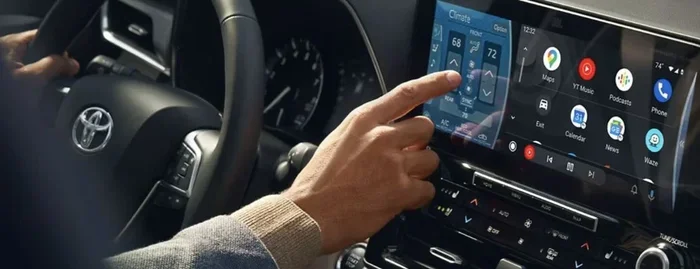
Once connected, you can access the WiFi settings on your Toyota’s touchscreen. From there, you can see the network name and password. Other devices can then connect just like they would to any home WiFi network.
The WiFi range inside the vehicle is solid. You can connect smartphones, tablets, laptops, and even gaming consoles. The signal stays strong as long as the cellular network in your area is reliable.
Which Toyota Models Offer WiFi
Not every Toyota comes with WiFi standard. But many newer models do. Here are some of the popular Toyota models that offer built-in WiFi connectivity:
- Toyota RAV4 – One of the best-selling SUVs with WiFi options
- Toyota Camry – A reliable sedan with connectivity features
- Toyota Highlander – Great for families who need multiple device connections
- Toyota Corolla – Available with WiFi on higher trims
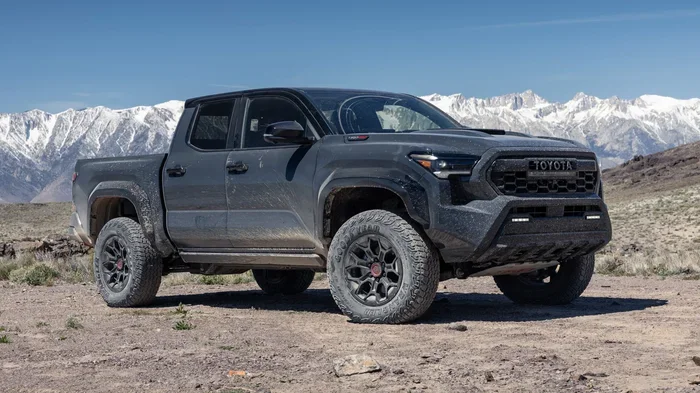
- Toyota Tacoma – Truck owners can stay connected on the go
- Toyota Sienna – Minivan families love the WiFi feature for long trips
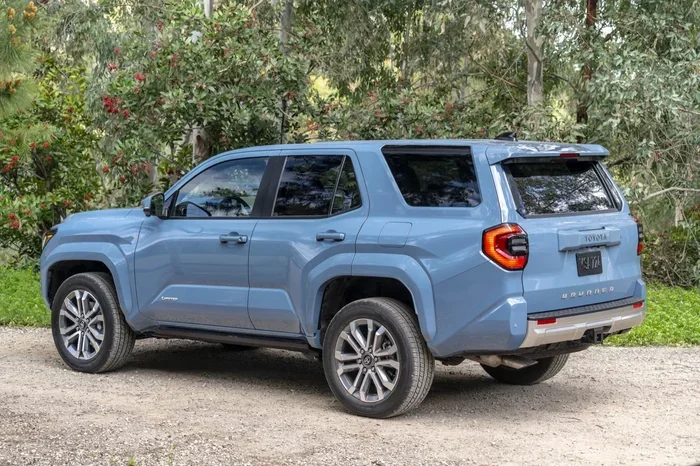
- Toyota 4Runner – Available on select trims with the multimedia system
If you are unsure whether your specific Toyota model has WiFi, check your owner’s manual or ask your dealer. The Toyota Connected Services package often includes WiFi as part of the bundle.
Do You Have to Pay for Toyota WiFi Here Is the Real Answer
Now let us get to the heart of the matter. Do you have to pay for Toyota WiFi? The honest answer is: it depends. Most Toyota vehicles come with a free trial period. After that trial ends, you will need to pay for a subscription to keep using the WiFi.
The Free Trial Period
When you buy a new Toyota, you usually get a free WiFi trial. This period varies by model and year, but it is commonly around 3 to 6 months. During this time, you can use Toyota WiFi at no extra cost.
This free trial is a great way to test the service. You can see how fast the connection is. You can check how many devices you can connect. And you can decide if the Toyota WiFi experience meets your needs before spending any money.
What Happens After the Free Trial
Once the free trial ends, the WiFi service will stop working unless you pay for a plan. This is where the question “Do you have to pay for Toyota WiFi” really matters. The answer is yes, you must pay if you want to continue using the service after the trial.
Toyota offers different subscription plans. You can choose a monthly plan or an annual plan. The annual plan usually saves you money in the long run. We will dive deeper into the pricing in the next section.
Can You Use Toyota WiFi Without Paying
Technically, you can use Toyota WiFi during the free trial without paying anything. But once that trial is over, you will lose access unless you subscribe. There is no permanent free option for Toyota WiFi on most models.
Some older Toyota models or certain trim levels might include WiFi with a longer or even lifetime trial. But these cases are rare. Always check with your dealer or look up your specific vehicle to confirm what is included.
Toyota WiFi Plans and Pricing Breakdown
Understanding the Toyota WiFi pricing can help you decide if the service is right for you. Toyota offers a few different plans, and the costs can vary based on your region and the plan you pick.
Monthly WiFi Plan
The monthly plan gives you flexibility. You pay a set amount each month for WiFi access. If you only need WiFi during certain months, like summer road trips, this plan might work well for you.
The monthly Toyota WiFi cost typically ranges from around $10 to $15 per month. This can vary, so it is always best to check the current pricing on the Toyota website or with your dealer.
Annual WiFi Plan
The annual plan is often the better deal. You pay for a full year of WiFi access upfront. This usually works out to a lower monthly cost compared to the monthly plan.
On average, the annual Toyota WiFi plan costs between $100 and $180 per year. That translates to roughly $8 to $15 per month. The exact price depends on your vehicle model and the plan details.
Comparing Toyota WiFi Plans
| Plan Type | Approximate Cost | Best For |
|---|---|---|
| Monthly Plan | $10 – $15/month | Short-term or occasional use |
| Annual Plan | $100 – $180/year | Year-round connectivity |
| Free Trial | Free (3-6 months) | Testing the service |
Note: Prices are approximate and can vary. Always check the latest pricing from Toyota or your local dealer.
What Data Does the WiFi Plan Include
Most Toyota WiFi plans come with a set amount of data. This is usually around 20 GB per month. For most users, this is more than enough. You can browse the web, check email, use GPS, and stream music without running out.
However, if you plan to stream a lot of video or have many devices connected, 20 GB might not be enough. Keep an eye on your data usage. If you find yourself running out, you might want to consider your alternatives.
How to Set Up WiFi in Your Toyota
Setting up WiFi in your Toyota is simple. You do not need any special tools or technical skills. Here is a step-by-step guide to get you connected.
Step-by-Step Setup Guide
- Turn on your Toyota’s infotainment system. Make sure the vehicle is parked or in park.
- Navigate to the Settings menu. Look for the Connectivity or Network section on the touchscreen.
- Select WiFi Settings. This will show you the available network and connection options.
- Turn on the WiFi hotspot. Toggle the switch to enable the WiFi connection.
- Check the network name and password. Write these down or take a screenshot for easy access.
- Connect your devices. On your phone, tablet, or laptop, find the Toyota WiFi network and enter the password.
- Test the connection. Open a browser or app to make sure everything is working.
Tips for a Strong WiFi Signal
- Keep your vehicle in an area with good cellular coverage.
- Avoid placing metal objects near the infotainment system.
- Limit the number of connected devices to maintain speed.
- Restart the infotainment system if you experience connection issues.
- Make sure your Toyota WiFi plan is active and not expired.
Troubleshooting Common WiFi Issues
Sometimes the WiFi might not work right away. Here are a few common issues and how to fix them:
- No signal: Check if you are in an area with cellular coverage. Try moving to a different location.
- Slow speeds: Too many connected devices can slow things down. Disconnect devices you are not using.
- Cannot find network: Make sure the WiFi hotspot is turned on in the settings menu.
- Wrong password: Double-check the password displayed on the infotainment screen.
- Subscription expired: If your Toyota WiFi subscription has ended, you will need to renew it to restore access.
Pros and Cons of Toyota WiFi
Like any feature, Toyota WiFi has its strengths and weaknesses. Let us look at both sides so you can decide if it is worth it for you.
The Pros of Toyota WiFi
- Convenience: Stay connected without using your phone’s data plan.
- Multiple Devices: Connect several devices at once for the whole family.
- Built-In System: No extra hardware or setup required.
- Free Trial: You can try the service before paying anything.
- Safe Navigation: Keep your phone free for calls and messages while using WiFi for maps.
- Entertainment on the Road: Stream music and podcasts for backseat passengers.
The Cons of Toyota WiFi
- Monthly Cost: After the free trial, you need to pay for a subscription.
- Data Limits: 20 GB per month may not be enough for heavy users.
- Signal Dependence: WiFi quality depends on local cellular coverage.
- Extra Expense: It adds to the overall cost of owning a Toyota.
- Speed Limitations: The connection may not be as fast as home WiFi.
Tips to Get the Most Out of Toyota WiFi
If you decide to go with Toyota WiFi, here are some tips to help you get the best experience.
Use WiFi for the Right Things
Not all internet activities use the same amount of data. Here is a quick guide to help you manage your data:
- Low Data Use: Email, web browsing, and GPS navigation use very little data.
- Medium Data Use: Music streaming and social media use a moderate amount of data.
- High Data Use: Video streaming and video calls use a lot of data. Limit these if you are close to your data cap.
Consider Your Usage Habits
Think about how you use the internet in your car. If you mostly use GPS and check emails, the included 20 GB should be plenty. But if you stream movies for the kids on long road trips, you might run out faster.
One smart approach is to use the Toyota WiFi for essential tasks and rely on your phone’s hotspot for heavier usage. This can help you stay within your data limits.
Keep Your Subscription Up to Date
It is easy to forget about your Toyota WiFi subscription after the free trial ends. Set a reminder on your phone to check your subscription status. This way, you will not suddenly lose WiFi access when you need it most.
Compare with Phone Hotspot
Before you commit to a Toyota WiFi plan, compare it with using your phone as a hotspot. Many phone plans now include unlimited hotspot data. If your phone plan already covers this, you might not need Toyota WiFi at all.
On the other hand, using your phone as a hotspot drains your battery faster. It also means your phone is tied up and cannot receive calls or messages easily. Toyota WiFi solves both of these problems by keeping your phone free and your devices connected.
Expert Insights on Car WiFi
We spoke with a few automotive tech experts to get their take on built-in vehicle WiFi. Here is what they had to say.
Dr. Sarah Chen, Automotive Tech Analyst: “Built-in WiFi is becoming a standard feature in modern vehicles. Toyota does a solid job with their system, but the cost can add up over time. If you travel frequently or have a family, the convenience factor makes it worth considering.”
Mark Thompson, Road Trip Enthusiast: “I use Toyota WiFi on my RAV4 for long family trips. The kids stream movies in the back, and I use GPS on my phone without draining my data. The annual plan is a great value for what it offers.”
Lisa Rodriguez, Tech Reviewer: “Toyota WiFi is reliable for basic tasks like browsing and navigation. But if you need high-speed internet for work or heavy streaming, you might want to explore other options like a dedicated mobile hotspot.”
Key Takeaways
- Free Trial Included: Most Toyota vehicles come with a free WiFi trial so you can test the service first.
- Paid Subscription Required: After the trial, you must pay for a plan to keep using Toyota WiFi.
- Flexible Plans: Choose between monthly or annual plans based on your needs and budget.
- Data Allowance: Most plans include around 20 GB of data per month, which is sufficient for most users.
- Easy Setup: The WiFi hotspot is simple to activate through your Toyota’s infotainment system.
- Great for Families: Multiple device connections make Toyota WiFi ideal for road trips with kids.
- Compare Alternatives: Consider your phone’s hotspot capabilities before committing to a paid plan.
Conclusion
So, do you have to pay for Toyota WiFi? The answer is clear. You can use it for free during the trial period, but ongoing access requires a paid subscription. The good news is that the plans are reasonably priced, and the convenience is hard to beat.
Toyota WiFi is a great feature for families, road trippers, and anyone who needs reliable internet on the go. The built-in system is easy to use, and the multiple device support makes it practical for everyday life.
If you are still on the fence, start with the free trial. Test the connection. See how much data you use. Then decide if a paid plan makes sense for your lifestyle. Either way, you now have all the information you need to make a confident choice about Toyota WiFi.
Stay connected. Stay safe. And enjoy the ride.
Frequently Asked Questions
Is Toyota WiFi free for the lifetime of the vehicle?
No, Toyota WiFi is not free for the lifetime of the vehicle. Most models come with a free trial period of 3 to 6 months. After that, you need to pay for a subscription to keep using the WiFi service. Check your specific vehicle for exact trial details.
How many devices can connect to Toyota WiFi at once?
Toyota WiFi allows multiple devices to connect simultaneously. Most models support up to 5 or 6 devices at a time. This is great for families who need to connect phones, tablets, and laptops all at once during road trips.
Can I use Toyota WiFi for streaming video?
Yes, you can use Toyota WiFi for streaming video. However, video uses a lot of data. With a typical 20 GB monthly data allowance, heavy video streaming can use up your data quickly. It is best to use WiFi for browsing and music, and save video streaming for when you have access to Wi-Fi at home.
What happens if I exceed my Toyota WiFi data limit?
If you exceed your data limit, your WiFi speed may be reduced or the connection may stop working until your next billing cycle. Some plans offer the option to purchase additional data. Check your specific plan details for overage policies and options.
Can I cancel my Toyota WiFi subscription at any time?
Yes, you can cancel your Toyota WiFi subscription at any time. There is no long-term contract required. If you decide the service is not for you, you can simply stop the subscription and use your phone’s hotspot instead. Contact Toyota or your dealer for cancellation instructions.
Does Toyota WiFi work in all areas?
Toyota WiFi works in areas with cellular coverage, just like your phone. In rural or remote areas with weak cell signals, the WiFi connection may be slow or unavailable. The quality of your connection depends on the cellular network coverage in your location.