Can You Program a Car to a Garage Door Opener Remote
Can You Program a Car to a Garage Door Opener Remote? Absolutely yes. This guide shows you how to link your vehicle with your garage door opener remote in just a few minutes. You will learn the steps for Ford, Toyota, Honda, and universal remotes. No special tools are needed, just a few minutes of your time.
Have you ever pulled into your driveway and wished you could open the garage without digging through your pockets for the small plastic remote? It happens all the time. You step out with your arms full of groceries, and suddenly the simple task of entering your home feels like a chore.
Can You Program a Car to a Garage Door Opener Remote? The answer is a resounding yes. Modern vehicles come equipped with smart technology that lets you control your garage door directly from the car. Whether you drive a Ford, Toyota, Honda, or any other make, there is a simple path to connect your vehicle with your garage door opener remote. This guide will walk you through the entire process in plain language.
We will cover the different methods, give you a clear step-by-step process, and share expert tips to avoid common pitfalls. By the end, you will know exactly how to program your car to work with your garage door. No jargon, no fluff, just practical advice you can use today.
Key Takeaways
- Works on Most Vehicles: Nearly all cars made after 2000 support garage door integration through built-in systems or universal remotes.
- Two Main Methods: You can use a built-in HomeLink system or add an aftermarket universal garage door remote.
- Rolling Code vs Fixed Code: Understanding your garage door frequency is essential for successful programming.
- Quick Process: Most car-to-garage door pairings take less than 10 minutes.
- Safety First: Always keep your car in park and the ignition on during programming.
- Universal Remotes Save Money: A single device can control multiple garage doors and other home devices.
📑 Table of Contents
- Can You Program a Car to a Garage Door Opener Remote? Understanding the Basics
- Step-by-Step Guide to Program Your Car to a Garage Door Opener Remote
- Which Cars Support Garage Door Opener Integration?
- Common Mistakes and How to Avoid Them
- Advanced Tips for Smooth Garage Door Remote Programming
- Conclusion
Can You Program a Car to a Garage Door Opener Remote? Understanding the Basics
Programming your car to a garage door opener is simpler than most people think. The core idea is to teach your vehicle to send the same radio signal that your handheld remote sends. Once paired, your car can open and close the door with the push of a button on the dash or console.
There are two main paths to achieve this. The first is a built-in system called HomeLink, which many car manufacturers install directly in the vehicle. The second is an aftermarket universal remote that plugs into your car’s diagnostic port or mounts on the visor. Both methods work well, but they suit different needs.
How Garage Door Remotes Communicate
Garage door openers use radio frequencies, typically around 300 MHz or 310 MHz. Older systems use a fixed code, meaning the remote always sends the same signal. Newer systems use a rolling code that changes every time you press the button. This rolling code adds a layer of security. Your car’s programming system must match the type of signal your garage door uses.
Why You Should Bother Programming
Having your car linked to the garage door offers real convenience. You can open the door before you even leave the driveway. You never have to worry about leaving the garage open because you forgot to close it. It also adds a layer of safety, as you can check the status from inside the vehicle. For families with multiple drivers, everyone can operate the door with ease.
Step-by-Step Guide to Program Your Car to a Garage Door Opener Remote
Follow these steps carefully. The process is similar for most vehicles, but small details may vary. Always consult your car’s owner manual for model-specific instructions.
Step 1: Locate the Garage Door Control Module
In vehicles with HomeLink, the control module is usually mounted on the overhead console, near the rearview mirror. It has three buttons that are already paired to a garage door. If your car does not have HomeLink, you will need a universal remote. These remotes often attach to the visor or plug into the OBD-II port under the dashboard.
Step 2: Press and Hold the Learn Button on the Garage Door Opener
Go to your garage door motor unit. You will see a small button labeled “Learn,” “Set,” or “Smart.” Press and release it. The indicator light on the motor unit will start blinking. This tells the system it is ready to receive a new signal. You usually have 30 seconds to complete the next step.
Step 3: Press and Hold the Car Button
Return to your car. Press and hold the HomeLink button or the universal remote button you want to program. Hold it for about 20 seconds. The indicator light on the car unit will change from slow blinking to fast blinking. This means the car is transmitting its signal.
Step 4: Bring the Car Close to the Garage Door Opener
While still holding the car button, drive slowly toward the garage door motor unit. Stop about 1 to 2 feet away. The motor unit’s light should become solid, and you may hear a click. This confirms the signal was received.
Step 5: Release the Button and Test
Release the car button. Press the programmed button in your car. The garage door should respond. If it does not, repeat the process from Step 2. Some doors may require you to enter a PIN on the car’s screen first.
Which Cars Support Garage Door Opener Integration?
Most cars manufactured after 2000 include some form of garage door integration. Here is a closer look at popular brands and their systems.
Ford Garage Door Programming
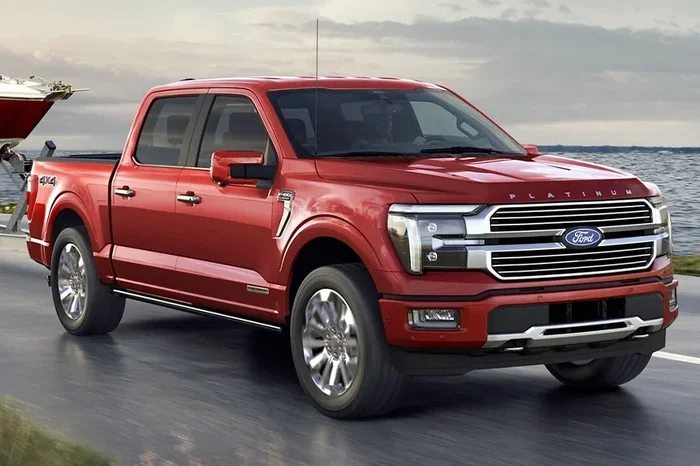
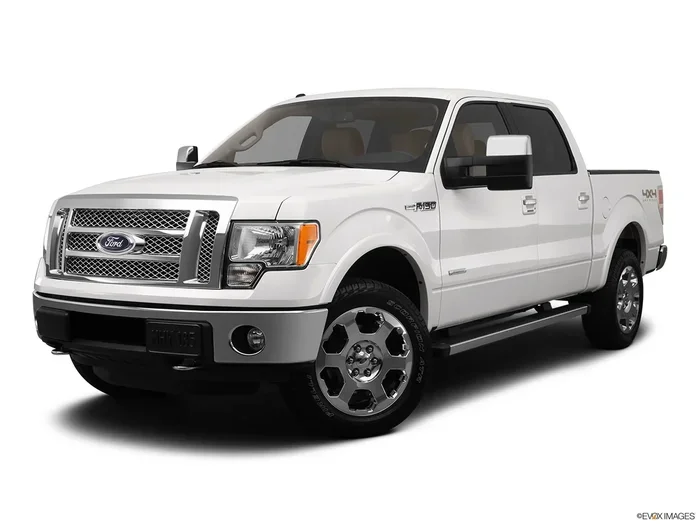
Ford vehicles use a system called Ford SYNC with MyKey or a dedicated HomeLink module. Newer Ford models like the F-150, Escape, and Explorer have a built-in garage door control on the overhead console. To program, you hold the two outer HomeLink buttons until the light flashes, then follow the learn sequence on the garage door motor.
Toyota HomeLink System
Toyota has long offered HomeLink as standard or optional equipment. The Toyota HomeLink system works with almost all garage door openers. You will find the HomeLink buttons on the overhead console. Toyota also offers a separate app for some models that lets you control the garage door from your phone, adding another layer of home automation garage door control.
Honda Garage Door Opener Integration
Honda vehicles use a system called Honda Garage Door Opener. It is built into the overhead console on models like the Accord, CR-V, and Pilot. Honda’s system supports both fixed and rolling code doors. The programming steps are very similar to the general guide above. Honda also integrates with smart home devices, so you can manage your smart garage opener through Alexa or Google Home.
Aftermarket Universal Remotes for Any Car
If your older car does not have built-in support, an aftermarket universal remote is a great solution. Brands like GarageMate, Universal Garage Door Opener, and AutoRunner offer plug-and-play devices. These remotes connect to your car’s OBD-II port and let you control up to three garage doors from one compact device. They cost between $30 and $80 and take about 10 minutes to install.
| Feature | Built-In HomeLink | Aftermarket Universal Remote |
|---|---|---|
| Installation | Already in car | Plug into OBD-II or mount on visor |
| Cost | Included with car | $30 to $80 |
| Number of Doors | Up to 3 | Up to 3 |
| Smart Home Integration | Some models | Many models support Wi-Fi or Bluetooth |
| Works with Older Cars | No | Yes, 1996 and newer |
Common Mistakes and How to Avoid Them
Even with clear instructions, things can go wrong. Here are the most common mistakes people make when programming their car to a garage door opener remote, and how to fix them.
Mistake 1: Not Clearing the Memory First
If you are programming a new door to a HomeLink system that already has doors stored, you must clear the memory first. Press and hold the two outer buttons for 10 seconds until the indicator light turns off. This erases all previous codes and gives you a clean slate. Skipping this step often causes the new programming to fail.
Mistake 2: Ignoring the Rolling Code Requirement
Many people try to program a car to a garage door that uses a rolling code but do not follow the rolling code sequence. For rolling code doors, you must press the learn button on the motor unit, then quickly press and hold the car button. If you wait too long, the garage door motor will time out and you will need to start over. Practice the timing a few times if needed.
Mistake 3: Programming in the Wrong Location
Always program your car in the driveway, close to the garage door motor unit. If you try to program from inside the house or too far away, the radio signal may be too weak. The car must be within a few feet of the motor unit for the signal to be received clearly.
Mistake 4: Forgetting to Check the Car Battery
A weak car battery can interrupt the programming process. The HomeLink system needs steady power to transmit the signal. If your battery is low, the indicator light may flicker and the pairing will fail. Charge or replace the battery if necessary before starting.
Mistake 5: Not Testing the Connection
After programming, always test the connection by opening and closing the door from the car. Do this several times to confirm reliability. Also test from different spots in the driveway. If the door does not respond consistently, you may need to adjust the antenna on the garage door motor or repeat the programming steps.
Advanced Tips for Smooth Garage Door Remote Programming
Once you have the basics down, these advanced tips will make the experience even better. They apply to both built-in systems and aftermarket remotes.
Use a Signal Booster if Needed
Some garages have thick concrete walls or metal doors that block radio signals. In these cases, a signal booster or range extender can help. These small devices plug into the garage door motor and amplify the signal from your car. They are especially useful for car garage door integration in older homes with detached garages.
Pair Multiple Doors to One Car
If you have more than one garage door—say, for the main house and a workshop—you can program all of them to one car. Most HomeLink systems and universal remotes support up to three doors. Use the button numbering on the car’s console to label each door. This way, you can open the correct door with a single tap.
Integrate with Smart Home Systems
Many modern garage door openers now work with smart home platforms. Once your car is programmed, you can also add the garage door to your Amazon Alexa or Google Home routine. This lets you say “Alexa, open the garage” from inside the house. You can also receive alerts on your phone if the door is left open. This level of home automation garage door control adds real peace of mind.
Keep Your Rolling Code Secure
If your garage door uses a rolling code, you are already protected against most signal copying. However, you can add an extra layer of security by enabling the PIN feature on your car’s garage door control. This requires you to enter a short code on the car’s keypad or screen before the door will open. It prevents anyone who finds your car keys from simply pressing a button and gaining entry.
Update Your Garage Door Opener Firmware
Just like your phone, modern garage door openers receive firmware updates. These updates can improve range, fix bugs, and add new features. Check the manufacturer’s app or website periodically for updates. A well-maintained opener will pair more reliably with your car’s car remote garage door opener system.
Conclusion
Can You Program a Car to a Garage Door Opener Remote? Yes, and it is a straightforward process that anyone can do. Whether your car has a built-in HomeLink system or you choose an aftermarket universal remote, the steps are clear and repeatable. You now know how to locate the control module, press the learn button, and pair the car signal in just a few minutes.
Remember to clear old codes, check your battery, and test the connection thoroughly. Avoid the common mistakes that trip up many people, and you will enjoy seamless garage door control every time you pull into the driveway. With a little practice, this becomes second nature. Take a few minutes today to set it up, and you will wonder how you ever lived without it.
The convenience of controlling your garage door opener remote from the driver’s seat is well worth the effort. It saves time, adds safety, and makes your daily routine smoother. Apply the tips in this guide, and your car will become a natural extension of your garage door system.
Frequently Asked Questions
What is the difference between a fixed code and a rolling code garage door opener?
A fixed code opener always sends the same radio signal when you press the button. A rolling code opener changes the signal every time you use it. Most modern garage doors use rolling codes for better security. Your car’s programming system must support rolling codes to work with newer doors.
Can I program a car garage door opener if I have an older vehicle?
Yes, you can. Older vehicles without built-in HomeLink can use an aftermarket universal garage door remote. These devices plug into the OBD-II port or mount on the visor. They work with cars from the mid-1990s onward and cost between $30 and $80.
How long does it take to program a car to a garage door opener remote?
Most people complete the process in 5 to 10 minutes. The actual pairing steps take only a few minutes. The rest of the time is spent locating the learn button on the motor unit and ensuring the car is close enough for a strong signal.
Do I need any special tools to program my car’s garage door control?
No special tools are required. You only need your car key, access to the garage door motor unit, and a few minutes of time. If your car has a HomeLink system, it is already installed. Aftermarket remotes come with clear instructions and all necessary mounting hardware.
Why won’t my car pair with the garage door even after following the steps?
The most common reasons are a weak car battery, being too far from the motor unit, or not clearing the memory first. Try charging your car battery, moving closer to the garage door motor, and erasing all stored codes before attempting the pairing again.
Can I control my garage door from my phone after programming the car?
Yes, many modern systems allow this. If your garage door opener is smart-enabled, you can add it to your home automation app. This lets you open and close the door remotely, check its status, and receive alerts. The car programming and the phone app work independently but together for full control.