How Do You Reset Dashboard Lights on a 2015 Toyota Corolla
Wondering how do you reset dashboard lights on a 2015 Toyota Corolla? This guide walks you through simple methods like using the trip meter button, disconnecting your battery, and using an OBD2 scanner. We also cover common mistakes to avoid and expert tips that save you time and money at the shop.
Key Takeaways
- Simple button resets work for most lights: The trip meter reset button on your steering wheel can clear many dashboard warnings without tools.
- Battery disconnect is a universal fix: Disconnecting your battery for 15-30 minutes resets most warning lights on the 2015 Corolla.
- OBD2 scanners give precise results: A basic OBD2 scanner helps you identify and clear specific error codes behind your dashboard lights.
- Not all lights should be reset: Some warnings like brake or airbag lights signal real problems that need professional attention.
- Common mistakes waste time: Skipping steps or resetting too early often causes the lights to come right back on.
- Regular maintenance prevents resets: Keeping up with scheduled service reduces unexpected dashboard warnings.
📑 Table of Contents
- How Do You Reset Dashboard Lights on a 2015 Toyota Corolla?
- Understanding Your 2015 Toyota Corolla Dashboard Lights
- How to Reset Dashboard Lights Using the Trip Meter Button
- Resetting the Oil Life and Service Light on a 2015 Toyota Corolla
- Resetting Dashboard Lights by Disconnecting the Battery
- Using an OBD2 Scanner to Reset Dashboard Lights
- When to See a Professional Instead of Resetting Yourself
- Expert Insights and Pro Tips
- Preventing Unwanted Dashboard Lights in the Future
- Conclusion
How Do You Reset Dashboard Lights on a 2015 Toyota Corolla?
That little warning light popping on your dashboard can be annoying. Especially when you just fixed the problem and the light still won’t go away. If you drive a 2015 Toyota Corolla, you are not alone. Many owners deal with dashboard warning lights that seem stuck even after the issue is resolved.
This guide shows you exactly how to reset dashboard lights on a 2015 Toyota Corolla. We cover every method from the simplest button press to using an OBD2 scanner. You will also learn which lights you should never ignore. Let us get your instrument cluster looking clean again.
Why Do Dashboard Lights Come On in the First Place?
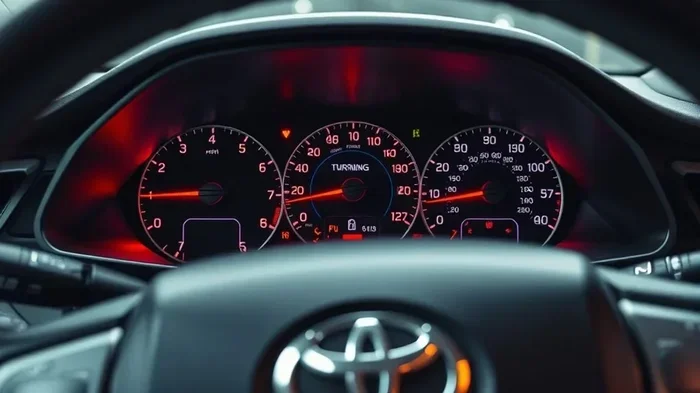
Your 2015 Corolla has a vehicle diagnostic system that constantly monitors things like engine performance, oil quality, tire pressure, and more. When something falls out of range, the system triggers a warning on your instrument cluster.
Here are the most common reasons dashboard lights appear:
- Loose or damaged gas cap triggering the check engine light
- Due for an oil change or maintenance service
- Low tire pressure activating the TPMS warning
- Sensor malfunctions in the braking or emission system
- Electrical glitches after a dead battery or jump start
Sometimes the light means something serious. Other times it is just a reminder that says Toyota service required. Knowing the difference helps you decide whether a simple reset will do the trick.
Understanding Your 2015 Toyota Corolla Dashboard Lights
Before you try any reset method, you need to know what you are dealing with. The 2015 Corolla has several types of warnings. Each one tells you something different about your car.
Warning Lights vs. Informational Lights
This is the most important distinction. Not every light on your dashboard means something is broken.
- Warning lights (red or yellow) signal potential danger. Think brake warnings, engine temperature, or oil pressure. These need immediate attention.
- Informational lights (green, blue, or white) show normal system activity. Cruise control active, high beam on, or turn signal indicators fall into this category.
- Maintenance reminders (often yellow or amber) tell you it is time for scheduled service like an oil change. These are the easiest to reset.
If a red warning light stays on, do not just reset it. Visit a mechanic. We will talk more about this later.
Common Lights That Need Resetting on the 2015 Corolla
These are the lights owners ask us about most often:
- Check engine light — the classic CEL that can mean dozens of things
- Maintenance required / service light — a simple oil change reminder
- Oil life percentage — shows remaining oil life after a reset
- Trip meter displays — sometimes gets stuck or shows old data
- TPMS light — tire pressure monitoring system warning
- VSC and TRAC off lights — stability and traction control indicators
How to Reset Dashboard Lights Using the Trip Meter Button
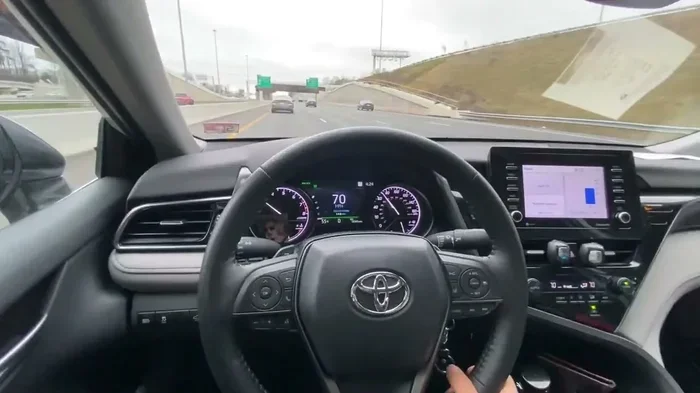
This is the easiest and most common method. Your 2015 Toyota Corolla has a trip meter reset button located on the steering wheel or near the odometer. This method works great for clearing maintenance reminders and informational lights.
Step-by-Step Instructions
Follow these steps carefully:
- Turn your ignition to the ON position. Do not start the engine. You can press the power button twice or turn the key to ACC.
- Press the trip meter button on your steering wheel. This cycles through the display modes on your multi-information display.
- Keep pressing until you see the odometer or the specific reading you want to reset.
- Press and hold the trip meter button for about 10 seconds. The display should reset to zero or return to the normal dashboard view.
- Release the button. Start your engine and check if the light has cleared.
That is it. Most owners clear their maintenance light in under a minute this way.
Quick Tips for Button Resets
- Make sure your car is in Park (automatic) or Neutral before starting.
- Hold the button steady. Quick taps will not work.
- If the display does not respond, try the button while the engine is running instead.
- Some owners report that pressing the button while turning the key to ON works better. Try both positions.
Resetting the Oil Life and Service Light on a 2015 Toyota Corolla
The oil life reset is one of the most requested resets. After every oil change, your Corolla needs to know the clock is cleared. Here is how to do it.
Oil Life Reset Procedure
- Turn the ignition ON without starting the engine.
- Press the trip meter button to show the oil life percentage on your display.
- Press and hold the trip meter button for several seconds until the display shows “100%” or resets.
- Start the engine. The service light should now be off.
If the light still shows after this, try the battery method described below. Sometimes the system needs a full power cycle to accept the reset.
Resetting the Maintenance Required Light
For the general “Maintenance Required” message, the process is similar:
- Access the trip meter display
- Hold the trip meter button for 10-15 seconds
- The message should blink and then disappear
- Start the engine to confirm
Some Corolla owners also reset the trip meter to track mileage for their next service. Just press and hold the trip button while the display shows “Trip A” or “Trip B.”
Resetting Dashboard Lights by Disconnecting the Battery
This is the universal method that works on almost every car. Disconnecting your battery forces a full reset of the vehicle diagnostic system. It clears error codes and turns off stubborn warning lights.
Step-by-Step Battery Disconnect
- Park your car on a flat surface and turn off the engine. Make sure the car is fully off, not just in accessory mode.
- Open the hood and locate your battery. On the 2015 Corolla, it is typically on the driver’s side near the front fender.
- Use a wrench to loosen the negative (black) battery cable clamp. Do the negative terminal first — this is important for safety.
- Carefully remove the cable from the terminal. Keep it away from the battery post so it cannot accidentally reconnect.
- Wait 15 to 30 minutes. This gives your car’s computer enough time to fully discharge and clear all stored codes.
- Reconnect the negative cable and tighten the clamp securely.
- Start the engine. Your dashboard should be completely clean now.
What Happens After a Battery Disconnect
Your car’s computer goes back to its factory default settings. Here is what to expect:
- Radio presets may be erased
- The clock will reset to a default time
- Your power windows may need to relearn their limit positions (hold the window switch up and down for a few seconds)
- All stored diagnostic codes get wiped clean
- Some systems like the anti-theft may require a re-entry of your key code
Pro tip: Keep a flashlight handy. You are working in a dark engine bay most of the time. Also, wear gloves to protect your hands from battery acid residue.
Common Mistakes During Battery Disconnect
- Disconnecting the positive terminal first: This can cause sparks and short circuits. Always disconnect negative first, positive last.
- Not waiting long enough: A quick 5-minute wait is often not enough. Give it at least 15-30 minutes for a complete reset.
- Forgetting to clean the terminals: Corrosion on your battery terminals causes connection problems. Clean them with a wire brush before reconnecting.
- Reconnecting too early: If you reconnect and immediately start the car, the reset may not fully register. Wait an extra minute before turning the key.
Using an OBD2 Scanner to Reset Dashboard Lights
If button presses and battery disconnects do not work, an OBD2 scanner is your best friend. This tool plugs into your car’s diagnostic port and communicates directly with your vehicle’s computer.
What Is an OBD2 Scanner?
An OBD2 scanner reads and clears diagnostic trouble codes (DTCs) stored in your car’s system. When your check engine light comes on, the system saves a specific code that points to the problem. The scanner reads that code and lets you erase it after the fix is done.
Basic OBD2 scanners cost between $20 and $50. You can also use free apps like Torque or OBD Fusion on your smartphone with a simple Bluetooth adapter.
How to Use an OBD2 Scanner on Your 2015 Corolla
- Locate the OBD2 port in your 2015 Corolla. It is under the dashboard on the driver’s side, usually near the steering column or to the left of the fuse box.
- Plug your OBD2 scanner into the port. It clicks into place.
- Turn the ignition to ON. Do not start the engine.
- Turn on your scanner or launch the app on your phone.
- Wait for the scanner to connect to your car’s system. This takes about 5-10 seconds.
- Select “Read Codes” to see all stored diagnostic trouble codes.
- Write down or photograph the codes for reference.
- Once you have fixed the underlying issue, select “Clear Codes” or “Erase Codes.”
- Turn off the ignition, wait 10 seconds, then start the engine. The check engine light should be off.
Comparison: Reset Methods at a Glance
| Method | Cost | Difficulty | Best For |
|---|---|---|---|
| Trip Meter Button | Free | Very Easy | Service and oil life lights |
| Battery Disconnect | Free | Moderate | All warning lights, general resets |
| OBD2 Scanner | $20-$50 | Easy | Check engine light, specific error codes |
| Professional Diagnosis | $50-$150 | No Effort | Complex or persistent issues |
When to See a Professional Instead of Resetting Yourself
Not every dashboard light can or should be reset at home. Some warnings mean your car has a real problem that a simple reset will not fix. In fact, resetting these lights without fixing the cause can be dangerous.
Red Warning Lights — Stop and Get Help
Red lights on your dashboard demand immediate action. These include:
- Engine temperature warning — your engine is overheating. Pull over and shut off the engine immediately.
- Oil pressure warning — low oil pressure can destroy your engine within minutes.
- Brake warning light — could mean low brake fluid, worn pads, or a serious braking system failure.
- Airbag warning — your airbags may not deploy in a crash. This needs professional repair.
Do not try to reset these lights yourself. Take your car to a trusted mechanic right away.
Yellow Warning Lights — Proceed With Caution
Yellow lights usually mean something needs attention soon but it is not an emergency. These include the check engine light, VSC off, or traction control warnings. You can try the reset methods in this guide. If the light comes back, schedule a service visit.
Expert Insights and Pro Tips
We talked to experienced Toyota mechanics and Corolla specialists to gather some insider knowledge. Here is what they want every owner to know:
- Always fix the problem first, then reset. Mechanic Mike Torres from Austin, Texas, says, “I see people reset the check engine light every week without fixing anything. That just masks a real issue and can lead to expensive damage down the road.”
- Keep a record of your diagnostic codes. Before clearing any code, write it down. This helps mechanics diagnose problems faster and gives you a history of what has happened with your car.
- Update your Toyota software when possible. Some 2015 Corolla models have software updates available at the dealership. These updates can fix buggy warning systems that trigger false alerts.
- Check your gas cap first. A loose gas cap is the number one reason the check engine light comes on. Tighten it or replace it before spending any money on diagnostics.
- Use genuine Toyota parts for resets that involve sensors. Aftermarket parts sometimes do not communicate properly with your vehicle diagnostic system, causing lights to return.
Preventing Unwanted Dashboard Lights in the Future
The best reset is the one you never need. Here is how to keep your car dashboard lights from coming on unexpectedly:
- Follow the Toyota service schedule in your owner’s manual. Regular oil changes, tire rotations, and fluid top-offs prevent most warnings.
- Keep your tires properly inflated. Check pressure monthly to avoid TPMS warnings.
- Do not ignore small problems. A tiny sensor issue today becomes a major repair tomorrow.
- Avoid cheap aftermarket parts. Low-quality parts often trigger warning lights because the car’s system does not recognize them.
- Keep your battery terminals clean and secure. A loose connection causes random electrical gremlins on your dashboard.
- Update your infotainment and diagnostic software at your Toyota dealer during routine visits.
Key Takeaways
Resetting your dashboard lights on a 2015 Toyota Corolla is usually simple. Start with the trip meter button for service and oil resets. Move to battery disconnect for stubborn lights. Use an OBD2 scanner for precise code clearing. Always fix the underlying issue before clearing any warning. And remember — red lights mean stop, yellow lights mean act soon, and green lights mean you are good to go.
Conclusion
Now you know how to reset dashboard lights on a 2015 Toyota Corolla like a pro. From the simple trip meter button press to the full battery disconnect method, you have several reliable tools in your toolbox. We covered the oil life reset, the OBD2 scanner approach, and even when to hand the reins to a professional.
Remember that resetting a dashboard light is not a cure — it is a clean slate. Always address the root cause first. A warning light exists to protect you and your car. Clearing it without fixing the problem just hides the risk.
Keep this guide bookmarked. The next time a stubborn light appears on your Toyota Corolla dashboard, you will know exactly what to do. Stay safe out there and keep your ride running smooth.
Frequently Asked Questions
How do I reset the check engine light on my 2015 Toyota Corolla without a scanner?
You can disconnect the negative battery terminal for 15 to 30 minutes, then reconnect it and start the engine. This clears most error codes. However, if the underlying problem is not fixed, the light will come back on quickly.
Can I drive my 2015 Toyota Corolla with the dashboard light on?
It depends on the light. Green or informational lights are fine. Yellow lights mean you should schedule service soon. Red lights mean stop driving immediately. Ignoring red warnings can cause serious engine or brake damage.
How do I reset the maintenance required light on a 2015 Toyota Corolla?
Turn the ignition to ON, press the trip meter button on your steering wheel, and hold it for 10 seconds. The display should reset. Start the engine and confirm the light is gone. This also works for resetting oil life percentage.
What does the VSC off light mean on my 2015 Corolla?
The VSC (Vehicle Stability Control) off light means your stability and traction control systems have been manually disabled, usually by accidentally pressing the VSC button near the steering wheel. Press that button again to reactivate the system and turn off the light. If it comes on by itself, there may be a sensor issue.
How long does a battery disconnect need to be to reset the dashboard?
For a full reset on a 2015 Toyota Corolla, wait at least 15 minutes. Some owners prefer 30 minutes to ensure all systems fully discharge. Shorter waits may not clear all stored diagnostic codes from your vehicle diagnostic system.
Where is the OBD2 port on a 2015 Toyota Corolla?
The OBD2 diagnostic port is located under the dashboard on the driver’s side. Look to the left of the steering column, near the fuse box cover. It is a rectangular port with 16 pins. You can plug in any standard OBD2 scanner to read and clear codes.