How Do I Turn Off My Toyota Security Alarm Step by Step
This guide shows you exactly how to turn off your Toyota security alarm quickly and safely. You’ll learn simple steps for key fob, door lock, and fuse resets. Stop the annoying horn honking and get back to driving with confidence.
A car alarm is designed to protect your vehicle, but when it goes off randomly or refuses to shut off, it becomes a huge nuisance. The Toyota security alarm system is reliable, yet it can malfunction due to a dead key fob battery, faulty sensor, or a glitch in the Toyota anti-theft system. Understanding the root cause helps you choose the right fix quickly.
You might be standing in a parking lot with the horn blaring and everyone staring at you. That’s stressful, but it’s also very common. This guide walks you through every method to turn off the alarm, from the simplest key fob trick to a full system reset. By the end, you’ll know exactly what to do the next time your Toyota vehicle alarm acts up.
We’ll cover the most popular Toyota models, including the Camry, Corolla, RAV4, and Tacoma. The steps are similar across these vehicles, so you can apply them right away. Let’s get your car quiet again.
Key Takeaways
- Key Fob Reset: The fastest way to silence most Toyota alarms is by pressing the lock/unlock button on your key fob.
- Door Lock Method: Manually locking and unlocking the driver’s door with the physical key often resets the system.
- Fuse Removal: Pulling the alarm fuse for 30 seconds forces a full system reboot on most Toyota models.
- Ignition Trick: Turning the ignition to the ON position and waiting 10 minutes can clear a false alarm.
- Prevent Future Issues: Regularly replacing your key fob battery and checking sensors keeps the Toyota anti-theft system reliable.
- When to Seek Help: If the alarm persists after all steps, a faulty sensor or module needs professional diagnosis.
📑 Table of Contents
- Why Does Your Toyota Security Alarm Keep Going Off?
- How Do I Turn Off My Toyota Security Alarm? The Simple Steps
- Resetting the Toyota Alarm After a Battery Disconnect
- Troubleshooting a Stuck or False Alarm
- Preventing Future Toyota Alarm Issues
- Common Mistakes People Make When Trying to Silence the Alarm
- Final Thoughts on Silencing Your Toyota Alarm
Why Does Your Toyota Security Alarm Keep Going Off?
Before you learn how to turn the alarm off, it helps to understand why it triggers in the first place. The Toyota alarm system uses sensors on the doors, hood, and trunk. It also monitors the key fob’s proximity. When something trips these sensors, the horn honks and the lights flash.
Common Triggers for False Alarms
- Low key fob battery: A weak battery sends a weak signal, which the system may read as an unauthorized attempt.
- Sensitive motion sensor: Small animals or even strong wind can set off the Toyota security indicator light.
- Aftermarket electronics: Poorly installed stereo or dash cams can interfere with the Toyota alarm module.
- Dead car battery: A low voltage condition tricks the system into thinking someone is trying to steal the car.
- Door not fully closed: A slightly open door triggers the Toyota door lock alarm immediately.
Understanding the Toyota Anti-Theft System
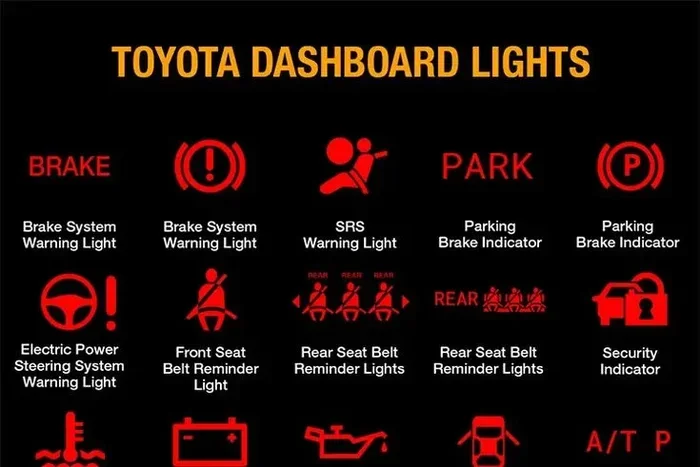
The Toyota anti-theft system includes an immobilizer that prevents the engine from starting without the correct key. The Toyota security light on the dashboard flashes when the system is armed. If this light stays on or blinks rapidly, it often means the alarm is active or malfunctioning. Knowing this helps you decide whether you need a simple reset or deeper Toyota alarm troubleshooting.
| Method | Best For | Time Required | Difficulty |
|---|---|---|---|
| Key Fob Button | Quick stop of a honking alarm | 5 seconds | Easy |
| Door Lock Key | When the fob is dead or lost | 30 seconds | Easy |
| Ignition ON Wait | False alarm after battery disconnect | 10 minutes | Medium |
| Fuse Removal | Stuck alarm that won’t respond | 5 minutes | Medium |
| Professional Diagnosis | Persistent faults or damaged sensors | 30+ minutes | Hard |
How Do I Turn Off My Toyota Security Alarm? The Simple Steps
The most direct answer to how do I turn off my Toyota security alarm depends on what’s causing it. Start with the easiest method and work your way down. Most owners solve the problem in under two minutes.
Method 1: Use the Key Fob Lock/Unlock Button
Press the lock button on your key fob, then immediately press the unlock button. This sends a clear signal to the Toyota alarm system that you are the owner. The horn should stop within three seconds. If it doesn’t, try pressing both buttons at the same time for five seconds.
Quick Tip: Stand close to the car when you do this. The key fob signal weakens with distance, and a weak signal can sometimes re-trigger the alarm.
Method 2: The Door Lock Key Trick
Insert your physical key into the driver’s door lock. Turn it to lock the door, wait five seconds, then turn it to unlock. This manual action tells the Toyota vehicle alarm that you are using the correct entry method. The alarm will silence and the Toyota security light will stop flashing.
This method works even if your key fob battery is completely dead. It’s the oldest trick in the book, but it still works on 2010, 2015, and 2020 Toyota models alike.
Method 3: The Ignition ON Reset
Sit in the driver’s seat and insert the key into the ignition. Turn it to the ON position (just before starting the engine). Wait for 10 minutes without touching anything. The Toyota anti-theft system will relearn the key’s signal. After 10 minutes, turn the key back to OFF, wait 5 seconds, then start the car normally. The alarm should be fully reset.
Expert Insight: This method is especially useful after you’ve disconnected the car battery. The system needs time to recognize the key again.
Method 4: Remove the Alarm Fuse
Open the fuse box under the dashboard on the driver’s side. Look for the fuse labeled “ALM” or “Alarm.” Use a fuse puller to remove it for 30 seconds. Reinsert the fuse. This hard reset clears any error codes in the Toyota alarm module and stops a stuck horn.
Common Mistake: Don’t pull the wrong fuse. Check your owner’s manual for the exact fuse location. Pulling the wrong one can disable the radio or power windows.
Resetting the Toyota Alarm After a Battery Disconnect
Disconnecting the battery is a common fix for many electrical issues, but it often leaves the Toyota alarm system in a confused state. The system may keep honking or refuse to arm properly. You need to perform a full reset to restore normal operation.
Step-by-Step Battery Reset Procedure
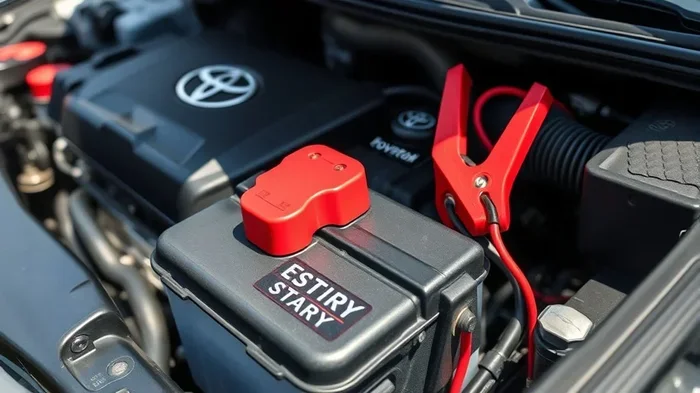
- Disconnect the negative battery terminal with a wrench.
- Wait 15 minutes to let all capacitors drain.
- Reconnect the negative terminal and tighten it firmly.
- Turn the ignition to ON without starting the engine.
- Wait for the Toyota security light to stop blinking.
- Lock and unlock the doors using the key fob.
- Start the engine and test the alarm system.
This process forces the Toyota anti-theft system to reinitialize. It’s the best way to fix an alarm that keeps going off after you’ve had a jump start or replaced the battery.
Relearning the Key Fob
After a battery disconnect, the key fob may need to be re-paired. Sit in the car with all doors closed. Press the lock button on the fob, then press the unlock button within 5 seconds. The horn will chirp once to confirm successful pairing. If it chirps twice, repeat the process. This ensures the Toyota security alarm recognizes your fob as valid.
Troubleshooting a Stuck or False Alarm
Sometimes the alarm won’t stop even after you try the basic methods. This usually points to a deeper issue with the sensors or the control module. Here’s how to diagnose and fix the most common problems.
Check the Hood and Trunk Sensors
Open the hood and check the hood pin sensor. A loose or damaged sensor sends a constant signal to the Toyota alarm system that the hood is open. Push the pin firmly into the latch until you hear a click. Do the same for the trunk sensor. A stuck trunk sensor is one of the top reasons for a car alarm not turning off.
Inspect the Door Latch Sensors
Each door has a small switch inside the latch. If this switch is dirty or worn, it can think the door is open when it’s closed. Spray a small amount of electrical contact cleaner into the latch mechanism. Work the door open and closed several times to clean the contacts. This often fixes a Toyota alarm not responding to lock commands.
When to See a Mechanic
If you’ve tried all the reset methods and the horn still honks, the problem is likely a faulty Toyota alarm relay or a damaged control module. A mechanic can scan the system for error codes and replace the defective part. Continuing to drive with a stuck alarm can drain your battery and annoy everyone around you.
Quick Tip: Before visiting a shop, check if your Toyota is under recall for alarm system issues. Some 2018–2020 models had a known Toyota alarm system reset bug that Toyota fixed for free.
Preventing Future Toyota Alarm Issues
The best way to deal with a Toyota security alarm is to prevent problems before they start. A few simple habits keep the Toyota anti-theft system working smoothly for years.
Replace the Key Fob Battery Yearly
The key fob uses a small CR2032 battery. When it drops below 2.5 volts, the signal weakens and the alarm may false-trigger. Swap the battery once a year, even if it still seems to work. This is the single most effective way to avoid a Toyota horn alarm going off randomly.
Keep Sensors Clean
Dirt and moisture can build up on the door jamb sensors. Wipe them with a dry cloth every few months. If you live in a snowy area, clear ice from the door sensors before locking the car. Ice can trick the system into thinking the door is open.
Avoid Aftermarket Alarm Installations
Adding an expensive aftermarket alarm can conflict with the factory Toyota alarm module. If you must upgrade, have a certified Toyota technician install it. They know how to integrate the new system without causing Toyota alarm troubleshooting headaches later.
Use the Valet Mode When Possible
Many Toyota models have a valet mode that disables the alarm but keeps the ignition working. Check your owner’s manual for the valet button location. This is handy when you leave your car at a repair shop or with a valet attendant.
Common Mistakes People Make When Trying to Silence the Alarm
Even with the best intentions, some actions make the problem worse. Avoid these mistakes to save time and frustration.
- Pressing the panic button repeatedly: This does not stop the alarm. It only makes the horn honk louder and drains the battery faster.
- Ignoring the key fob battery warning: A flashing key fob icon on the dashboard means the battery is low. Replace it immediately to prevent false alarms.
- Yelling at the car: The alarm doesn’t respond to voice commands. Stay calm and follow the steps in this guide.
- Removing the wrong fuse: Pulling the horn fuse will silence the noise temporarily, but it also disables your horn for safe driving. Always target the alarm fuse specifically.
- Leaving the alarm disabled permanently: Some owners disconnect the alarm wire to stop the noise. This leaves the vehicle unprotected and may void your insurance.
Key Takeaway: Patience and the right method are all you need. The Toyota security alarm is a smart system, and with the correct reset, it will work reliably again.
Final Thoughts on Silencing Your Toyota Alarm
Dealing with a blaring Toyota security alarm is never fun, but you now have all the tools to fix it yourself. Start with the key fob, try the door lock method, and move to a fuse reset if needed. Each step is designed to be simple and safe. You don’t need to be a mechanic to silence the horn.
Remember that the Toyota anti-theft system is there to protect your car. A little regular maintenance, like replacing the key fob battery and checking door sensors, keeps it working without false alarms. If the problem persists, don’t hesitate to visit a Toyota dealer or trusted mechanic. They have the tools to run a full Toyota alarm system reset and replace any faulty parts.
Next time someone asks you how do I turn off my Toyota security alarm, you’ll be the expert who gives them the exact answer. Share this guide with a fellow Toyota owner who’s dealing with a noisy alarm. A quiet car is a happy car.
Frequently Asked Questions
Why does my Toyota alarm keep honking even after I lock the doors?
This usually happens because the key fob battery is weak or a door sensor isn’t closing fully. Try replacing the fob battery first, then manually lock and unlock the driver’s door with the physical key to reset the system.
Can I turn off the Toyota alarm without the key fob?
Yes. Insert the physical key into the driver’s door lock, turn it to lock, wait five seconds, then turn it to unlock. This manual method bypasses the fob and tells the alarm system you are the owner.
Is it safe to remove the alarm fuse to stop the horn?
It is safe for a short time, but removing the fuse permanently disables your alarm protection. Only pull the fuse for a 30-second reset, then reinsert it. Never drive without the alarm fuse if you can avoid it.
How do I reset the Toyota alarm after installing a new battery?
After reconnecting the battery, turn the ignition to the ON position and wait 10 minutes. Then lock and unlock the doors with the key fob. This reinitializes the Toyota anti-theft system and clears any error codes.
What does a flashing red light on the dashboard mean with the alarm?
The flashing red light is the Toyota security indicator. It means the alarm system is armed and monitoring the vehicle. If it flashes rapidly without the alarm sounding, the system is ready. If it flashes rapidly while the horn honks, there is an active fault.
Will disconnecting the battery erase my Toyota radio presets?
Yes, disconnecting the battery will reset the radio and may require a code to restore. However, it will also fully reset the Toyota alarm module. Always have the radio code handy before disconnecting the battery.