How to Update Car Bluetooth and Fix Connection Issues
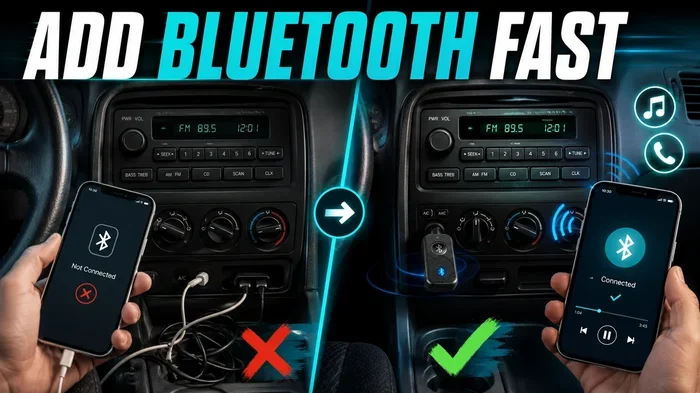
Updating your car bluetooth is one of the simplest ways to improve wireless connectivity, fix annoying connection drops, and enjoy seamless audio streaming. Whether you drive a sedan, SUV, or truck, a bluetooth update can transform your daily commute. This guide walks you through every step to update car bluetooth and resolve common pairing problems. You will learn quick fixes, expert tips, and when it is time to see a professional.
There is nothing more frustrating than trying to stream your favorite playlist through car bluetooth and hearing nothing but static. Or worse, your phone keeps disconnecting mid-call while you are driving. These problems are incredibly common, but the good news is that most of them are easy to fix.
A simple car bluetooth update can solve connection issues, improve audio quality, and unlock new features you did not even know your system had. Whether your car is a few years old or brand new, keeping your wireless connectivity up to date matters a lot. In this guide, we will show you exactly how to update car bluetooth and fix connection issues step by step.
You do not need to be a tech expert. We will break everything down into plain language with clear instructions. By the end of this article, you will know how to troubleshoot bluetooth problems, update your system confidently, and enjoy hands-free calling and wireless streaming without any headaches.
Key Takeaways
- Regular updates keep your car bluetooth running smoothly and prevent most connection issues before they start.
- Updating car bluetooth is easy and can be done through your infotainment system, smartphone app, or dealership.
- Bluetooth pairing problems often have simple fixes like clearing paired devices or restarting your system.
- Wireless connectivity depends on several factors including distance, interference, and bluetooth version compatibility.
- Knowing when to seek professional help saves time and money when basic troubleshooting fails.
- Future-proofing your car audio system ensures you stay compatible with the latest smartphone features.
📑 Table of Contents
- Why Your Car Bluetooth Needs Regular Updates
- How to Update Car Bluetooth Step by Step
- Common Bluetooth Connection Problems and How to Fix Them
- Bluetooth Pairing Tips for Better Performance
- Comparison: Bluetooth Versions and What They Mean for Your Car
- When to Seek Professional Help for Bluetooth Issues
- Quick Tips to Keep Your Car Bluetooth Running Smoothly
- Common Mistakes That Cause Bluetooth Problems
- Expert Insights on Car Bluetooth Maintenance
- Key Takeaways
- Conclusion
Why Your Car Bluetooth Needs Regular Updates
Most car owners forget about their car audio system until something goes wrong. Just like your phone or laptop, your car’s infotainment system needs regular software updates. These updates fix bugs, improve performance, and add new features to your wireless connectivity experience.
What Happens When You Skip Updates
When you ignore firmware update notifications, your car bluetooth can start to lag. You might notice that songs skip during playback, calls drop unexpectedly, or your phone takes forever to connect. Over time, these small annoyances can turn into big frustrations every time you get behind the wheel.
Outdated bluetooth software also means you miss out on improvements. Manufacturers regularly release updates that boost bluetooth range, enhance audio quality, and improve bluetooth pairing speed. Skipping updates means you are stuck with an older, slower experience.
How Often Should You Update Car Bluetooth
There is no single rule for how often you should update. However, checking for updates every few months is a smart habit. Most modern vehicles notify you when an update is available through the dashboard screen. If your car does not have that feature, you should manually check at least twice a year.
Major software releases from car manufacturers often coincide with new phone operating systems. When Apple releases a new iOS version or Google rolls out Android updates, your car bluetooth may need a matching update to stay compatible. Staying on top of these changes keeps everything running smoothly.
How to Update Car Bluetooth Step by Step
Updating your car bluetooth is simpler than most people think. The exact steps vary depending on your vehicle make and model, but the general process follows a similar pattern. Here is a detailed walkthrough for each method.
Method 1: Update Through Your Infotainment System
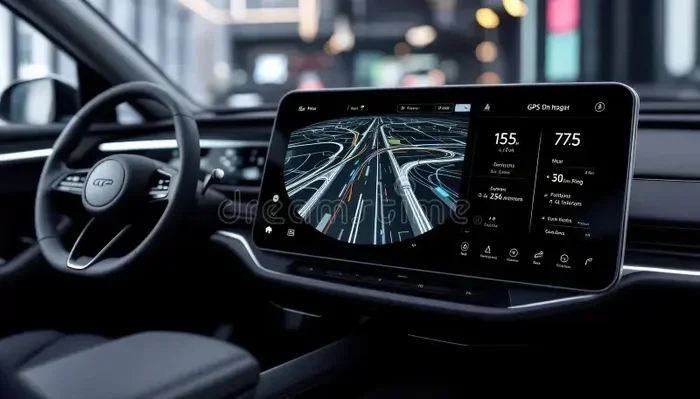
Most modern cars have a built-in system that checks for updates automatically. To manually check, follow these steps:
- Turn on your car and go to the main infotainment screen.
- Navigate to Settings or System Settings.
- Look for Software Update or System Update.
- Select Check for Updates.
- If an update is available, follow the on-screen prompts to download and install.
- Wait for the system to restart. Do not turn off your car during this process.
This method works for most brands including Ford, Toyota, Honda, Chevrolet, and BMW. The entire process usually takes between five and fifteen minutes.
Method 2: Use the Manufacturer’s Mobile App
Many car brands now offer dedicated apps that let you manage your vehicle remotely. Apps like FordPass, Toyota App, and BMW Connected allow you to check for and install car software update packages directly from your phone.
To use this method, simply download your car brand’s app, log in with your account, and look for a software or updates section. The app will guide you through the process. Some updates can even be installed over Wi-Fi at home, which is incredibly convenient.
Method 3: Visit a Dealership
If you are not comfortable doing it yourself, visiting a dealership is always a great option. Certified technicians can check for available car bluetooth update packages and install them for free in most cases. They also have access to specialized tools that can diagnose deeper connection problems.
This is especially helpful for older vehicles where manual updates may not be supported. Dealerships can also update your car infotainment system to the latest version, which often includes major improvements to wireless connectivity.
Common Bluetooth Connection Problems and How to Fix Them
Even with an updated system, you may still run into bluetooth connection issues from time to time. Here are the most common problems and their solutions.
Bluetooth Keeps Disconnecting
This is the number one complaint among car owners. The most common cause is distance. Bluetooth range typically extends about 30 feet from your phone. If your phone is buried under a seat or in the glove box, the signal weakens and drops.
Another cause is interference. Other wireless devices, USB cables, and even microwaves can disrupt your wireless streaming signal. Try moving your phone closer to the dashboard and removing other wireless devices from the area.
Phone Will Not Pair with Car System
When your phone refuses to connect, the first thing to do is delete the old pairing from both devices. On your phone, go to Bluetooth settings, find your car, and select Forget Device. Then do the same on your car’s infotainment system.
After clearing both devices, restart your phone and your car’s audio system. Try pairing again from scratch. This simple reset solves the problem about 80 percent of the time.
Poor Audio Quality or Static Noise
Garbled audio during calls or music playback is annoying but usually easy to fix. Start by checking if your phone is too far from the car system. Move it closer and see if the quality improves.
If static persists, try turning off other Bluetooth devices in the car. Sometimes multiple devices compete for the same signal, causing interference. A quick restart of both your phone and car system can also clear up audio issues.
Hands-Free Calling Does Not Work
Hands-free calling is a key safety feature, and when it stops working, it is a real problem. First, make sure your car bluetooth update is current. Outdated software often breaks calling features.
Next, check your phone’s permission settings. Your phone needs to allow the car system to access contacts and microphone. Go to your phone’s Bluetooth settings, find your car, and make sure all permissions are enabled.
Bluetooth Pairing Tips for Better Performance
Getting the most out of your car bluetooth update means pairing your devices correctly. Here are some tips that make a big difference.
Keep Your Phone and Car System Close During Pairing
Place your phone on the dashboard or center console when pairing. This ensures a strong initial connection, which leads to a more stable wireless pairing experience overall.
Name Your Device Clearly
Rename your phone in Bluetooth settings to something recognizable. Instead of “iPhone 14,” try “My Car Phone.” This makes it easier to identify your device when multiple phones are in the car.
Limit the Number of Paired Devices
Most car systems can store several paired devices, but having too many connected at once can slow things down. Keep only your primary phone paired and delete old devices you no longer use. This keeps your car connectivity fast and reliable.
Restart Regularly
Just like your phone, your car’s infotainment system benefits from regular restarts. A simple reboot clears temporary glitches and refreshes the bluetooth module. Make it a habit to restart your system once a week.
Comparison: Bluetooth Versions and What They Mean for Your Car
Understanding bluetooth version differences helps you know what to expect from your car’s wireless system. Here is a quick comparison of the most common versions found in vehicles today.
| Bluetooth Version | Max Range | Audio Quality | Best For |
|---|---|---|---|
| Bluetooth 4.0 | About 30 feet | Standard | Basic calling and music streaming |
| Bluetooth 4.2 | About 30 feet | Good | Improved stability and lower power use |
| Bluetooth 5.0 | Up to 80 feet | High | Better range and faster data transfer |
| Bluetooth 5.3 | Up to 80 feet | Excellent | Latest features and best performance |
If your car has an older bluetooth version, updating the system software may not upgrade the hardware itself. However, updates can still improve how the system handles connections and audio processing. For the best wireless streaming experience, Bluetooth 5.0 or higher is ideal.
When to Seek Professional Help for Bluetooth Issues
Most bluetooth troubleshooting steps are simple and can be done at home. But sometimes, the problem goes deeper than a software glitch. Here are signs that you need professional help.
Your System Will Not Update at All
If your infotainment system refuses to download or install updates, there may be a hardware issue. A faulty bluetooth module or damaged antenna could be the cause. A dealership technician can run diagnostics to pinpoint the problem.
You Notice Physical Damage
If you have had recent repairs or accidents, internal wiring damage can affect your car audio system. Visible damage to the dashboard, loose connections, or burning smells are all red flags that need immediate professional attention.
Connection Issues Persist After All Fixes
If you have tried clearing paired devices, restarting, and updating, but problems continue, it is time to see an expert. Persistent disconnections and audio dropouts may indicate a deeper software conflict or hardware failure that requires specialized tools to fix.
Quick Tips to Keep Your Car Bluetooth Running Smoothly
- Restart your phone and car system weekly to clear temporary glitches.
- Delete old paired devices regularly to keep your connection list clean.
- Update your phone’s operating system since it affects how it communicates with your car.
- Keep your phone charged because low battery can weaken the bluetooth signal.
- Avoid placing your phone near metal objects during pairing.
- Use high-quality audio files for better streaming quality through your car speakers.
Common Mistakes That Cause Bluetooth Problems
Many car owners unknowingly make mistakes that worsen their bluetooth connection issues. Here are the most common ones to avoid.
- Ignoring update notifications. Skipping updates leaves your system vulnerable to bugs and compatibility issues.
- Keeping too many paired devices. This clutters your system and slows down connection speeds.
- Not restarting after updates. Many people forget to restart their car system after installing an update, which means the changes do not fully take effect.
- Placing the phone in the wrong spot. Your phone needs to be within range of the car’s bluetooth antenna for a stable connection.
- Using outdated phone software. An old phone operating system may not work well with a newly updated car system.
Avoiding these simple mistakes goes a long way in keeping your wireless connectivity strong and reliable.
Expert Insights on Car Bluetooth Maintenance
Automotive technicians who specialize in car electronics share a common piece of advice: prevention is always easier than repair. Regular maintenance of your car bluetooth system prevents most problems before they start.
One experienced technician told us, “I see the same issues over and over again. Nine times out of ten, a simple restart and a software update would have solved the problem. People wait too long to update their systems.” This advice holds true across all car brands and models.
Another expert emphasized the importance of checking compatibility before buying a new phone. “Not all phones work equally well with every car system. Check your car manufacturer’s website for a list of compatible devices before making a switch,” he advised.
Key Takeaways
- Updating car bluetooth regularly is the single best way to prevent connection problems and enjoy better audio quality.
- Bluetooth pairing issues are usually solved by clearing old pairings and restarting both devices.
- Wireless streaming works best when your phone is close to the car system and free from interference.
- Bluetooth version matters for range and audio quality, but software updates can still improve older systems.
- Professional help is needed when basic troubleshooting fails or when hardware damage is suspected.
- Simple habits like regular restarts and keeping paired devices clean make a huge difference in daily performance.
Conclusion
Keeping your car bluetooth up to date is one of the easiest and most rewarding things you can do for your vehicle. A simple update can transform your driving experience, giving you crystal-clear hands-free calling, smooth wireless streaming, and reliable car connectivity every time you turn the key.
We have covered everything from step-by-step update methods to common troubleshooting fixes. You now know how to update car bluetooth and fix connection issues without spending a dime on unnecessary repairs. The tips and insights in this guide should help you handle most bluetooth problems on your own.
Remember to make car bluetooth updates part of your regular car care routine, just like checking your oil or tire pressure. A little maintenance goes a long way toward keeping your wireless connectivity strong and your drives enjoyable. Apply what you have learned today, and you will wonder why you did not update your system sooner.
FAQs
How do I know if my car bluetooth needs an update?
If your bluetooth connection drops frequently, audio quality sounds poor, or your phone takes a long time to pair, your system likely needs an update. Check your infotainment settings for a software update option. You can also visit your car manufacturer’s website to see if a newer version is available for your model.
Can I update car bluetooth without going to a dealership?
Yes, in most cases you can update your car bluetooth yourself through the infotainment system or the manufacturer’s mobile app. Many car brands now offer over-the-air updates that you can complete at home. Dealership visits are only necessary if your system does not support self-updates or if hardware issues are present.
How long does a car bluetooth update take?
Most updates take between five and fifteen minutes to complete. The exact time depends on the size of the update and your car’s system speed. It is important not to turn off your car during the update process, as this can cause software corruption.
Why does my phone keep disconnecting from car bluetooth?
Phone disconnections are usually caused by distance, interference from other devices, or outdated software. Try moving your phone closer to the dashboard, removing other wireless devices from the area, and restarting both your phone and car system. If the problem continues, check for a car bluetooth update or clear your paired device list and reconnect.
Is it safe to update car bluetooth while driving?
No, you should never install software updates while driving. Always update your car bluetooth when the vehicle is parked and turned off. Updates require system restarts and can cause the infotainment screen to go blank temporarily, which is dangerous while driving.
What should I do if my car bluetooth update fails?
If an update fails, first check that your car has enough battery power and is connected to a stable Wi-Fi network if required. Restart the system and try again. If the update still fails, visit a dealership or qualified mechanic who can run diagnostics and install the update manually using professional tools.