How Do You Reset Your Car After an Oil Change Easy
Resetting your car after an oil change is a quick and easy process that keeps your maintenance schedule accurate and your dashboard warning lights off. Whether you drive a Toyota, Honda, Ford, or any other brand, learning how to reset your car after an oil change takes just a few minutes and requires no special tools. This guide walks you through the exact steps for popular car brands so you can handle the reset yourself with total confidence.
There is something oddly satisfying about finishing an oil change. You have drained the old oil, swapped in the fresh stuff, and maybe even replaced the filter. But then you glance at the dashboard and see that little maintenance light still staring back at you. It is a small thing, but it nags at you every time you get behind the wheel. The good news is that learning how to reset your car after an oil change is one of the easiest car care tasks you can do. You do not need a mechanic, fancy tools, or a service manual the size of a phone book. In this guide, we walk you through the entire process in plain, simple language. By the end, you will know exactly what to do for your specific vehicle and why this small step matters so much.
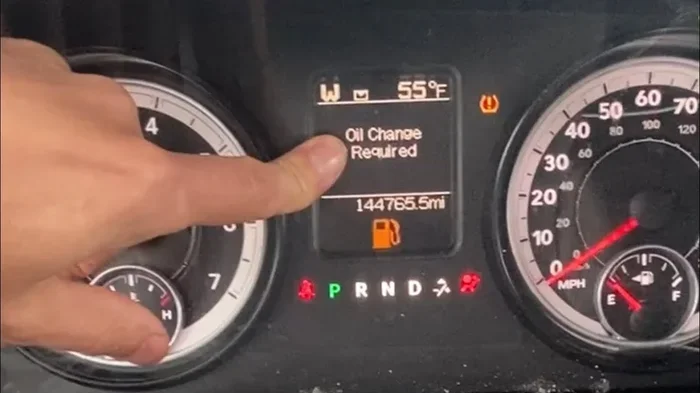
Many car owners overlook the reset step after an oil change. It might seem minor, but that little light or message on your dashboard is part of your car’s oil life monitoring system. This system tracks your driving habits and engine conditions to tell you when the next oil change is due. When you change the oil, the system does not automatically know. You have to tell it. That is what the reset does. It clears the old service data and starts a fresh countdown. Think of it like setting a new alarm after you wake up. If you do not set it again, you will sleep right through your next appointment. The same idea applies here. A quick reset keeps your maintenance schedule accurate and your peace of mind intact.
Key Takeaways
- Resetting is essential: Skipping the reset leaves your maintenance light on and throws off your service tracking.
- Process is simple: Most cars need just a few button presses on the steering wheel or dashboard.
- Brand-specific steps vary: Toyota, Honda, Ford, and Chevy each have slightly different reset procedures.
- Common mistakes happen: Using the wrong button sequence or resetting before the oil is fully installed are frequent errors.
- Regular resets help your car: Keeping your maintenance timer accurate improves engine health and resale value.
- You can do it yourself: No mechanic or special equipment is needed for most vehicles.
- Know when to ask for help: If the light stays on after resetting, a professional inspection may be needed.
📑 Table of Contents
- Why You Need to Reset Your Car After an Oil Change
- How to Reset Your Car After an Oil Change
- Reset Procedures for Popular Car Brands
- Common Mistakes When Resetting Your Car After an Oil Change
- Tips to Keep Your Car Maintenance on Track
- When to Seek Professional Help
- Final Thoughts on Resetting Your Car After an Oil Change
Why You Need to Reset Your Car After an Oil Change
What Happens When You Skip the Reset
Skipping the reset might not cause any immediate damage to your engine. Your car will still run fine. But that persistent maintenance light can be annoying and distracting. Over time, it can also mask real warning signs. If your car is already programmed to alert you about serious issues like low oil pressure or engine trouble, a stuck maintenance light makes it harder to notice when something actually needs attention. Another problem is the service history. If you ever sell your car or take it in for inspection, an inaccurate maintenance record can lower its value or cause a failed inspection. Resetting after every oil change keeps all of this in order. It is a tiny habit that pays off in big ways.
How the Oil Life Monitoring System Works
Modern vehicles use what is called an oil life monitoring system. This is a smart feature built into your car’s computer. It does not just track mileage. It also looks at driving conditions, engine temperature, number of short trips, and how hard you drive. Based on all of this data, the system calculates when your oil is starting to break down and needs replacing. Different car brands use different names for this feature. Toyota calls it the Maintenance Minder. Honda uses the Maintenance Required light. Ford uses the Oil Change Alert. No matter what brand you drive, the purpose is the same. It tells you when it is time for fresh oil. When you complete the oil change, you need to reset your car after an oil change so the system can start its new calculation from scratch.
How to Reset Your Car After an Oil Change
General Step-by-Step Reset Process
While every car model is slightly different, the general process for resetting your car after an oil change follows a similar pattern. Here is a basic walkthrough that applies to most vehicles made in the last 15 years.
- Step 1: Turn the ignition to the “ON” position without starting the engine. You can do this by pressing the start button without stepping on the brake, or by turning the key to the accessory position.
- Step 2: Locate the trip odometer or menu button on your dashboard or steering wheel controls.
- Step 3: Navigate to the maintenance or service menu. On most cars, you will see options like “Oil Life,” “Maintenance Required,” or “Service Due.”
- Step 4: Press and hold the reset button or scroll to the “Reset” option. Hold it for about 5 to 10 seconds until the display starts to blink or shows a confirmation message.
- Step 5: Release the button and turn the ignition off. Then start the engine to confirm the light has been cleared.
That is it. The entire process usually takes less than two minutes. If you are unsure about the exact steps for your vehicle, check your owner’s manual. Most manuals have a dedicated section on the service light reset process. You can also search online for your specific make, model, and year to find a quick video guide.
Quick Tips for a Smooth Reset
A few small tips can save you time and frustration when you are resetting your car after an oil change:
- Make sure the engine is off but the ignition is in the “ON” position before you start the reset process.
- Have your owner’s manual nearby, especially if this is your first time doing the reset.
- Do not rush the button hold. Many people release the button too early and the reset does not take.
- If your car has a touchscreen display, look for a “Settings” or “Vehicle” menu first.
- After resetting, drive for a few minutes and check that the maintenance light stays off.
Reset Procedures for Popular Car Brands
One of the reasons people get confused about resetting their car after an oil change is that every brand has its own method. Below, we break down the process for some of the most popular car brands on the road today.
How to Reset Toyota and Lexus Models
Toyota and Lexus vehicles use the Maintenance Minder system. To reset it, start by turning the ignition to the “ON” position. Use the steering wheel arrows to scroll to the odometer or trip meter display. Then press and hold the “Trip” or “Reset” button for about 10 seconds. The maintenance light should start to blink and then turn off. Turn the ignition off and then back on to confirm the reset worked. If you have a newer Toyota with a touchscreen, you can also go to the “Settings” menu, select “Vehicle,” and find the maintenance reset option there.
How to Reset Honda and Acura Models
Honda and Acura models use a slightly different approach. Turn the ignition to the “ON” position without starting the engine. Press the “Select/Reset” knob on the instrument panel repeatedly until you see the oil life indicator. Then press and hold the knob for about 10 seconds. The indicator should reset to 100 percent, and the maintenance light will go off. Start the engine to verify the reset was successful. For Acura models, the process is nearly identical, but the knob may be labeled “Info” on some newer models.
How to Reset Ford and Chevrolet Models
Ford vehicles often have the information displayed on the steering wheel controls or the dashboard screen. For most Ford models, use the steering wheel arrows to navigate to the “Vehicle Info” menu, then scroll to “Maintenance Required.” Press and hold the “OK” button for about 5 seconds until the display resets. For Chevrolet vehicles, turn the key to the “ON” position and use the trip button to cycle through the menus until you reach the oil life display. Hold the trip button down for several seconds until the system resets. Both brands make the process straightforward once you know which buttons to press.
| Brand | Reset Method | Time Required |
|---|---|---|
| Toyota | Trip button hold on instrument panel | 1-2 minutes |
| Honda | Select/Reset knob press and hold | 1-2 minutes |
| Ford | Steering wheel menu navigation and OK hold | 2-3 minutes |
| Chevrolet | Trip button hold on dashboard display | 1-2 minutes |
| BMW | iDrive menu: Vehicle Info > Service > Reset | 2-3 minutes |
| Ford | Steering wheel controls or dashboard menu | 1-2 minutes |
Common Mistakes When Resetting Your Car After an Oil Change
Forgetting to Reset the Maintenance Timer
The most common mistake is simply forgetting to do the reset at all. People get in a hurry after an oil change. They pay the bill, drive out of the shop, and forget about the maintenance light. A few weeks later, the light is still there and it becomes background noise. You stop noticing it, and then when a real warning light comes on, you might not pay attention either. Make it a habit to always reset after every oil change. It takes less time than it took to read this sentence.
Using the Wrong Reset Method
Another common error is using the wrong button sequence for your specific car model. Every brand has its own process, and even different model years within the same brand can vary. If you follow a YouTube video meant for a 2015 Honda Civic but you own a 2020 Honda Civic, the steps might be slightly different. Always double-check the reset method for your exact make, model, and year. Your owner’s manual is the best resource. If you do not have it, a quick online search for your vehicle’s year and model will bring up the correct steps in seconds.
Resetting Before the Oil Is Fully Installed
This one is rare but it happens. Some people reset the system before the new oil has been fully poured and the oil cap is tightened. If there is a leak or the oil level is low, the reset will clear the warning before you know there is a problem. Always complete the entire oil change process first. Check the oil level with the dipstick, make sure everything is sealed, and then do the reset. This ensures your car is actually in good shape before the system starts its new countdown.
Tips to Keep Your Car Maintenance on Track
Setting Reminders for Your Next Oil Change
Resetting your car after an oil change is only half the battle. The other half is making sure you know when the next one is due. Most modern cars will display the remaining oil life percentage after a reset. Keep an eye on this number. When it drops below 15 percent, it is time to start planning your next oil change. You can also set a reminder on your phone or calendar app. Many people find it helpful to write down the mileage at the time of each oil change. This gives you a backup reference if the dashboard display ever glitches. Staying on top of your car maintenance schedule is one of the best things you can do for your vehicle’s longevity.
Understanding Oil Change Intervals
Not all oil changes are created equal. The interval between changes depends on the type of oil you use, your driving habits, and your vehicle’s recommendations. Conventional oil typically needs changing every 3,000 to 5,000 miles. Full synthetic oil can last 7,500 to 10,000 miles or more. If you drive in severe conditions like extreme heat, cold, stop-and-go traffic, or tow heavy loads, you may need to change your oil more frequently. Check your owner’s manual for the manufacturer’s recommended oil change frequency. Following these guidelines keeps your engine running smoothly and prevents premature wear. It also helps you get the most out of every gallon of oil you buy.
The Role of the Oil Filter in Your Maintenance Routine
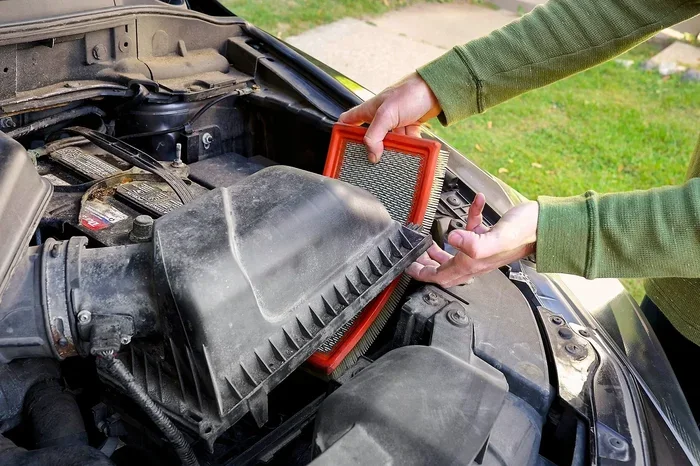
When you think about car maintenance, the oil filter often gets overlooked. But it plays a critical role in keeping your engine clean. The filter catches dirt, metal particles, and other contaminants that would otherwise circulate through your engine. Over time, the filter becomes clogged and less effective. That is why most mechanics recommend replacing the oil filter every time you change the oil. A clean filter paired with fresh oil gives your engine the best protection. It is a small part of the process, but it makes a big difference in how well your car runs over the long haul.
When to Seek Professional Help
Signs Your Reset Did Not Work
Sometimes you follow all the steps and the maintenance light stays on. This can be frustrating, but it is usually fixable. The first thing to check is whether you held the reset button long enough. Try the process again and hold the button for a full 10 to 15 seconds. If the light still does not go off, there may be a deeper issue. Your car might have a separate oil pressure warning that is unrelated to the maintenance timer. Or there could be a sensor problem that needs professional diagnosis. In these cases, it is smart to visit a trusted mechanic or dealership. They have diagnostic tools that can read the exact error code and pinpoint the problem.
Finding a Trusted Mechanic for Your Car Care Routine
Not everyone is comfortable doing an oil change or reset on their own. That is perfectly okay. Many people prefer to leave this work to professionals. If you are in this camp, look for a mechanic who specializes in your car brand or has strong reviews in your area. Ask friends and family for recommendations. Check online review sites for honest feedback. A good mechanic will not only change your oil and reset the system but will also inspect other parts of your car while they are under the hood. This kind of thorough car care routine can catch small problems before they turn into expensive repairs.
Final Thoughts on Resetting Your Car After an Oil Change
Learning how to reset your car after an oil change is one of those small skills that makes a big difference in your overall car ownership experience. It takes just a couple of minutes, requires no special tools, and keeps your maintenance tracking accurate. Whether you drive a Toyota, Honda, Ford, Chevrolet, or any other brand, the process is straightforward once you know the right steps. The key is to make it a habit. Every time you finish an oil change, take those extra two minutes to reset the system. Your future self will thank you when the dashboard stays clean and your car runs smoothly for years to come.
Do not let that little maintenance light become a constant source of annoyance. Take control of your car maintenance schedule today. Follow the steps in this guide, find the right process for your vehicle, and enjoy the satisfaction of handling this task on your own. It is one of the simplest ways to stay connected to your car and keep it running at its best. Remember, a well-maintained car not only performs better but also holds its value higher when it is time to sell or trade in. A few minutes of effort now can save you hundreds of dollars down the road.
So the next time you finish an oil change, do not just drive away. Take a moment, find the right buttons, and complete the reset. It is a small act of care that adds up to big benefits for your vehicle. Your car works hard for you every day. Taking a few extra minutes to reset the maintenance system is a simple way to give something back.
Frequently Asked Questions
Can I reset my car after an oil change without the owner’s manual?
Yes, you can. Most reset procedures follow a similar pattern across car brands, and you can easily find your specific vehicle’s reset steps by searching online. Many car forums and YouTube channels provide model-specific video guides that walk you through the process step by step. Keep in mind that the general method described in this article works for most vehicles, but checking your exact model ensures you do not accidentally press the wrong sequence of buttons.
What should I do if the maintenance light stays on after I reset it?
If the light does not go off after you try the reset process, first make sure you held the reset button long enough. Try the process again and hold the button for a full 10 to 15 seconds. If the light still remains on, there may be an underlying issue such as low oil pressure or a faulty sensor. In this case, it is best to visit a trusted mechanic who can run a diagnostic scan and identify the exact cause of the persistent light.
How often do I need to reset my car after an oil change?
You should reset your car after every single oil change. The reset clears the old service data and starts a fresh countdown for your next oil change interval. This applies whether you change the oil yourself at home or have it done at a service center. Making the reset a consistent part of your oil change routine ensures your maintenance tracking stays accurate and your dashboard stays clear.
Do I need any special tools to reset my car after an oil change?
No special tools are needed at all. The reset process uses buttons and controls that are already built into your vehicle’s dashboard, steering wheel, or infotainment system. All you need is access to the ignition and the correct button sequence for your car model. This is one of the easiest car maintenance tasks you can do on your own without visiting a mechanic or purchasing any equipment.
Will resetting my car after an oil change affect the warranty?
No, resetting the maintenance light has no effect on your vehicle’s warranty. The reset simply clears the service timer and updates the oil life monitoring system. It does not alter any engine settings or diagnostic codes. However, it is always a good idea to keep records of your oil changes, including dates and mileage, as these records can be important for warranty claims and resale purposes.
Can I drive my car immediately after resetting the maintenance light?
Yes, you can drive your car immediately after resetting. The reset process does not affect your vehicle’s ability to run or drive safely. However, it is a good idea to start the engine after the reset and drive for a few minutes to confirm that the maintenance light has been cleared and stays off. This quick check ensures the reset was successful and gives you peace of mind before your next drive.