How Do You Reset the Dashboard Lights on a Toyota Corolla
Resetting your Toyota Corolla dashboard lights is a simple process that most owners can do at home. Whether your check engine light, maintenance light, or other warning indicators are stuck on, this guide walks you through every method. You will learn three proven ways to reset the lights, plus troubleshooting tips for common problems.
Have you ever looked at your dashboard and seen a light that just would not go away? It is frustrating, right? You know your Toyota Corolla is running fine, but that little symbol sits there staring back at you like a challenge. How Do You Reset the Dashboard Lights on a Toyota Corolla? The good news is that you can handle this yourself in most cases. You do not need to be a mechanic or spend hours in a garage. In this guide, we walk you through every method step by step. You will learn why lights come on, how to reset them using three different approaches, and what to do when things do not go as planned. Let us get your dashboard looking clean again.
Your Toyota Corolla dashboard is like a communication system between your car and you. Those little symbols and lights tell you when something needs attention. Sometimes they stay on even after the issue is resolved. Other times, they pop up for no obvious reason. Either way, knowing how to reset them saves time and money. Resetting dashboard lights on a Toyota Corolla is something every owner should know how to do. It is quick, easy, and empowering. So let us dive right in and take care of it together.
Key Takeaways
- Three Easy Methods: You can reset dashboard lights using the trip meter button, battery disconnect, or an OBD scanner.
- Know Your Symbols: Understanding Toyota Corolla dashboard symbols helps you identify which lights need attention.
- Common Causes: Loose gas caps, overdue maintenance, and minor electrical issues are the most common triggers.
- Quick Fixes Work: Most dashboard light resets take less than 10 minutes and need no special tools.
- When to See a Pro: Persistent warning lights may signal deeper issues that need professional diagnosis.
- Prevention Matters: Regular maintenance checks keep dashboard lights working properly and prevent surprises.
- Safety First: Always address critical warning lights like oil pressure and temperature immediately.
📑 Table of Contents
- Understanding Your Toyota Corolla Dashboard Lights
- Why Dashboard Lights Come On and Need Resetting
- How to Reset Dashboard Lights on a Toyota Corolla
- Troubleshooting Dashboard Lights That Won’t Go Away
- When to Seek Professional Help for Dashboard Issues
- Tips to Keep Your Toyota Corolla Dashboard Lights Working Properly
- Conclusion
Understanding Your Toyota Corolla Dashboard Lights
Before you reset anything, it helps to understand what those lights actually mean. Your dashboard is packed with symbols, and each one serves a specific purpose. Some are harmless reminders, while others are urgent warnings. Knowing the difference keeps you safe and saves you from unnecessary panic.
What Do Dashboard Warning Lights Mean?
Dashboard warning lights on a Toyota Corolla fall into three basic categories. Green and blue lights are informational. They tell you something is active, like your high beams or turn signals. Yellow and orange lights are warnings. They mean something needs attention but is not an emergency. Red lights are serious. They mean stop safely and address the issue right away. Toyota Corolla dashboard symbols follow a universal design, so once you learn a few, the rest make sense.
Common symbols you will see include the check engine light, oil pressure warning, battery alert, temperature gauge warning, and the maintenance required light. Each one communicates a specific message. When a light stays on after the problem is fixed, it needs a reset. That is where this guide comes in handy.
Common Dashboard Symbols on the Toyota Corolla
Here are the most common Toyota Corolla dashboard warning lights you will encounter:
- Check Engine Light: A yellow engine shape that signals a problem with the emissions system or engine.
- Oil Pressure Warning: A red oil can symbol. This means your oil level or pressure is low.
- Battery Warning: A red battery icon that indicates a charging system issue.
- Temperature Warning: A red thermometer symbol showing the engine is overheating.
- Maintenance Required Light: A wrench icon that tells you it is time for scheduled service.
- Tire Pressure Warning: A horseshoe shape with an exclamation point indicating low tire pressure.
- Brake System Warning: A red circle with an exclamation point or the word BRAKE.
These instrument panel lights are designed to keep you informed. When one stays on after the issue is resolved, it is simply reminding you to clear the code or reset the system.
Key Takeaways
- Dashboard lights use a color code: green for info, yellow for warnings, red for urgent issues.
- Most symbols are universal: you can find them across all Toyota models.
- Understanding symbols prevents panic: you will know which lights need immediate action and which do not.
Why Dashboard Lights Come On and Need Resetting
So why do dashboard lights stay on in the first place? There are several reasons, and most of them are simple. Your car’s computer stores fault codes when it detects a problem. Even after you fix the issue, the code stays in memory until you reset it. That is why the light persists even when everything looks fine.
Normal vs. Abnormal Warning Lights
Not every light that comes on means something is broken. Some lights are completely normal. For example, your seatbelt warning light comes on when you start the car and goes off when you buckle up. Your turn signal indicator blinks when you activate it. These are expected behaviors.
Abnormal lights are the ones that stay on when they should not. A check engine light that appears randomly and stays on is a common example. A battery warning light that comes on while driving could signal a real problem. Toyota dashboard troubleshooting starts with figuring out whether the light is normal or abnormal.
When You Need to Reset the Lights
You should reset your dashboard lights in a few situations. After you have fixed a minor issue like a loose gas cap, the light may not turn off on its own. After completing a DIY repair, you want to clear the code to confirm the fix worked. Sometimes lights come on due to a temporary glitch, and a reset clears the false alert.
Here are the most common reasons you need a Toyota maintenance light reset:
- You have completed an oil change or other routine service.
- You replaced a sensor or fixed a minor electrical issue.
- A temporary fault code triggered the light unnecessarily.
- The gas cap was loose and caused an emissions warning.
- You cleared a code manually and need the light to confirm it is gone.
Quick Tips
- Always fix the root cause first. Resetting a light without fixing the problem just masks the issue.
- Note the light color. Red lights need immediate attention before you attempt any reset.
- Keep your owner’s manual handy. It has specific information about your Toyota Corolla dashboard symbols.
Key Takeaways
- Fault codes stay in memory: even after fixing the problem, you must reset the system.
- Not all lights are warnings: some are normal operational indicators.
- Reset after repairs: clearing the light confirms the fix was successful.
How to Reset Dashboard Lights on a Toyota Corolla
Now for the part you have been waiting for. How Do You Reset the Dashboard Lights on a Toyota Corolla? There are three proven methods. Each one works for different situations, and all of them are simple enough for anyone to try at home. Let us walk through each method carefully.
Method 1: Using the Trip Meter Reset Button
This is the easiest and most common method. It works for resetting the maintenance light and some other warning indicators on your Toyota Corolla. Here is exactly what to do:
- Turn the ignition to the “ON” position without starting the engine. Just press the start button without pressing the brake pedal.
- Locate the trip meter reset button on your dashboard. It is usually near the speedometer or on the steering wheel controls.
- Press and hold the reset button.
- While holding the button, turn the ignition to the “OFF” position, then back to “ON.”
- Continue holding the button for about 10 to 15 seconds.
- Release the button. The maintenance light should now be off.
This method works great for the Toyota maintenance light reset on most Corolla models from 2008 to 2023. If the light does not go away, do not worry. We have two more methods that work just as well.
Common Mistakes
- Releasing the button too early: hold it for the full 10 to 15 seconds for best results.
- Starting the engine during the process: keep the engine off while resetting.
- Using the wrong button: make sure you are pressing the trip meter reset, not the odometer button.
Method 2: Disconnecting the Battery
If the trip meter method does not work, disconnecting the battery is your next option. This method clears all stored fault codes and resets the entire electrical system. It works for reset dashboard lights Toyota models of all years.
- Turn off the engine and remove the key from the ignition.
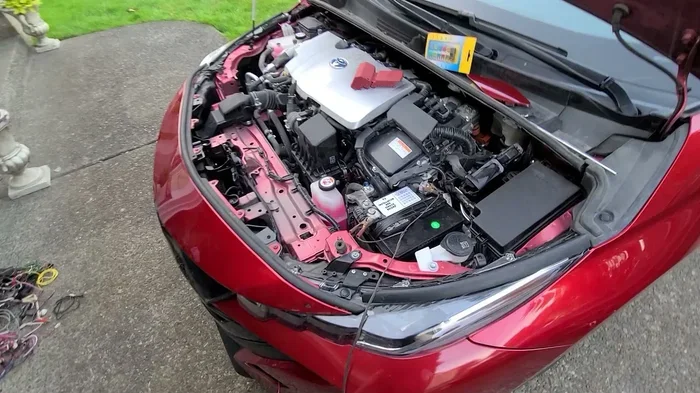
- Open the hood and locate the battery. In most Toyota Corolla models, the battery is on the front left side of the engine bay.
- Use a wrench to loosen the negative (black) battery cable first.
- Disconnect the cable from the battery terminal and move it away from the battery.
- Wait for at least 15 minutes. This allows the computer to fully reset.
- Reconnect the negative cable and tighten it securely.
- Start the engine and check if the dashboard lights are off.
Keep in mind that disconnecting the battery will also reset your radio presets, clock, and some other settings. You will need to reprogram those after reconnecting. This is a small trade-off for a clean reset.
Expert Insights
Many Toyota owners prefer the battery disconnect method because it guarantees a full system reset. However, it should be used as a last resort for simple light resets. If your battery is more than three years old, disconnecting it may trigger additional issues. Always make sure your battery is in good condition before using this method.
Method 3: Using an OBD Scanner
An OBD scanner is the most professional approach to resetting dashboard lights on a Toyota Corolla. OBD stands for On-Board Diagnostics. This tool connects to your car’s computer system and reads or clears fault codes directly.
- Purchase or borrow an OBD-II scanner. You can find affordable ones at auto parts stores for under $30.
- Locate the OBD-II port in your Toyota Corolla. It is usually under the dashboard on the driver’s side, near the steering column.
- Plug the scanner into the port.
- Turn the ignition to the “ON” position.
- Follow the scanner’s instructions to read any stored fault codes.
- Once you have reviewed the codes, select the option to clear or erase them.
- Disconnect the scanner and start the engine. The warning lights should be off.
This method is the most thorough because it lets you see exactly what triggered the light in the first place. You can address the root cause and then clear the code with confidence.
| Method | Difficulty | Time Required | Best For |
|---|---|---|---|
| Trip Meter Reset Button | Easy | 2-3 minutes | Maintenance light, minor indicators |
| Battery Disconnect | Moderate | 20-30 minutes | Stubborn lights, full system reset |
| OBD Scanner | Easy to Moderate | 5-10 minutes | Check engine light, detailed diagnostics |
Key Takeaways
- Three methods work for all Toyota Corolla models: trip meter, battery disconnect, and OBD scanner.
- The trip meter method is the simplest: try it first before moving to more involved options.
- OBD scanners give you the most information: you can read and clear codes with confidence.
Troubleshooting Dashboard Lights That Won’t Go Away
Sometimes you try everything and the lights just will not go away. This is frustrating, but it happens more often than you might think. Let us look at what to do when your dashboard lights stay on after reset and how to fix common issues.
Dashboard Lights Staying On After Reset
If a light stays on after you have tried all three methods, there is likely an underlying issue. The car’s computer has detected a problem that has not been fully resolved. Here are the most common causes:
- Loose or faulty gas cap: This is the number one cause of the check engine light. Remove the cap, reattach it firmly, and drive for a few miles.
- Unresolved fault code: If you used an OBD scanner, check whether any codes remain. A persistent code means the problem is still there.
- Faulty sensor: A bad sensor can trigger a warning light even when everything else is working fine.
- Wiring issue: Corroded or damaged wiring can send false signals to the car’s computer.
The Toyota Corolla dashboard flickering or staying on after a reset usually points to a sensor or wiring problem. Do not ignore it. Addressing it early prevents bigger issues down the road.
Flickering or Dim Dashboard Lights
Another common issue is dashboard lights that flicker or appear dim. This is different from lights that stay on. Flickering usually means a bulb is failing or there is a loose connection. Toyota Corolla dashboard dimming can also be caused by a voltage issue in the electrical system.
Here is what you can do:
- Check if the flickering happens at idle or while driving.
- Inspect the dashboard bulbs. Replacement bulbs are inexpensive and easy to find.
- Check the battery voltage with a multimeter. A healthy battery should read 12.6 volts or higher.
- Inspect the alternator. If it is not charging properly, the lights may flicker.
If you are comfortable with basic electrical work, replacing a dashboard bulb is straightforward. Otherwise, a quick visit to a mechanic can handle it for you.
Quick Tips for Dashboard Light Troubleshooting
- Tighten the gas cap first: this fixes the check engine light in many cases.
- Drive the car for 50 to 100 miles after a reset: this allows the computer to relearn and confirm the fix.
- Check the fuse box: a blown fuse can cause specific dashboard lights to stop working.
- Use a multimeter: it is a cheap and useful tool for diagnosing electrical issues.
Common Mistakes When Troubleshooting
- Ignoring a persistent light: even if the car seems fine, a light that stays on means something needs attention.
- Replacing parts without diagnosis: use an OBD scanner first to identify the real problem.
- Resetting without fixing: this only delays the inevitable and could cause more damage.
Key Takeaways
- Persistent lights usually mean an unresolved issue: address the root cause before resetting.
- Flickering lights often indicate a bulb or connection problem: check bulbs and wiring first.
- Drive after resetting: the car’s computer needs time to confirm the fix.
When to Seek Professional Help for Dashboard Issues
Most dashboard light resets are simple and safe to do yourself. But there are times when you should call in a professional. Knowing the difference between a simple reset and a serious problem keeps you safe and saves money in the long run.
Signs You Need a Mechanic
You should seek professional help if any of these situations apply to your Toyota Corolla:
- The check engine light is flashing, not solid. A flashing light usually indicates a serious engine misfire that can damage the catalytic converter.
- Multiple warning lights come on at the same time. This could signal a major electrical or computer problem.
- The temperature warning light is on and the car is overheating. Pull over immediately and call for roadside assistance.
- The oil pressure light is on and you have checked the oil level. Low oil pressure while driving can destroy the engine.
- You have tried all three reset methods and the light returns within a few days.
- You notice a burning smell, unusual sounds, or a significant drop in performance alongside a warning light.
These are not situations where a DIY reset will help. They require a trained mechanic to diagnose and fix the problem safely.
Expert Insights
Experienced Toyota technicians recommend keeping a log of when warning lights appear. This helps mechanics identify patterns and diagnose problems faster. If you notice that a specific light comes on in certain conditions, like cold weather or highway driving, share that information with your mechanic. It can be a valuable clue that speeds up the diagnosis process.
Key Takeaways
- Flashing check engine lights are serious: pull over and seek help immediately.
- Multiple lights at once need professional attention: do not try to reset them yourself.
- Keep a log of warning lights: this information is valuable for mechanics.
Tips to Keep Your Toyota Corolla Dashboard Lights Working Properly
Prevention is always better than cure. Taking care of your Toyota Corolla’s electrical system and dashboard lights reduces the chances of warning lights coming on unexpectedly. Here are some practical tips to keep everything working smoothly.
Regular Maintenance Checks
Stick to your Toyota Corolla’s recommended maintenance schedule. Regular oil changes, tire rotations, and fluid checks keep the car running properly and reduce the likelihood of warning lights. Here is a simple maintenance checklist you can follow:
- Check tire pressure monthly and before long trips.
- Change the oil and oil filter every 5,000 to 7,500 miles.
- Inspect the battery terminals for corrosion every six months.
- Test the battery voltage annually, especially before winter.
- Check all dashboard bulbs during routine service.
- Keep the gas cap tight and replace it if it shows wear.
Following this checklist helps you catch small issues before they trigger dashboard warning lights. It also keeps your Toyota Corolla running at its best.
Replacing Dashboard Bulbs
If a specific dashboard light is not working or has gone dim, you may need to replace the bulb. Dashboard bulbs are small and inexpensive. You can usually find replacements at any auto parts store. The process varies by model year, but generally involves removing the dashboard trim panel, accessing the bulb socket, and swapping out the old bulb.
If you are not comfortable doing this yourself, a quick visit to a repair shop takes care of it in minutes. The cost is usually very low, often under $20 for the bulb and labor.
Common Mistakes to Avoid
- Using the wrong bulb type: check your owner’s manual for the correct bulb specification.
- Touching the new bulb with bare hands: oils from your skin can shorten the bulb’s lifespan. Use a clean cloth or gloves.
- Ignoring a burned-out dashboard light: some lights, like the check engine light, are critical for safety and emissions compliance.
Key Takeaways
- Regular maintenance prevents dashboard issues: stay on top of your service schedule.
- Dashboard bulbs are cheap and easy to replace: do not ignore a dim or burned-out light.
- Keep your gas cap tight: this simple step prevents many check engine light triggers.
Conclusion
Resetting dashboard lights on a Toyota Corolla is a skill every car owner should have. Whether you use the trip meter button, disconnect the battery, or grab an OBD scanner, the process is straightforward and well within your reach. Most resets take just a few minutes and require no special tools or expertise.
Remember to always address the root cause before resetting a light. A light that keeps coming back is your car telling you something needs attention. Use the troubleshooting tips in this guide to identify and fix the real problem. And when in doubt, do not hesitate to consult a professional mechanic.
Your Toyota Corolla dashboard is there to keep you informed and safe. By learning how to manage it properly, you get the most out of your vehicle. How Do You Reset the Dashboard Lights on a Toyota Corolla? Now you know the answer. Take action today, clear those stubborn lights, and enjoy a clean, worry-free dashboard. Your car will thank you for it.
Frequently Asked Questions
What is the easiest way to reset dashboard lights on a Toyota Corolla?
The trip meter reset button method is the easiest and fastest way to reset dashboard lights on a Toyota Corolla. You simply press and hold the trip reset button while cycling the ignition on and off. This method works for the maintenance light and most minor warning indicators on Toyota Corolla models from 2008 onward.
Will disconnecting the battery reset all dashboard lights on my Toyota Corolla?
Yes, disconnecting the battery clears all stored fault codes and resets the electrical system, which turns off most dashboard warning lights. However, this method also resets your radio presets, clock, and other personalized settings. It is best used as a last resort when the trip meter method does not work.
How long should I drive after resetting dashboard lights?
You should drive your Toyota Corolla for at least 50 to 100 miles after resetting the dashboard lights. This gives the car’s computer time to relearn and confirm that the issue has been resolved. If the light returns within that distance, there is likely an unresolved problem that needs attention.
Can I use a free OBD scanner at an auto parts store to reset my Toyota Corolla lights?
Yes, many auto parts stores like AutoZone and O’Reilly offer free OBD scanning services. They can read and clear fault codes from your Toyota Corolla’s computer system. This is a great option if you do not want to purchase your own scanner or if the reset methods described above do not work.
Why does my check engine light keep coming back after I reset it?
A check engine light that keeps returning means the underlying problem has not been fully resolved. Common causes include a loose gas cap, a failing oxygen sensor, a faulty catalytic converter, or an exhaust leak. Use an OBD scanner to read the specific fault code and address the root cause before attempting another reset.
Is it safe to drive with a dashboard warning light on?
It depends on the color and type of the light. Green and blue lights are usually informational and safe to drive with. Yellow or orange warning lights mean you should get the car checked soon but it is generally safe to drive short distances. Red warning lights like oil pressure, temperature, and brake warnings require immediate attention. Pull over safely and do not continue driving if a red light is on.