How Do I Reset My Car Audio Console Without Stress
Resetting your car audio console is simpler than you think. Whether your stereo is frozen, the display is blank, or the sound is acting up, a reset often solves the problem in minutes. This guide walks you through every method — from soft resets to factory resets — so you can get your car audio working again without stress or costly trips to the mechanic.
Have you ever been driving down the road, enjoying your favorite playlist, and suddenly your car audio console just dies? The screen goes blank. The stereo freezes. Or maybe the sound cuts out completely. It is frustrating, right?
Here is the good news. Most car audio problems are easy to fix. You do not need to be a mechanic. You do not even need expensive tools. A simple reset often brings your car audio system back to life in just a few minutes.
In this guide, I will show you exactly how to reset your car audio console without stress. We will cover every method. From a quick soft reset to a full factory reset. I will also share tips on what to check before you reset and common mistakes to avoid. Let us get your sound system working again.
Key Takeaways
- Soft Reset Is Quick: A simple power cycle fixes most minor glitches in your car audio console.
- Factory Reset Wipes Settings: Use this only when a soft reset fails. It restores your audio system to original defaults.
- Check the Fuse First: A blown fuse is a common hidden cause of car audio problems.
- Know Your Vehicle: Different car brands have unique reset procedures. Always check your owner’s manual.
- Avoid Common Mistakes: Disconnecting the battery incorrectly can erase other car settings.
- When to Call a Pro: Some issues need a certified technician, especially wiring or software problems.
- Prevention Helps: Regular maintenance keeps your car audio system running smoothly for years.
📑 Table of Contents
- Why Your Car Audio Console Might Need a Reset
- How to Perform a Soft Reset on Your Car Audio Console
- How to Perform a Factory Reset on Your Car Audio Console
- Common Car Audio Problems and How to Fix Them
- When to Call a Professional
- How to Prevent Car Audio Problems in the Future
- Car Audio Reset Tips by Vehicle Brand
- Key Takeaways
- Frequently Asked Questions
- Conclusion
Why Your Car Audio Console Might Need a Reset
Your car audio console is basically a small computer. It has a processor, memory, and software. Just like your phone or laptop, it can sometimes glitch. These glitches cause all sorts of annoying problems.
Here are the most common reasons your car audio might need a reset:
- Frozen Screen: The display stops responding to touch or buttons.
- No Sound: The stereo powers on but produces no audio.
- Random Shutoffs: The system turns off by itself while driving.
- Error Messages: You see warning lights or error codes on the display.
- Bluetooth Issues: Your phone will not connect to the car stereo.
- Slow Performance: The system takes forever to respond to inputs.
- Glitchy Display: The screen flickers or shows strange lines.
Most of these issues come from software bugs, power surges, or frozen processes. A reset clears out the temporary data and gives your system a fresh start. Think of it like restarting your computer when it starts acting up.
Soft Reset vs Factory Reset
Before we dive into the steps, it is important to understand the two types of resets. A soft reset is a quick restart. It does not delete any of your settings, presets, or saved stations. It simply refreshes the system.
A factory reset is more thorough. It wipes all your custom settings and returns the audio console to its original state. You will need to reprogram your presets and reconnect your Bluetooth devices after a factory reset. We will cover both methods in detail below.
How to Perform a Soft Reset on Your Car Audio Console
A soft reset is the first thing you should try. It is fast, safe, and does not erase any of your data. Most car audio issues can be solved with a soft reset alone.
Method 1: The Power Cycle
This is the simplest way to reset your car audio console. Here is what you need to do:
- Turn off your car engine.
- Press and hold the power button on your audio console for 10 to 15 seconds.
- Wait for the screen to go completely dark.
- Release the button.
- Wait about 30 seconds.
- Press the power button again to turn the system back on.
That is it. Your car stereo should restart fresh. Check if the sound is working and the display is responding normally.
Method 2: The Ignition Toggle
If the power cycle does not work, try this method. It works by cutting and restoring power to the audio system:
- Turn off the car engine.
- Turn the ignition key to the “Off” position.
- Wait 60 seconds.
- Turn the ignition back to the “On” position without starting the engine.
- Check if the audio console boots up normally.
This method is especially useful when your car audio display is blank but the system still has power. It forces the console to reinitialize its connection with the car’s electrical system.
Method 3: The Reset Button
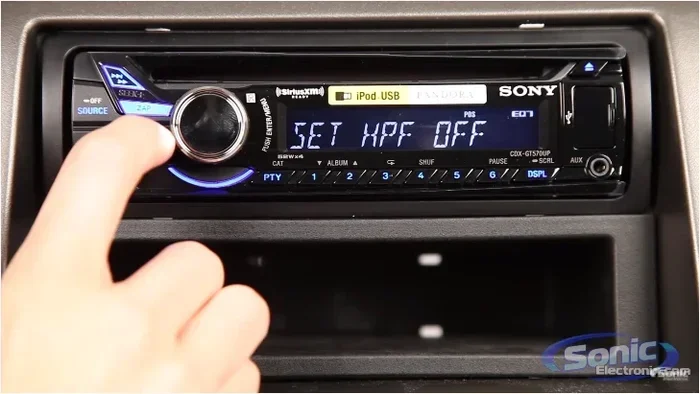
Many car audio consoles have a tiny reset button. It is usually located on the face of the unit or behind the detachable faceplate. Look for a small hole labeled “Reset.”
Use a paperclip or a thin pin to press the button gently. Hold it for about 5 seconds. The screen should flash and restart. This is a great quick fix for a frozen car stereo.
Quick Tip: If you cannot find the reset button, check your vehicle’s owner manual. The location varies by car brand and model. Some manufacturers place it behind the radio trim bezel.
How to Perform a Factory Reset on Your Car Audio Console
A factory reset is your next step if the soft reset does not work. This method restores your car audio system to its original factory settings. Use it when your stereo has persistent issues that a soft reset cannot fix.
Method 1: Using the Settings Menu
Many modern car audio systems let you factory reset through the settings menu. Here is how:
- Turn on your car audio console.
- Navigate to the “Settings” or “System” menu.
- Look for an option called “Factory Reset,” “Master Reset,” or “Restore Defaults.”
- Confirm your choice when prompted.
- Wait for the system to reset and restart.
After the reset, you will need to set the time, reconnect Bluetooth, and reprogram your radio presets. It takes a few minutes but solves most deep-rooted car audio problems.
Method 2: The Button Combination
Some car audio consoles require a specific button combination to factory reset. Common combinations include:
- Press and hold the “Volume” and “Power” buttons together for 10 seconds.
- Press and hold the “Band” and “Scan” buttons simultaneously.
- Hold the “Menu” button and the “Up” arrow for 15 seconds.
The exact combination depends on your car brand. Check your owner’s manual or search online for your specific model. Always be gentle with the buttons. Pressing too hard can damage the console.
Method 3: Disconnecting the Battery
This method works but should be used as a last resort. Disconnecting the car battery resets the entire electrical system, including the audio console.
- Turn off the car engine.
- Open the hood and locate the car battery.
- Disconnect the negative (black) cable first.
- Wait at least 15 minutes.
- Reconnect the negative cable.
- Start the car and check the audio system.
Warning: Disconnecting the battery can also reset your clock, radio presets, and sometimes your car’s computer settings. Make sure you know how to reprogram these after the reset.
Common Car Audio Problems and How to Fix Them
Not all car audio issues require a reset. Sometimes the problem is simpler than you think. Here are some common issues and their solutions.
The Screen Is Blank but the System Has Power
If your car stereo powers on but the screen stays dark, try these steps:
- Check the display brightness setting in the audio menu.
- Try a soft reset using the power cycle method.
- Inspect the screen for damage from direct sunlight or heat exposure.
- Check the fuse related to your car audio system.
A blank screen is often caused by a blown fuse or a loose connection. You can find the fuse box in your owner’s manual. Replace the fuse if it is blown. This simple fix saves you the hassle of a full reset.
The Car Stereo Will Not Turn On
If your car audio console does not power on at all, check the following:
- Make sure the ignition is in the “On” or “Accessory” position.
- Check the power cable behind the console for loose connections.
- Inspect the fuse for the audio system.
- Try the ignition toggle reset method.
Sometimes the power cable gets loose, especially after installing new speakers or a subwoofer. Push the connections back in firmly and see if that solves the problem.
Bluetooth Will Not Connect to the Car Stereo
Bluetooth issues are super common. Try these fixes before resetting:
- Turn off Bluetooth on your phone and turn it back on.
- Delete the car stereo from your phone’s Bluetooth list and pair it again.
- Restart both your phone and the car audio system.
- Check if the car stereo is in pairing mode.
If none of these work, a soft reset usually clears up Bluetooth connectivity problems. The reset refreshes the Bluetooth module and clears any corrupted pairing data.
The Car Audio Sounds Distorted or Crackling
Distorted sound is different from a system freeze. It usually points to a hardware issue rather than a software glitch. Try these steps:
- Lower the volume to see if the distortion goes away.
- Check all audio cables for loose or damaged connections.
- Inspect the speakers for blown cones or torn surrounds.
- Check the car audio fuse to make sure it is not partially blown.
Distortion at high volumes is normal for some budget audio systems. But if the sound is crackling at any volume, you likely have a wiring or speaker problem that needs attention.
When to Call a Professional
Most car audio reset issues are DIY-friendly. But some situations need a professional touch. Do not try to fix these problems on your own:
- Water Damage: If your car audio console has been exposed to water or moisture, do not attempt a reset. Take it to a specialist.
- Burning Smell: If you smell burning plastic or electronics, turn off the system immediately and seek help.
- Physical Damage: Cracked screens or broken buttons need replacement parts, not a reset.
- Persistent Software Errors: If the error message keeps coming back after multiple resets, the system software may need professional reflashing.
- Wiring Issues: If you are not comfortable working with car wiring, leave it to a certified technician.
A professional car audio technician has the tools and expertise to diagnose problems that go beyond a simple reset. They can also check your car audio wiring and make sure everything is connected properly.
How to Prevent Car Audio Problems in the Future
Prevention is always better than cure. Here are some simple habits that keep your car audio console running smoothly:
- Keep the System Updated: Some car audio systems have firmware updates. Check with your dealer or the manufacturer for updates.
- Avoid Overloading the System: Do not push your car audio to the maximum volume for extended periods. It strains the amplifier and speakers.
- Keep It Clean: Dust and debris can build up inside the console. Use a soft, dry cloth to clean the screen and buttons regularly.
- Use a Surge Protector: If you install aftermarket audio equipment, use a power surge protector to shield your car audio from electrical spikes.
- Turn Off the System Before Starting the Car: This reduces power surges when the engine starts and protects your car stereo.
- Store Your Car Properly: Extreme heat and cold can damage car audio components. Park in a garage or shaded area when possible.
These small habits add up over time. They extend the life of your car audio system and reduce the need for resets and repairs.
Car Audio Reset Tips by Vehicle Brand
Different car brands have slightly different reset procedures. Here are some quick tips for popular brands:
- Toyota: Hold the power button and the volume knob together for 10 seconds to reset the audio system.
- Honda: Use the setup button on the audio console and navigate to the reset option in the menu.
- Ford: Many Ford models allow you to reset the audio system through the SYNC settings menu on the touchscreen.
- Chevrolet: Press and hold the power button for 15 seconds to force a reset on most Chevrolet audio systems.
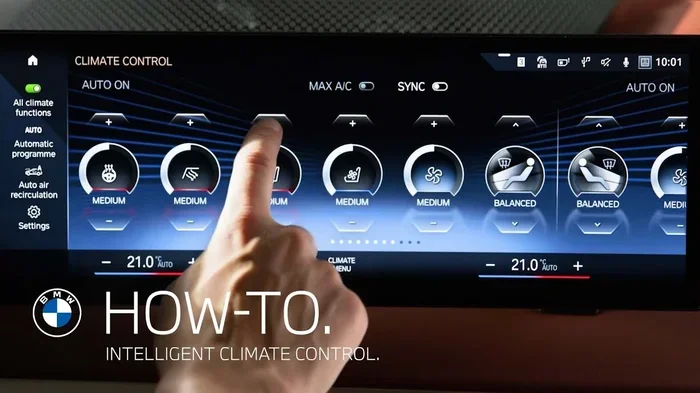
- BMW: BMW audio systems often require a factory reset through the iDrive system settings menu.
Always refer to your vehicle’s owner manual for the exact reset procedure. The manual is your best friend when it comes to car audio troubleshooting.
Key Takeaways
- A soft reset is your first step: It is quick, safe, and fixes most minor car audio glitches without deleting any settings.
- A factory reset restores everything to default: Use it when a soft reset fails. You will need to reprogram your presets afterward.
- Check the fuse before resetting: A blown fuse is a common and overlooked cause of car audio problems.
- Know your vehicle’s reset method: Different brands have different procedures. Your owner manual has the answers.
- Do not force buttons or connections: Gentle handling prevents accidental damage to your car audio console.
- Call a pro for serious issues: Water damage, burning smells, and persistent errors need professional attention.
- Prevention saves time and money: Regular maintenance and good habits keep your car audio system running for years.
Frequently Asked Questions
How long does it take to reset a car audio console?
A soft reset takes less than a minute. A factory reset through the settings menu usually takes about 5 minutes. A battery disconnect reset may need 15 to 20 minutes of waiting time. Overall, resetting your car audio console is a quick process.
Will resetting my car audio console erase my saved radio stations?
A soft reset keeps all your saved stations and settings intact. A factory reset, however, will erase your presets and return the system to its original state. You will need to reprogram your favorite stations after a factory reset.
Is it safe to reset my car audio console while driving?
No. You should always reset your car audio console when the car is parked and the engine is off. Resetting while driving can distract you and may cause the system to shut off unexpectedly. Pull over safely before attempting any reset.
What should I do if my car audio console still does not work after a reset?
If a reset does not fix the problem, the issue may be hardware-related. Check the fuse, inspect the wiring connections, and look for physical damage. If none of these steps help, take your car to a certified car audio technician for a professional diagnosis.
Can resetting my car audio console fix Bluetooth pairing problems?
Yes, a soft reset often fixes Bluetooth pairing issues. The reset clears temporary data and refreshes the Bluetooth module. If the problem persists, try deleting the car stereo from your phone’s Bluetooth list and pairing it again after the reset.
Do I need any special tools to reset my car audio console?
No special tools are needed for most resets. A soft reset only requires you to press buttons on the console. A factory reset is done through the settings menu. The only tool you might need is a paperclip for a tiny reset button. Your owner’s manual is the best resource for your specific vehicle.
Conclusion
Resetting your car audio console does not have to be stressful. With the right knowledge, you can troubleshoot and fix most car audio problems in just a few minutes. Start with a soft reset. It is the safest and fastest method. If that does not work, move on to a factory reset. And always check the basics like fuses and connections before diving into a full reset.
Remember, your car audio system is a computer. It sometimes needs a fresh start just like any other device. The tips and methods in this guide will help you handle those frustrating moments with confidence. Keep your owner’s manual handy, follow the steps carefully, and your car audio console will be back to playing your favorite music in no time.
Take care of your car audio system, and it will take care of you on every drive. Happy listening.